uponor.com l 35
Digital Thermostat (T-169) Operation
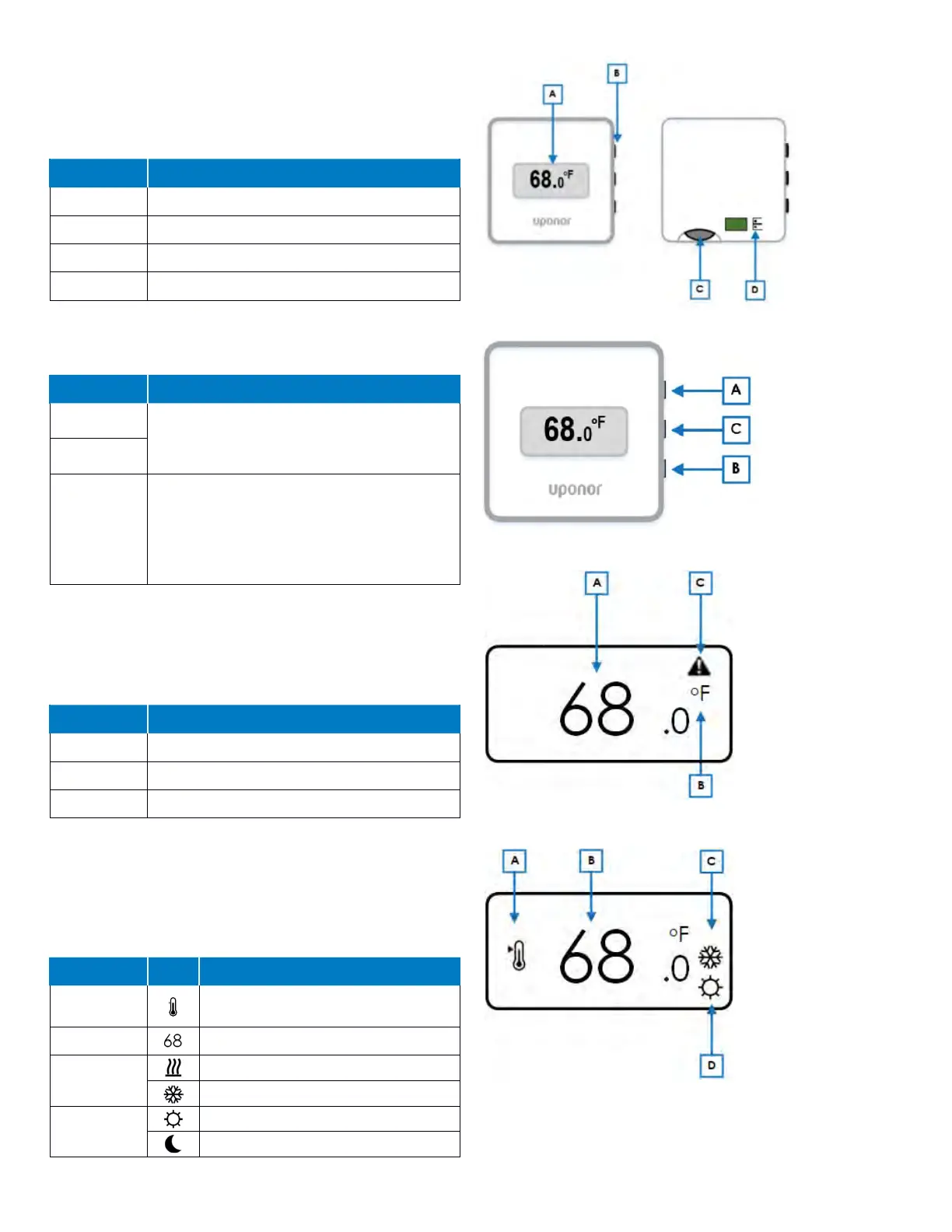
The following are the key parts of the Digital Thermostat
(T-169).
Components
Reference Description
A Display
B Buttons
C Battery (CR 2032V)
D Sensor terminals (non-polarity sensitive)
Table 9-3: Digital Thermostat (T-169) components
Button Functions
Button Function(s)
A
The ▲ and ▼ for the following functions:
• Adjust setpoint temperature
• Modify settings menu parameters
B
C
The OK button is used to:
• Toggle between the current status and the
values of available sensors connected to the
thermostat
• Enter and exit the settings menu
• Confirm a setting
Table 9-4: Digital Thermostat (T-169) button functions
Display Mode
Figure 9-5 shows the different symbol and characters that
can be displayed when the thermostat is in the run mode.
Reference Description
A Room temperature
B Temperature units (°F or °C)
C Alarm warning
Table 9-5: Display mode
Changing Temperature Settings
Figure 9-6 shows all the possible symbols and characters
that can be shown on the display when changing the
desired set temperature.
Reference Icons Description
A
Indicates changing the setpoint
temperature
B Room set temperature
C
Heating demand
Cooling demand
D
Comfort mode
ECO (setback) mode
Table 9-6: Changing temperature settings
Figure 9-3: Operation components
Figure 9-4: Button functions
Figure 9-5: Display mode
Figure 9-6: Changing temperature settings



 To Next Page