
 Need help?
Do you have a question about the Usystems EDGE-3 and is the answer not in the manual?
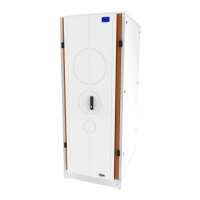
The EDGE-3 Soundproof Micro Data Center is a self-contained, soundproofed micro data center designed for deploying IT equipment in various environments. It aims to provide a secure and controlled environment for IT infrastructure, minimizing noise and offering robust management capabilities.
The EDGE-3 functions as a complete IT enclosure, integrating power, cooling, and management systems within a single, soundproofed cabinet. It is designed to house standard rack-mountable IT equipment, providing a controlled environment that protects the equipment from external factors and minimizes operational noise. The system includes an EDGE Management System (EMS) which acts as the central hub for monitoring and controlling the entire unit. This EMS is networkable, environmental, monitoring, and security product, delivering a default IP address of 192.168.0.10 and a Net mask of 255.255.252.0. The EMS allows for remote management and provides visibility into the status of the data center, including temperature, fan speed, security, and alerts. It supports various ancillary devices such as temperature sensors (up to 4), EC Fans (up to 2), contact sensors (up to 6), aisle containment door open/close sensors, uTelligent Locking, and an LCD Alarm Screen. The system is designed to be powered from a dedicated power source, with options for 100-130V or 200-240V input, depending on the model configuration. It also incorporates an EMS appliance that manages the power outlets for the EDGE fan power.
The EDGE-3 is available in various configurations, supporting soundproofed variants from 24U to 42U. The depth (D) can range from 06 to 14, and the height (H) from 10 to 14. The input voltage and fan module can be configured for either 100-130V or 200-240V operation. The system is equipped with factory-installed and configured fans for these voltage ranges. The EMS appliance outlets are specifically designed for the EDGE fan power only, and other appliances should not be plugged into them. The power cord supplied with the EDGE System is a maximum of 3m in length and is an appropriate Pre-approved power cord. The EMS provides supplementary protection via two high rupture capacity fuses rated TSAH250V. The system is designed for a maximum heat removal of 12kW. The mounting angles are factory fitted by default to 700mm, with both front and rear mounting angles adjustable to accommodate longer IT equipment. The cabinet can support a maximum load on castors of 500kg. The EDGE-3 DAX 'Direction Airflow eXhaust' kit is available to control hot airflow exhaust from the active rear doors, with more information available in a separate data sheet.
The EDGE-3 is designed for ease of use and deployment. It is important to ensure proper configuration for optimal performance. The configuration process involves setting up the mounting angles, which are adjustable to fit different IT equipment depths. The system supports both front and rear mounting angles, allowing flexibility in equipment installation. The cabinet is designed to be moved safely, with instructions provided for unpacking and handling. When moving the cabinet, it is crucial to ensure that the levelling feet are up and the cabinet is only moved from the front or rear to avoid tipping. The cabinet is unlocked and the keys are located inside on the front mounting angles.
The EMS provides a user-friendly WebUI for monitoring and management. The WebUI offers an overview of the system status, including dashboard, fan speed, environmental conditions, security, alerts, and reporting. Users can access the WebUI using a default username 'Admin' and password 'Admin125'. The dashboard displays key information such as cabinet name, fan status, fan speed, and temperature sensor readings. The fan speed page allows users to set an alarm if there is a fan failure and configure ramp rates for fan speed based on temperature. The environment page allows setting alarms on over temperature. The security page provides camera feeds and settings for brightness, contrast, saturation, hue, and capture quality. It also allows for photographic security records. The alerts page displays service alerts and filter alerts, with options to activate, deactivate, and set dates for alerts. The reporting section provides logs for alarms, temperature, humidity, and fan activity, which can be downloaded as .csv spreadsheets. The logs can be displayed in increments of 10, 25, 50, or 100 entries per page and can be searched by date and time.
The EMS also includes network settings for configuring the device name, DHCP, IP address, netmask, gateway, NTP server, MAC address, and serial number. SMTP settings can be configured for email alerts and alarms. Device manager settings allow for viewing hardware and software versions, configuring servo and sensor types, and managing camera settings. User accounts can be managed, allowing for the creation of new users with different access levels (Read-only, Read-only + camera, Write, Write + camera, Super-user). SNMP v2c community strings and SNMP v3 users can also be configured for network management.
Maintenance of the EDGE-3 involves regular inspections and adherence to safety instructions. It is crucial to inspect the packaging and contents for shipping damage upon arrival and report any issues immediately. The shipping materials are recyclable. Safety instructions emphasize the importance of understanding safety symbols and indicators, including warnings for electrical hazards, heavy loads, and specific voltage configurations (115V AC and 240V AC).
The manual provides instructions for removing and replacing components such as the fan panel, which involves disconnecting the IEC and fan connector cable and unscrewing the surrounding screws. Cable entry and gland plates are designed for easy access and maintenance. The gland plates are removable and are important for maintaining proper airflow and preventing hot spots. They should be re-sealed tightly after any work to ensure optimum running efficiency and seal integrity.
The EDGE-3 rear extension kit allows for larger equipment to be put inside, giving an additional 200mm depth. This is a fully retrofittable kit, and instructions are provided for removing rear active doors, original hinges, and fitting retainer brackets and the extension unit. Plinth assembly instructions are also provided for levelling the unit and securing it to the plinth. The EDGE-3 DAX kit involves removing the gland plate at the top of the cabinet and locating the ventilation interface to the rear of the cabinet lid for proper airflow management. Regular cleaning and maintenance of the filter are recommended to prevent IT equipment from unwanted material in the air. The EMS provides alerts and reporting features that can help identify potential issues, such as fan failures or over-temperature conditions, allowing for proactive maintenance. The system also supports firmware updates for the EMS, which can be downloaded from USystems.
 General
| Brand | Usystems |
|---|---|
| Model | EDGE-3 |
| Category | Network Hardware |
| Language | English |

 To Next Page