EDGE-3
Soundproof MDC O&M
Page 30
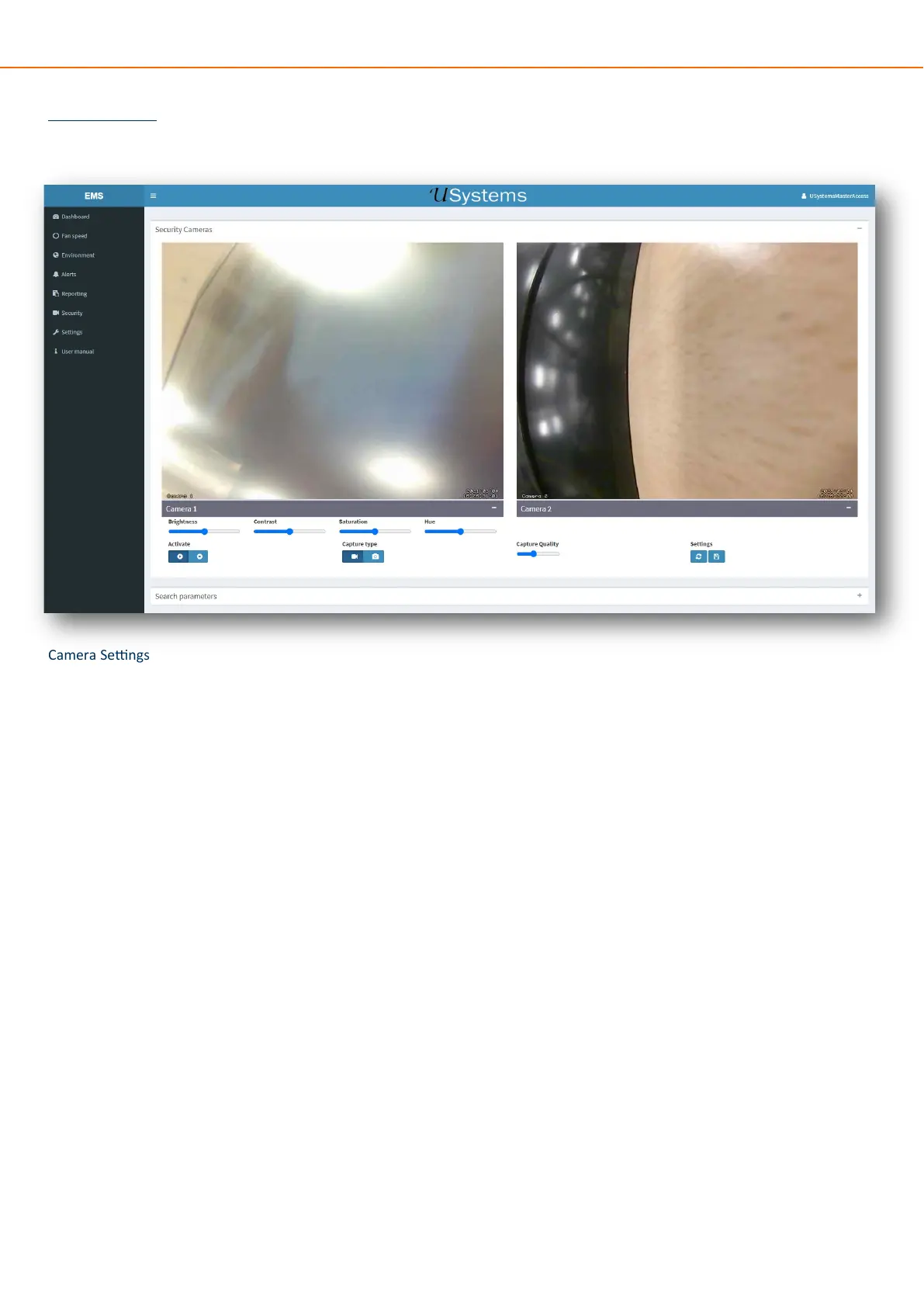
WebUI - Security
The Security tab is only acvated if either a camera front and/or rear, or contact sensors have been added to the device manager.
Camera Sengs
Brightness, Contrast, saturaon and Hue can be adjusted per camera, this is accessed from the toggle below the camera feed.
To adjust the image without having to open the doors the camera/s can be acvated using the “Acvate” buons.
Capture type will change weather a video or image is captured.
Sengs can be saved or reset using the buons.
Photographic Security Records
To view the photos/videos taken select the picture, the default view will show 12 images per page.
When selected these are the opons available to use.


 To Next Page