EDGE-3
Soundproof MDC O&M
Page 14
Installaon
Mounng angle adjustments
The mounng angles are factory ed by default to 700mm. Both front and rear mounng angles are adjustable but it
is advised to move the rear mounng angles to accommodate longer IT equipment.
Adjusng the mounng angles
This task can only be performed when there is no IT equipment inside of the cabinet.
A Philips screwdriver and a 10mm spanner is needed to perform this task.
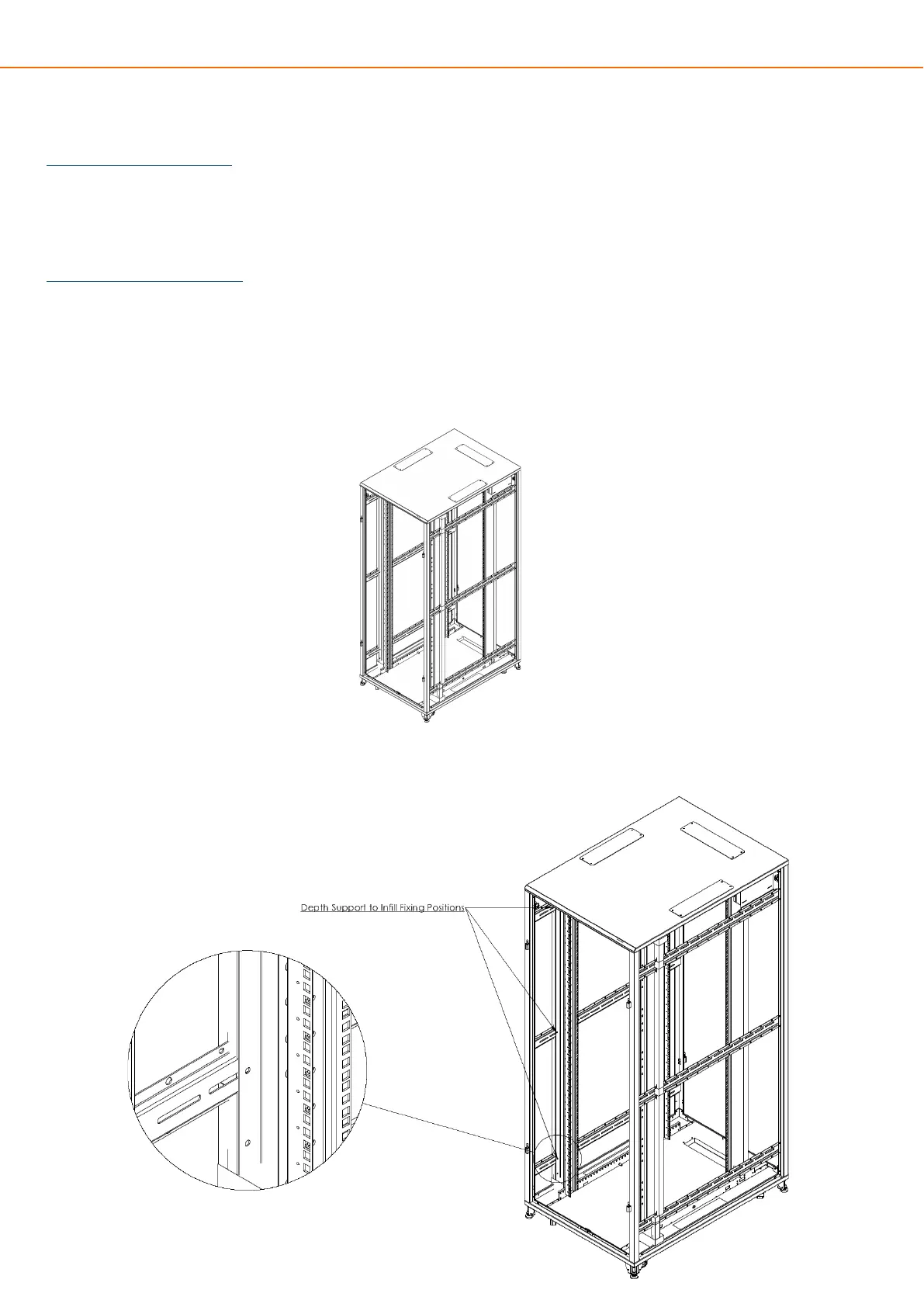
1. Take o both side panels to gain access to the depth support rails by opening both front and rear doors, turn
the cam locks on the side panel to undo them from each depth support.
2.Use a Philips screwdriver and 10mm spanner (not provided) to remove the inll panels from the 3 depth sup-
port members.


 To Next Page