Page 13
Installaon
Conguraon - Cooling and best installaon pracce connued
It has long since been established that allowing heat recirculaon in 19” cabinets results in IT equipment overheang which
shortens its working life and more oen leads to soware and systems failures. Unfortunately this issue is compounded when
using soundproof materials, owing to their heat insulaon properes.
So to maintain opmum performance and a safe, controlled working environment for the IT equipment - one that overcomes hot
spots and heat recirculaon issues - it has to be dealt with by correct airow management. Achieving this comes down to a
combinaon of clever enclosure design and the applicaon of best installaon pracce.
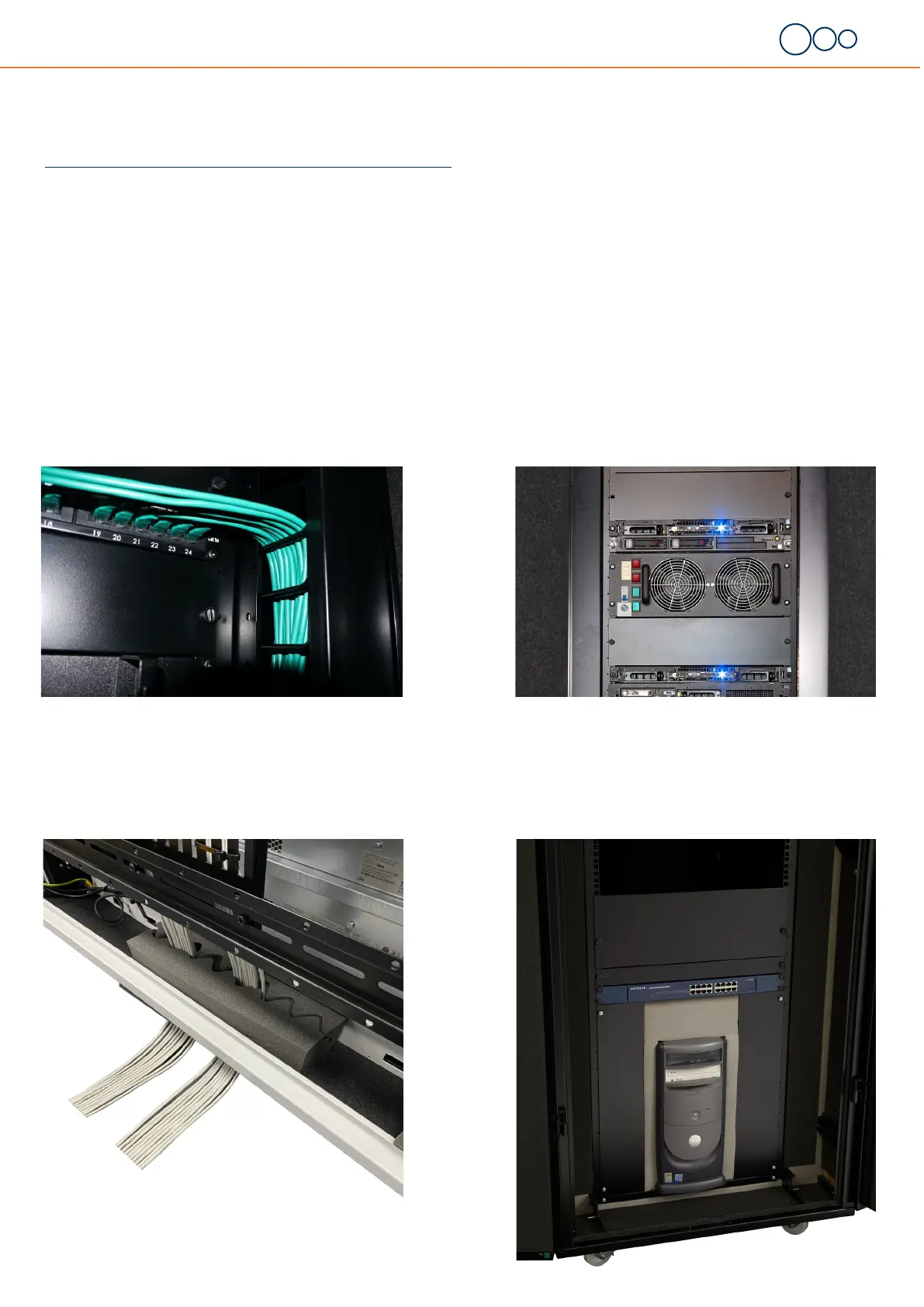
EDGE-3 blanking panels require no xings and play an important role
in both airow and sound proof management. A major benet is the
prevenon of hot air re-circulaon which eliminates the risk of hot
spots
Keeping the vercal and horizontal cabling organised and managed is
essenal in order to allow ambient air to pass through onto the acve
equipment.
The foam running around the sides of the inlls must be maintained
to ensure its ongoing eecveness.
EDGE-3 sound proof tower inll foam helps to retain maximum ther-
mal performance and sound aenuaon when ng non 19” equip-
ment such as a tower PC - available in 2 size kits to prevent hot spots
and the potenal over heang of acve equipment
EDGE-3 sound proof cable entry system enable cabling in and out of
the cabinet without compromising both sound or thermal
performance. There are six available ports in total, three at the top
and three at the boom of the cabinet so further cable entry systems


 To Next Page