Part Names and Functions
1-4
Machine
This chapter explains the names of parts of the fax device.
For the parts required when functions other than FAX are used, refer to the machine’s Operation Guide.
IMPORTANT: You cannot automatically receive a fax when the main power switch is turned off. To put the
machine to sleep, press the Energy Saver key on the operation panel.
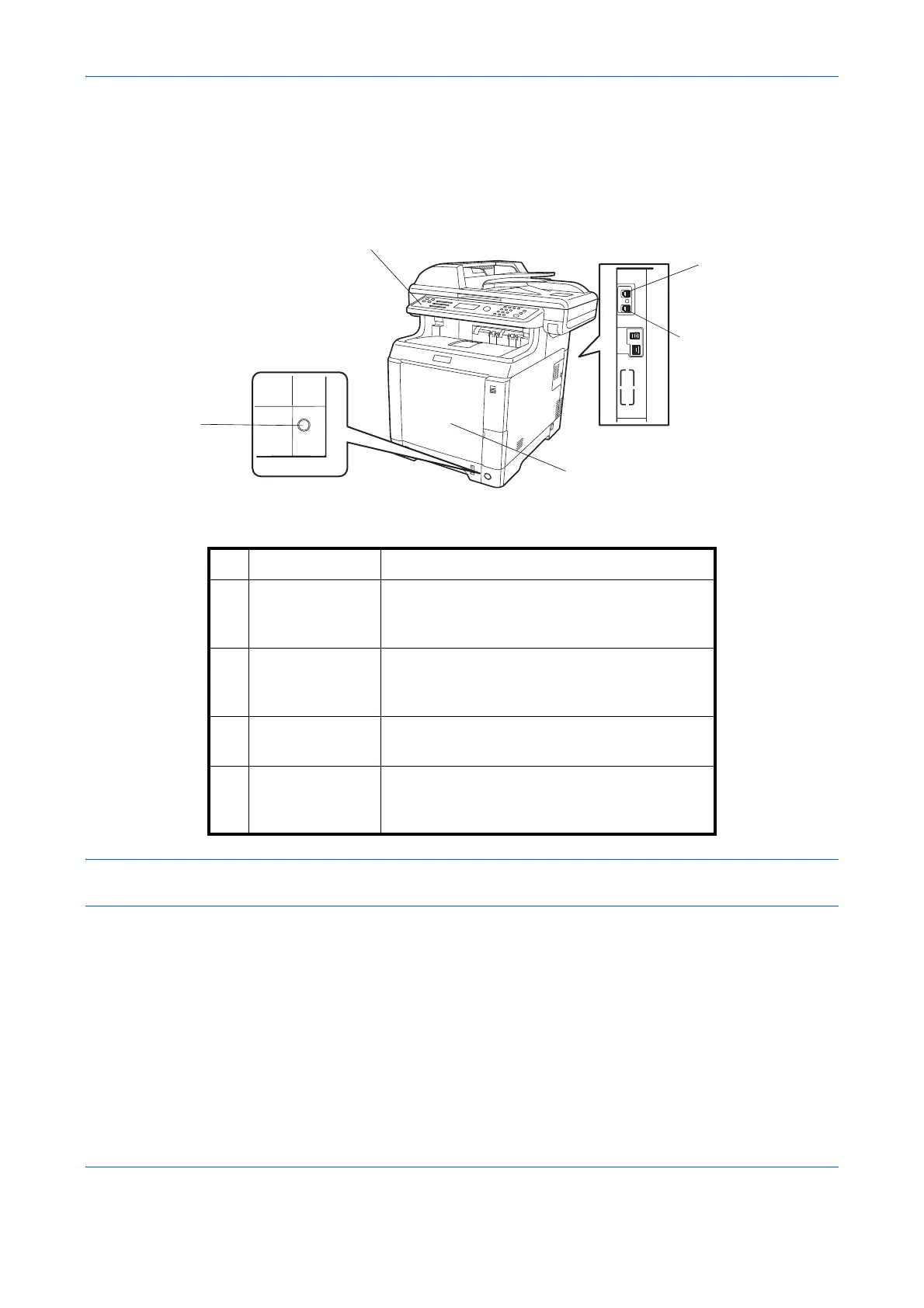
1 Operation panel Perform the fax operation with this panel.
2 Main power
switch
Set this switch to ON when performing the fax
or copier operation. The message display
lights to enable operation.
3 MP (Multi
Purpose) tray
Set the paper in this tray when using a type of
paper other than the cassette (e.g., when
using special paper).
4 LINE connector Connect the modular cord for the telephone
line to this connector.
5 TEL connector When using a commercially available
telephone set, connect the modular cord to
this connector.


 To Next Page
 Loading...







