Starting calibration
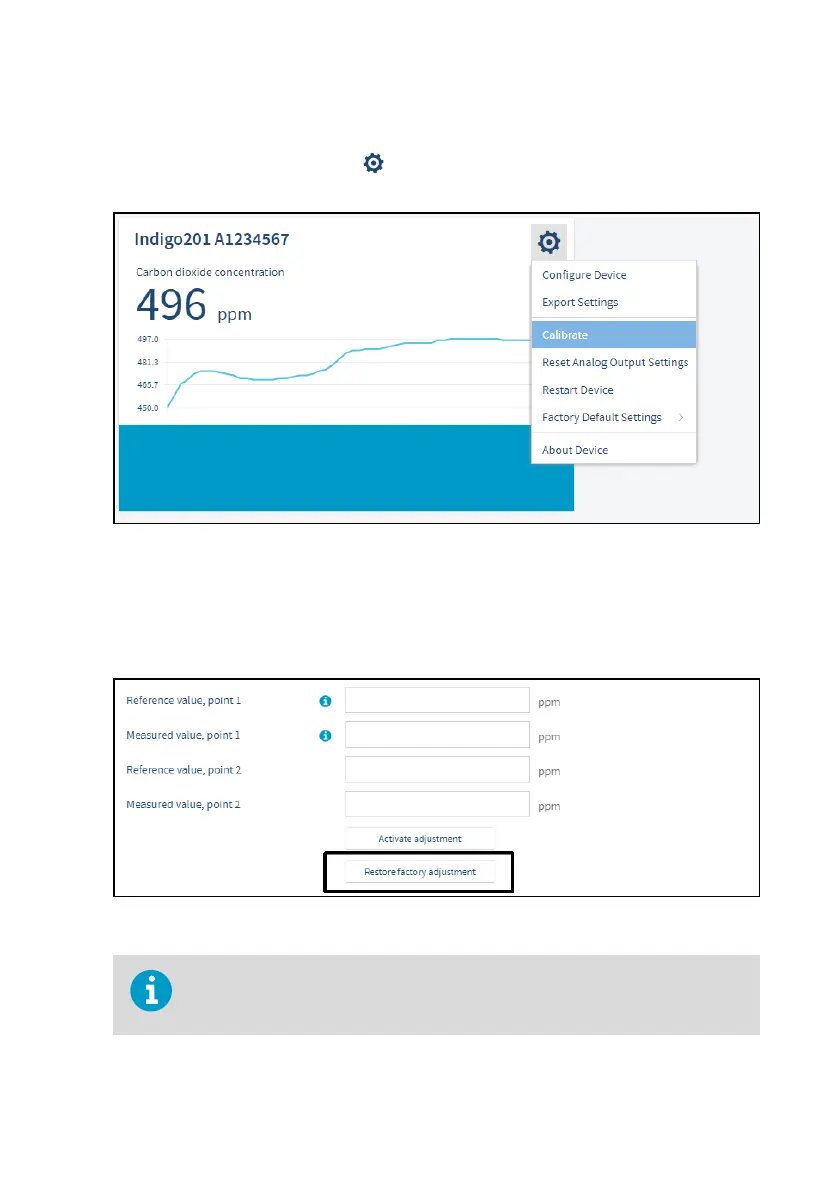
To open the calibration menu, select to access Insight main menu. In the main menu, select
Calibrate.
Figure 24 Calibration menu selection
Restoring factory adjustment
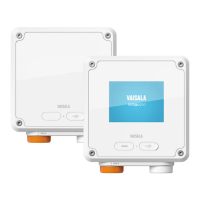
Before adjusting the probe measurement, remove any possible earlier adjustments with the
Restore factory adjustment selection.
Figure 25 Restore factory adjustment selection
Always restore factory adjustment before entering a new adjustment. This
prevents any possible earlier adjustments having an eect on the new adjustment
you make.
Chapter 7 – Calibration and adjustment
41









 To Next Page