List of figures
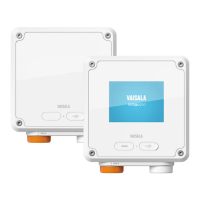
Figure 1 Indigo201 with and without display.............................................................9
Figure 2 Indigo201 transmitter parts.......................................................................... 10
Figure 3 Indigo200 display with relays, three parameters and
USB connection notification.......................................................................... 11
Figure 4 Transmitter display in graph mode............................................................. 12
Figure 5 Insight PC software configuration example: relay output
A options............................................................................................................ 13
Figure 6 Indigo 201 transmitter base main parts and mounting
screw positions.................................................................................................16
Figure 7 Indigo200 wiring options.............................................................................. 17
Figure 8 Indigo200 transmitter dimensions............................................................. 19
Figure 9 Attaching probes and cables to Indigo200.............................................20
Figure 10 Connecting Indigo200 transmitter to Insight PC
software with USB-C cable...........................................................................23
Figure 11 Insight software main menu view with Indigo200
transmitter and connected probe...............................................................25
Figure 12 Unit selection example with a CO
2
probe................................................ 26
Figure 13 USB OFF/ON DIP switch location on Indigo front cover
component board........................................................................................... 27
Figure 14 Analog output configuration options example...................................... 28
Figure 15 Analog output type (current or voltage) selection............................... 29
Figure 16 Analog output overrange behavior example.......................................... 32
Figure 17 Relay configuration options (CO
2
probe example)............................... 33
Figure 18 Relay icons on display (relay A active, relay B not active).................. 34
Figure 19 Behavior of relay that activates above limit, with hysteresis..............35
Figure 20 Relay activation and hysteresis examples................................................36
Figure 21 Relay settings example: one setpoint without hysteresis....................37
Figure 22 Relay settings example: one setpoint with hysteresis..........................38
Figure 23 Calibration menu main view example (CO
2
probe).............................. 40
Figure 24 Calibration menu selection............................................................................41
Figure 25 Restore factory adjustment selection........................................................ 41
Figure 26 Enivironmental compensation configuration example
with CO
2
probe................................................................................................42
Figure 27 Insight analog output adjustment view example.................................. 43
Figure 28 Indigo200 transmitter dimensions.............................................................52
List of figures
5









 To Next Page