Service Mode
Description and access
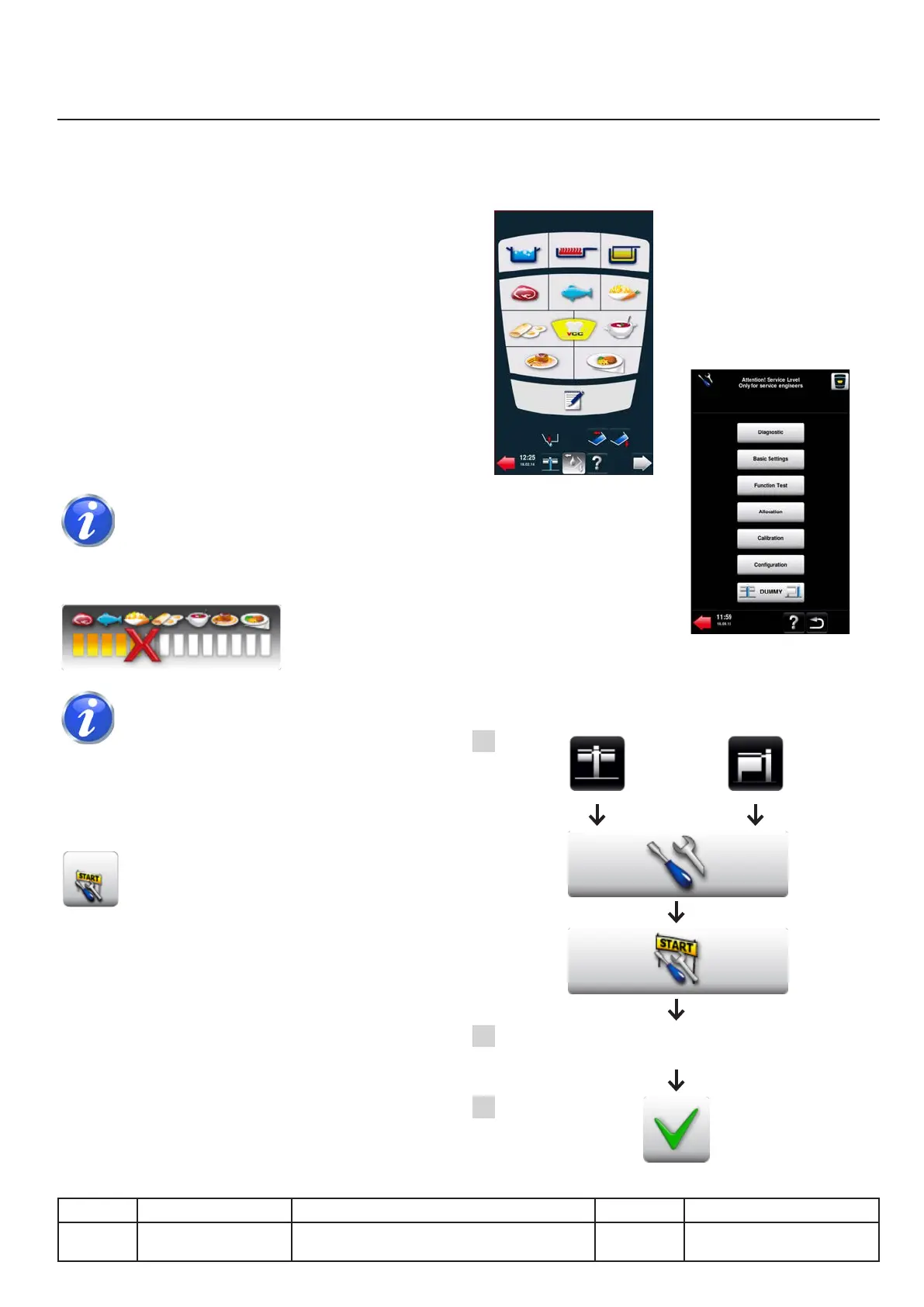
Presentation of the mode
Service mode is restricted to technicians
It is a tool for:
●Diagnosis
●Basic settings
●Running time analysis
●Components test
●Allocation
●Calibration
●Conguration
●Setting of the operating mode
If access is limited to diagnosis it
means that a cooking mode is in progress.
If necessary, interrupt with the button:
At any time, you can navigate
between the service mode and user mode
with the special button only available in the
diagnosis menu from the service mode.
Onceyouareinusermodeyouhaveve
minutes to return to service mode without need
toenter thepassword again.After ve minutes
this function is disabled.
Access to the mode
A. Access to the service mode portal
B. Enter the password: TECLEVEL
(uppercase)
C. Conrmaccessviathetick.
User mode
Service mode
v03 • July-2016 • Hen
Service Mode Module
IV.03
Line Units Serial number (starting from) Sw Revision
VCCM
VCCWE
All ExxXH1009xxxxxxx 01-00-08
A
B
C
TECLEVEL



 To Next Page