EasyManua.ls Logo

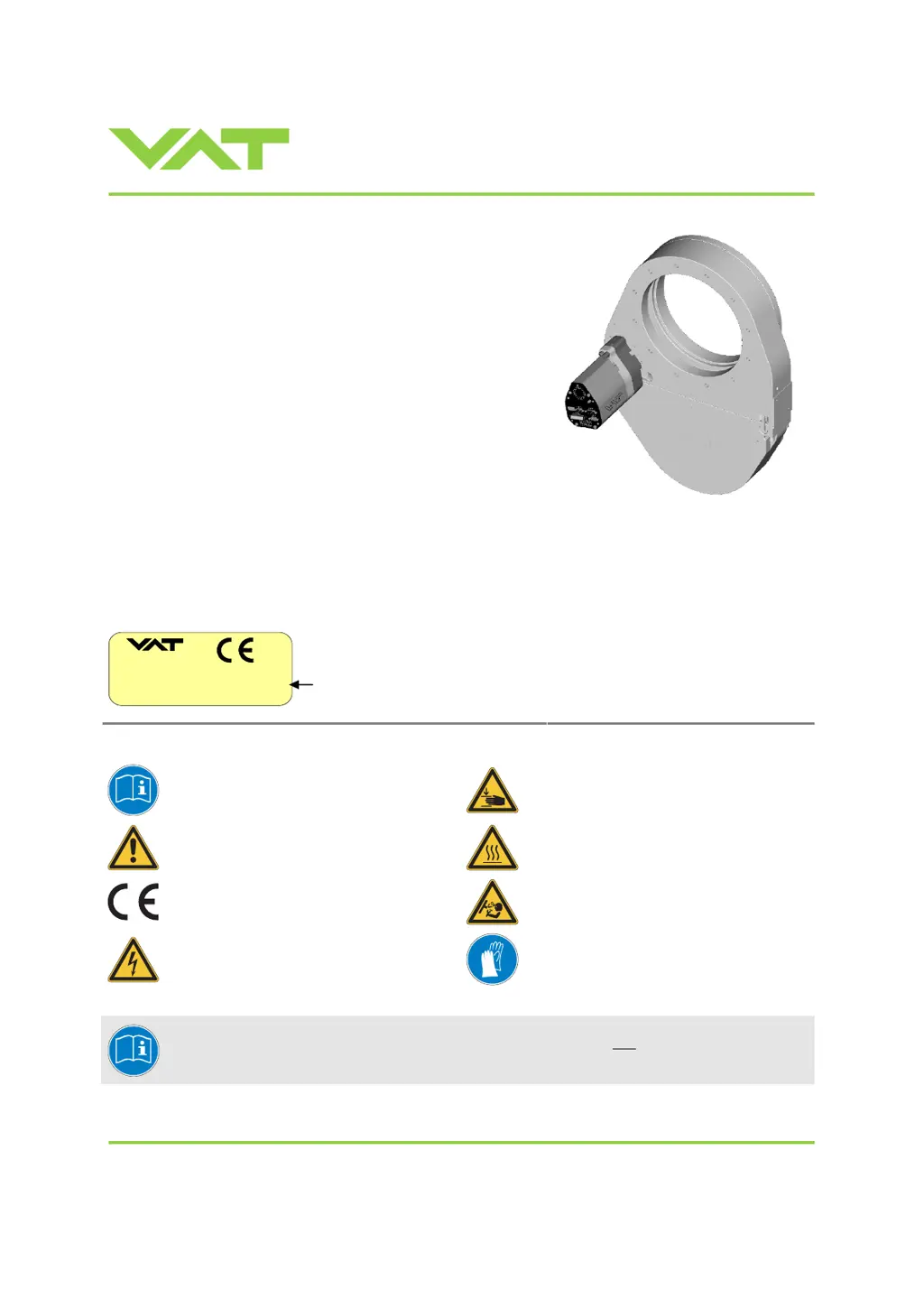
VAT 650 Series - User Manual

VAT 650 Series
94 pages
Print Icon
To Next Page IconTo Next Page
Loading...
Installation, Operating & Maintenance Instructions
Series 650 DN 100-250 (I.D. 4“ - 10”), CC-Link
VAT Vakuumventile AG, CH-9469 Haag, Switzerland
Tel +41 81 771 61 61 Fax +41 81 771 48 30 CH@vatvalve.com www.vatvalve.com
280672EB
2010-12-15
1/94
Pendulum control & isolation valve
with CC-Link interface
with valve cluster functionality
This manual is valid for the valve ordering number(s):
650 . . - . . TL - . . . . (Master / 1 sensor input)
650 . . - . . TN - . . . . (Master / 2 sensor inputs)
650 . . - . . VL - . . . . (Master / 1 sensor input / ±15V SPS)
650 . . - . . VN - . . . . (Master / 2 sensor inputs / ±15V SPS)
650 . . - . . UL - . . . . (Master / 1 sensor input / PFO)
650 . . - . . UN - . . . . (Master / 2 sensor inputs / PFO)
650 . . - . . WL - . . . . (Master / 1 sensor input / ±15V SPS / PFO)
650 . . - . . WN - . . . . (Master / 2 sensor inputs / ±15V SPS / PFO)
650 . . - . . GS - . . . . (Slave)
650 . . - . . HS - . . . . (Slave / PFO)
SPS = Sensor Power Supply PFO = Power Failure Option
Master and Slave are configured with firmware 650C.1E.12
The fabrication number is indicated on each product as per the label
below (or similar):
made in Switzerland
Fabrication No.:
patented
. .
650
. .
. . . . / . . . .
A
. . . . . .
Fabrication number
sample picture
Explanation of symbols:
Read declaration carefully before you start any other
action!
Keep body parts and objects away from the valve
opening!
Attention!
Hot surfaces; do not touch!
Product is in conformity with EC guidelines,
if applicable!
Loaded springs and/or air cushions are potential
hazards!
Disconnect electrical power and compressed air
lines. Do not touch parts under voltage!
Wear gloves!
Read these «Installation, Operating & Maintenance Instructions» and the enclosed «General
Safety Instructions» carefully before you start any other action!

Table of Contents

Questions and Answers

  • J
    Jeffrey StevensAug 30, 2025
    What does «E 21» mean on VAT 650 and how to fix it?
    • S
      smitchellAug 30, 2025
      If the display shows «E 21» (fatal error - rotation angle of valve plate limited during power up), the possible causes are: the valve plate isn't properly mounted, the valve unit is heavily contaminated, or the valve plate is mechanically obstructed. To solve this: * Adjust the valve plate according to «Maintenance procedure». * Clean the valve unit according to « Maintenance procedure ». * Resolve any obstruction.
  • J
    James RojasAug 25, 2025
    What should I do if my VAT 650 displays «SR» (Service Request)?
    • P
      Paul CarpenterAug 25, 2025
      If the VAT Control Unit displays «SR» (Service Request), it indicates that the valve unit is heavily contaminated or the gate seal is heavily sticking. Clean the valve and/or replace the gate seal according to the procedures outlined in «Maintenance procedures».
  • R
    ryanharrisSep 23, 2025
    Why does ZERO not work on my VAT 650?
    • R
      Robert JohnsonSep 23, 2025
      If ZERO does not work on your VAT Control Unit, ensure the valve is in the open position and the chamber is at base pressure before performing ZERO. Also, check if ZERO is enabled.
  • S
    susanraySep 3, 2025
    What to do if CLOSE VALVE does not work on VAT 650?
    • R
      Robert HaleySep 3, 2025
      If the CLOSE VALVE function is not working on your VAT Control Unit, it might be due to safety mode or maintenance mode being active. Ensure that power is supplied to the motor.
  • V
    Victor EllisSep 6, 2025
    What to do if POSITION CONTROL does not work on VAT Control Unit?
    • C
      Charles KennedySep 7, 2025
      If the POSITION CONTROL on your VAT Control Unit isn't working, it could be due to the safety mode being active (check for 'D' on the display). It may also be that POSITION CONTROL is not selected (check for 'V' on the display). Provide power to the motor to allow for operation. Select POSITION CONTROL mode.
  • D
    dpowellSep 1, 2025
    What to do if ZERO does not work on VAT 650?
    • E
      Elizabeth BellSep 1, 2025
      If the ZERO function is not working on your VAT Control Unit, it might be due to the valve being in the open position or ZERO being disabled. To fix this, open the valve, bring the chamber to base pressure, and then enable ZERO.
  • J
    Julie BellAug 28, 2025
    Why does the VAT Control Unit remote operation not work?
    • T
      Tony RobertsAug 28, 2025
      If remote operation does not work on the VAT Control Unit, it could be because local operation via the service port is active, or the safety mode is active (check for 'D' on the display). Switch to remote operation and provide power to the motor to allow for operation. Refer to «Electrical connection» for details.
  • D
    Daryl MillerSep 8, 2025
    Why does the VAT Controller display show «E 22» (fatal error - rotation angle of valve plate limited during operation)?
    • B
      Brittany ClarkSep 8, 2025
      The VAT Controller displays «E 22» because the valve plate might be mechanically obstructed. Resolve the obstruction, then reset the control unit by cycling the power (OFF then ON) or sending a reset command locally via the service port with CV/CPA/Service Box2.
  • J
    James JonesSep 5, 2025
    What to do if Network Status LED is off (Device is not on line) on VAT 650 Control Unit?
    • B
      Bethany JacksonSep 5, 2025
      If the Network Status LED is off, indicating the device is not online, connect the valve to DeviceNet® and ensure that power is provided.
  • Z
    zleeAug 27, 2025
    What causes the VAT Control Unit to display «E 20» (fatal error - limit stop of valve unit not detected)?
    • K
      kimstoneAug 27, 2025
      If the VAT Control Unit displays «E 20», indicating a fatal error where the limit stop of the valve unit is not detected, replace the actuator according to the procedures outlined in «Maintenance procedures».

Summary

1 Use of product

1.1 Technical Data

Provides detailed specifications for the control and actuating unit.

2 Installation

2.1 Unpacking and System Integration

Covers unpacking, system installation, and connector panel overview.

2.3 Mechanical Mounting and Torque

Details tightening torque, admissible forces, and mounting requirements.

2.5 Sensor Connection and 2.6 Electrical Connections

Covers sensor connection requirements and electrical wiring details.

2.6.7 CC-Link Interface and 2.6.10 Valve Cluster

Covers CC-Link cable installation, connectors, network, and valve cluster connection.

3 Operation

3.1 Introduction and Operational Modes

Overview of valve cluster, operational modes, and basic behaviors.

3.3 System Behavior and 3.5 Display Information

Describes valve behavior during power up/failure and display information.

3.6 Setup Procedures and Configuration

Essential steps for configuring the valve cluster for operation.

3.6.1 Cluster Addressing and CC-Link Setup

Configures unique cluster addresses and CC-Link parameters.

3.6.3 Valve and Sensor Configuration

Adapting valve configuration and setting up ZERO/LEARN.

3.9 Control Modes and 3.10 Pressure Control

Managing position control, pressure control, and performance tuning.

3.10.1 Tuning Control Performance

Detailed adjustments for gain factor, sensor delay, setpoint ramp, and valve speed.

3.11 CC-Link Interface Communication

Details on CC-Link schematics, handshaking, buffers, and communication timing.

3.11.7 & 3.11.8 Master PLC Data Buffers

Overview and details of OUTPUT and INPUT buffers for PLC communication.

4 Trouble shooting

4.1 Failure Diagnosis and CC-Link Warnings

Identifies common failures, troubleshooting steps, and CC-Link warnings.

5 Maintenance & repairs

5.1 Preventive Maintenance Procedures

Recommended maintenance schedules for seals and valve cleaning.

5.2 Option Board Management

Information on option boards, battery life, and replacement procedures.

6 Drawing

Valve Component Diagram

A labelled diagram showing the main components of the valve.

7 Spare parts

7.1 Control Unit and 7.2 Valve Unit Spares

Lists spare parts for control and valve units, including seals and boards.

7.3 Accessories and Mounting Parts

Details available accessories like power supplies, software, and centering rings.

8 Warranty

Product Warranty Information

Outlines the warranty terms and conditions for VAT products.

VAT 650 Series Specifications

General IconGeneral
Supply voltage24 VDC
Digital inputs8
Digital outputs8
Analog inputs4
Analog outputs2
MountingDIN rail
Output Voltage24 VDC
Current Rating2 A
Weight0.5 kg
Communication interfaceRS-485
ProtocolsModbus RTU
ProtectionShort-circuit, overload

Related product manuals