VECTRIX VX-2 SERVICE MANUAL
Version 1.0/July 2011
VECTRIX, LLC
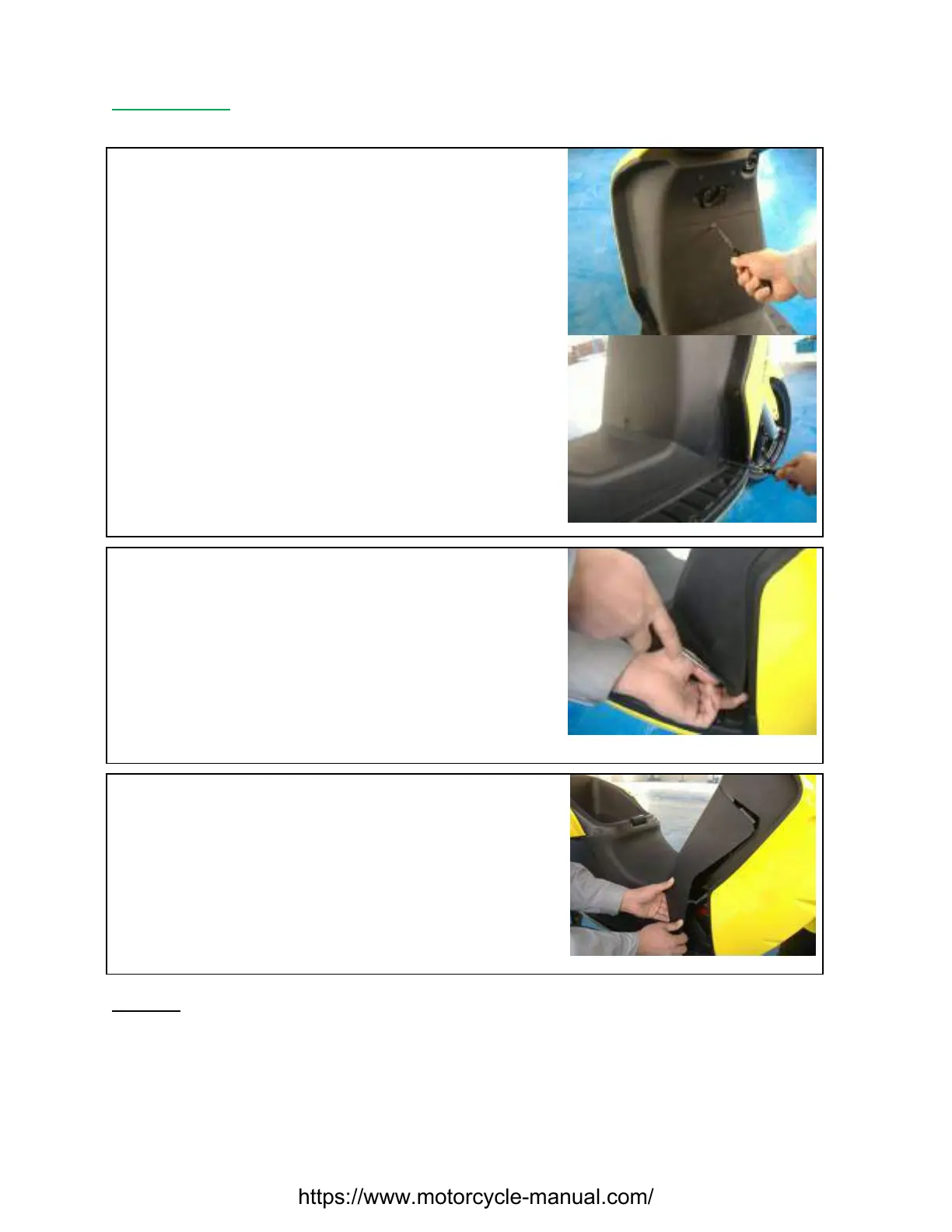
SECTION B-4: FRONT VERTICAL PANEL COVER-LOWER
Unscrew the four PH2 Phillips screws (Top + Bottom and
Left + Right position)
Slide a Phillips screwdriver into the hole and carefully pull
back the cover slowly to the left. Use your fingers to hold
the cover and pull backward
Slowly pull back the cover and remove
Remark: To assemble the Front Vertical Panel Cover-Lower, please make sure the attachment
points are in the correct position and no edge is protruding. Insert the screws slightly and if
all screws and the fairing are in the correct positions, then tighten them fully.
https://www.motorcycle-manual.com/



 To Next Page