VECTRIX VX-2 SERVICE MANUAL
Version 1.0/July 2011
VECTRIX, LLC
SECTION B-12: REAR SIDE BODY PANELS/SIDE EMBLEM
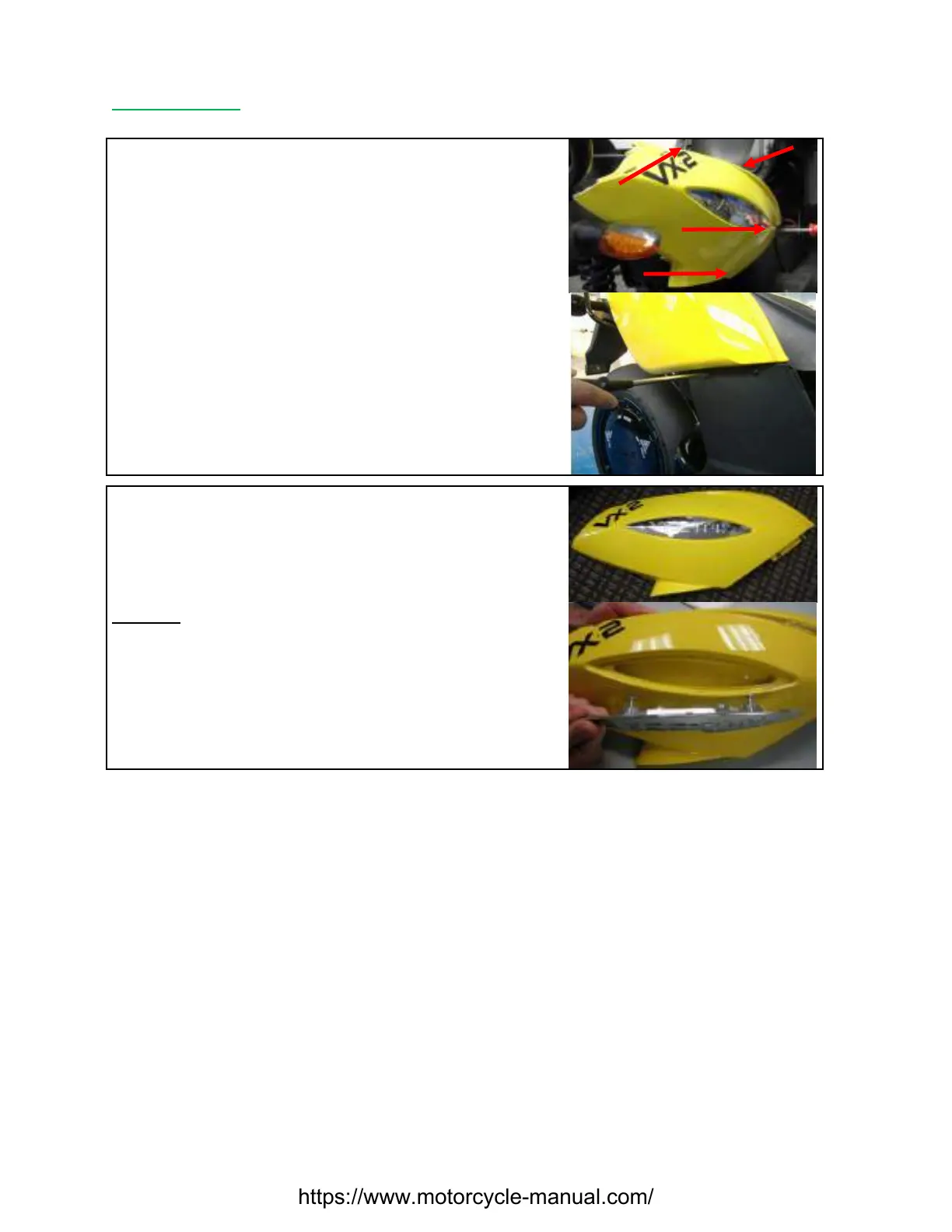
Remove the two lower PH2 Phillips screws first, then the
two top screws and remove panel
Repeat procedure for the other panel
Carefully pull out left and right side until the cover can
easily lift up
Note: Each Side Emblem is secured with two PH2 Phillips
screws
Remark: Note seat lock location on left side panel
Put in the screws slightly and if all screws and the cover are in the correct positions tighten them.
https://www.motorcycle-manual.com/


 To Next Page