VECTRIX VX-2 SERVICE MANUAL
Version 1.0/July 2011
VECTRIX, LLC
SECTION C-16: BATTERY
Preparations:
Disassemble Front Vertical Panel Cover-Lower see Section B-4
Disassemble Center Step-Through Cover see Section B-6
Note: Photos in this section show the electronic box removed which makes the procedure easier to
complete but is not necessary if only the Step-Through panel is removed.
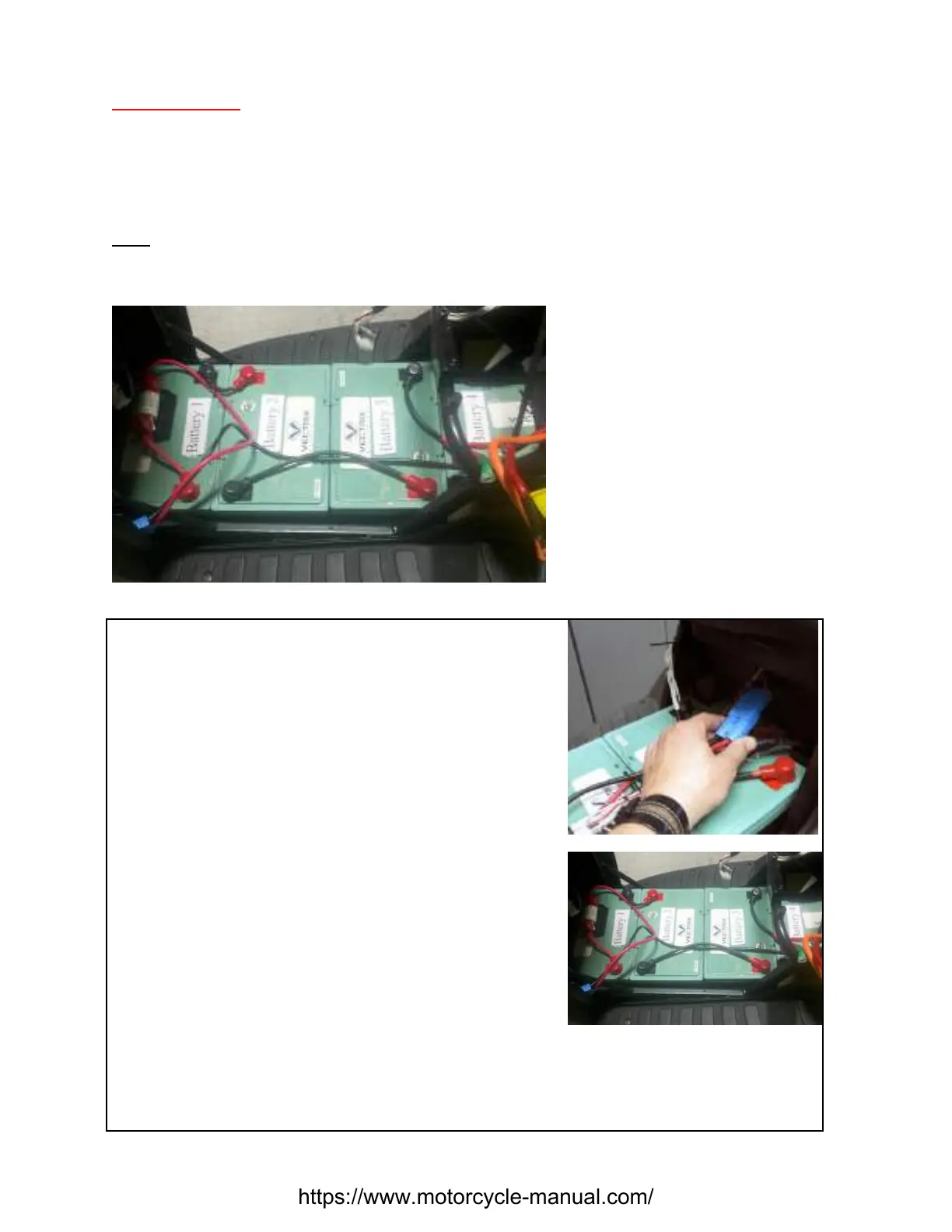
VX-2 BATTERY LAYOUT
Disconnect Blue Battery Power Cable
Disconnect Blue Battery Power Cable
Unscrew the hexagon bolts from Battery #1 and #3
https://www.motorcycle-manual.com/


 To Next Page