EasyManua.ls Logo

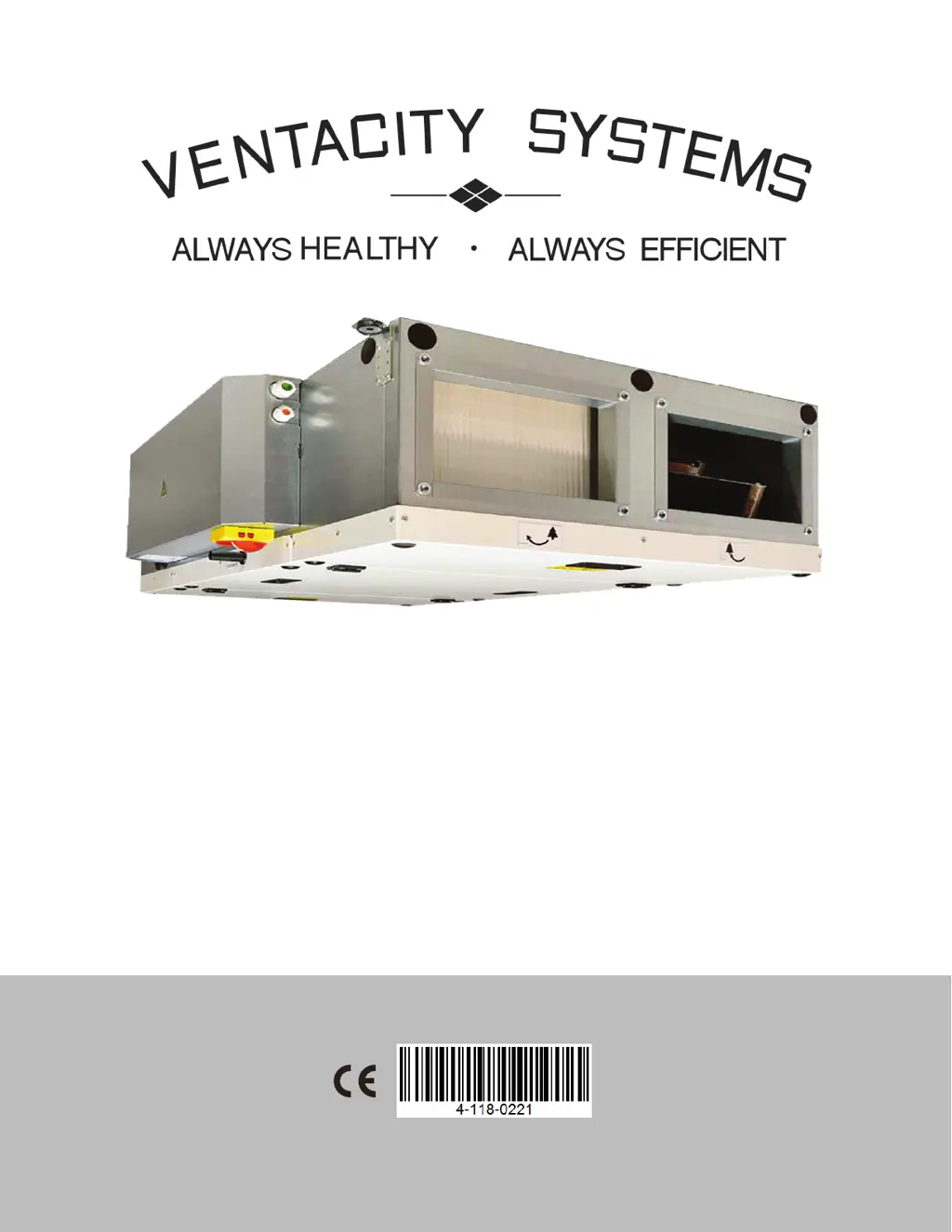
Ventacity Systems VSCM Series - User Manual

Ventacity Systems VSCM Series
39 pages
Print Icon
To Next Page IconTo Next Page
Loading...
Rev. 01.01
VSCM
Installation and Operation Manual
Rev. 01.01
03/04/19
VS1200 CMh/e
VS900 CMh/e
VS400 CMh/e
VS250 CMh/e

Questions and Answers

  • M
    Melanie ConwaySep 2, 2025
    What does it mean if Ventacity Systems VSCM Fan shows a heat pump error?
    • R
      Ruben DavisSep 2, 2025
      If your Ventacity Systems Fan shows a heat pump error, which is caused by a heat pump failure, check that the input error is correctly connected to the electronics or, if necessary, that the heat pump is operating correctly according to the manufacturer's instructions.
  • A
    Anna WernerSep 3, 2025
    What to do if my Ventacity Systems VSCM reports a room temperature sensor failure?
    • B
      Brad SmithSep 3, 2025
      If your Ventacity Systems Fan reports a room temperature sensor failure (T_ROOM), check that the sensor is correctly connected to the electronics or test it by measuring its resistance; the resistance value at +68°F is around 10kΩ. The cause of this problem is a room temperature sensor failure.
  • N
    nicholas70Sep 4, 2025
    What to do if my Ventacity Systems Fan displays a failure in the pressure sensor of the exhaust filter?
    • E
      ericmirandaSep 4, 2025
      If your Ventacity Systems Fan indicates a failure in the pressure sensor of the exhaust filter, check the supply point for mechanical damage, whether it is clogged by dirt, or whether the supply hoses are free. The pressure sensor will likely need to be replaced. The cause of this problem is a pressure sensor failure.
  • A
    Anna ShahSep 5, 2025
    What to do if my Ventacity Systems VSCM displays a failure in the pressure sensor of the inlet filter?
    • B
      Betty RobertsSep 5, 2025
      If your Ventacity Systems Fan indicates a failure in the pressure sensor of the inlet filter, check the supply point for mechanical damage, whether it is clogged by dirt, or whether the supply hoses are free. The pressure sensor will likely need to be replaced. The cause of this problem is a pressure sensor failure.
  • D
    dawnrojasSep 6, 2025
    What to do if my Ventacity Systems VSCM displays a failure in the pressure sensor of the inlet fan?
    • T
      tgutierrezSep 6, 2025
      If your Ventacity Systems Fan indicates a failure in the pressure sensor of the inlet fan, check the supply point for mechanical damage, whether it is clogged by dirt, or whether the supply hoses are free. The pressure sensor will likely need to be replaced. The cause of this problem is a pressure sensor failure.

Summary

INTRODUCTION

acceptable-environment-conditions

Specifies the required indoor and operating temperatures and humidity for the unit.

safe-installation-clearance

Outlines minimum clearance requirements for flammable and non-flammable materials.

SPECIFICATIONS

unit-main-components

Identifies and illustrates the primary parts of the Ventacity VSCM unit.

vs1200-specifications

Lists technical data and performance metrics for the VS1200 CMh/e model.

vs900-specifications

Lists technical data and performance metrics for the VS900 CMh/e model.

vs400-specifications

Lists technical data and performance metrics for the VS400 CMh/e model.

vs250-specifications

Lists technical data and performance metrics for the VS250 CMh/e model.

INSTALLATION

unit-mounting-and-hanging

Guidelines for securely mounting the unit, including drilling templates and weight considerations.

ductwork-connection-guidelines

Procedures for connecting air ducts to the unit's intake and exhaust openings.

electrical-installation-safety

Instructions for safe and compliant wiring of the unit's electrical components.

electrical-accessories-connection

Details on connecting various electrical accessories to the unit's control cabinet.

COMMISSIONING

service-menu-access-and-navigation

Instructions on how to access and navigate the unit's service menu.

hardware-test-menu

Procedure for testing the unit's components and accessories.

modbus-rtu-communication-setup

Configuration settings for Modbus RTU communication protocol.

REFERENCE

troubleshooting-guide

Comprehensive guide to identifying and resolving unit errors and malfunctions.

service-error-resolution

Procedures for addressing persistent errors and contacting support.

Ventacity Systems VSCM Series Specifications

General IconGeneral
BrandVentacity Systems
ModelVSCM Series
CategoryFan
LanguageEnglish