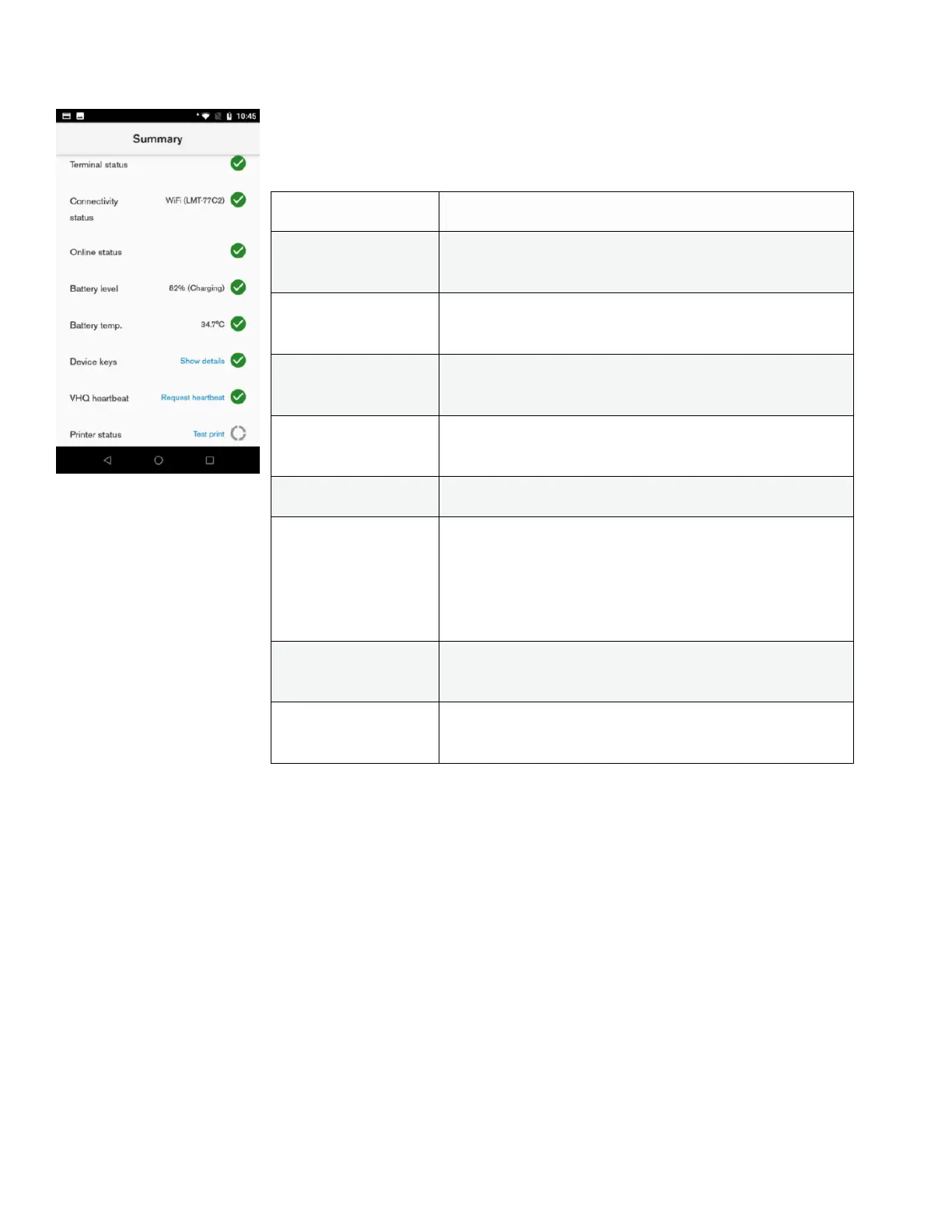
Description
Summary shows the general status of the most important device functions.
User action
The user can pull down the Summary menu. This will update the status of each item.
Shows if payment terminal is connected or not. For
mobile devices always true.
Shows if there is network connection (router is
connected)
Shows if device can reach external IP address, to make
sure selected network has actual internet connectivity
Indicates the battery charging level (in percentage)
and status (i.e. Charging or Discharging).
Shows the temperature of the device battery
Shows if expected keys are installed. Pop-up can be
opened to see details about each key status.
Clicking Show details will display the installation status
per key, prompting the missing key(s) in a pop-up
window.
Triggers manual VHQ heartbeat and shows VHQ
heartbeat status
Allow to perform test receipt print to validate if the
printer is detected and works accordingly.





 To Next Page