3.0 Procedures
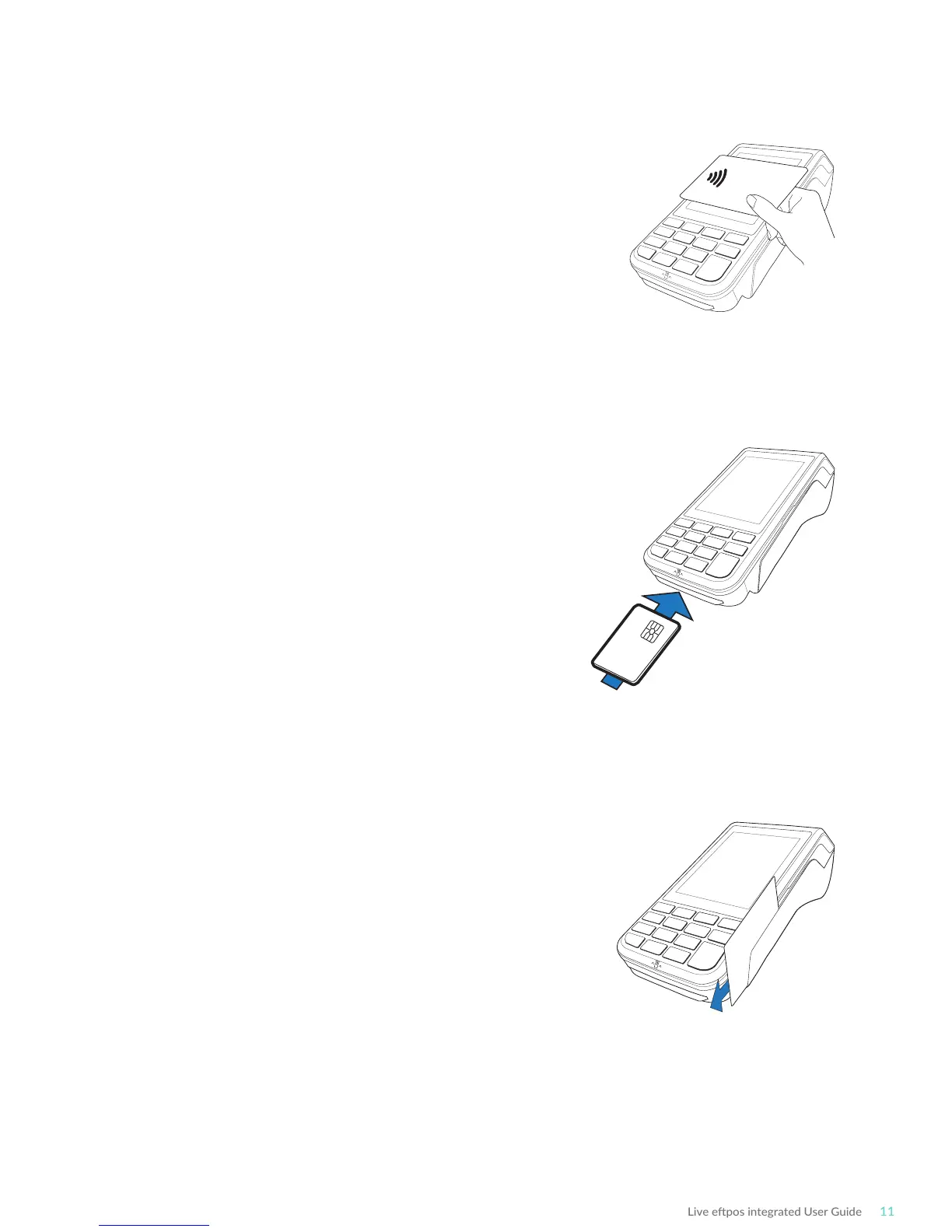
3.1 Conducng Contactless Transacons
The Live epos integrated terminal supports contactless
transacons.
Instrucons:
1. Your customer should posion the contactless
enabled card above the terminal screen.
2. Await the conrmaon beeps before removing the
card. The screen status LEDs will also indicate the
progress of the read.
3.2 Inserng a Chip Card
The Live epos integrated terminal supports credit or
debit card transacons.
The chip card reader is located at the boom of the
terminal below the keypad.
Instrucons:
1. Posion the chip card with the chip facing upward
and toward the terminal.
2. Insert the chip card into the chip card reader slot as
far as it will go in a smooth, connual moon.
3. The card should remain inserted in the terminal unl
the transacon is complete and the terminal prompts
to remove it.
4. If there is an error with reading the chip on the card
the terminal may prompt you to swipe the card.
3.3 Swiping a Magnec Stripe Card
The Live epos integrated terminal supports credit or
debit card transacons.
The magnec stripe reader is located on the right hand
side of the terminal.
Instrucons:
1. Posion a magnec stripe card in the card reader
with the stripe facing inward, towards the keypad.
2. To ensure a proper read of the magnec stripe card,
the merchant should insert the magnec stripe card from the top of the unit.
3. Swipe the card smoothly through the magnec card reader.
4. If there is no response from the terminal, or CARD ERROR message is displayed, swipe
the card again. You may be required to swipe faster or slower.
5. If you swipe a chip card the terminal will prompt you to insert the card.



 To Next Page