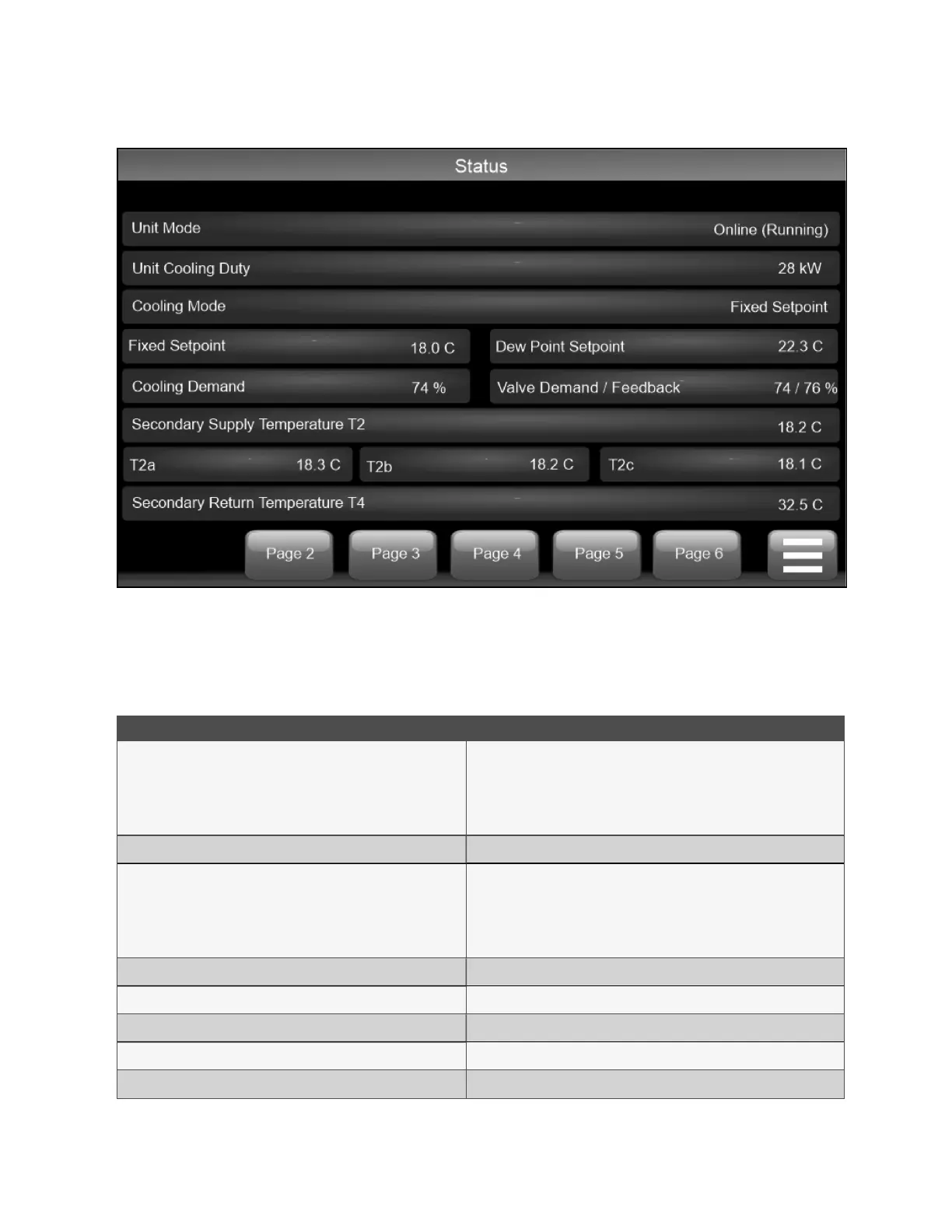
Figure 4.3 Control System Status Screen
There are six information pages in the Status screen. To navigate between pages, click or tap the page number at the bottom
of the screen.
Table 4.1 below through Table 4.7 on page21 provides the details for the statuses listed on each page.
Status Description
Unit Mode Options:
• Standby
• Online (running)
• Fault, Shutdown
Unit Cooling Duty _____ kW
Cooling Mode Options
• Off
• Fixed Setpoint + DW Offset
• Fixed Setpoint
Fixed Setpoint ____ °C
Dew Point Setpoint ____ °C
Cooling Demand ____%
Valve Demand Feedback ____/____%
T2a ____ C°
Table 4.1 Status Pages Details Page 1
18 Proprietary and Confidential ©2025 Vertiv Group Corp. 4 Operation
Vertiv™ CoolChip CDU 600 Operation and Maintenance Guide








 To Next Page