Audio Mute
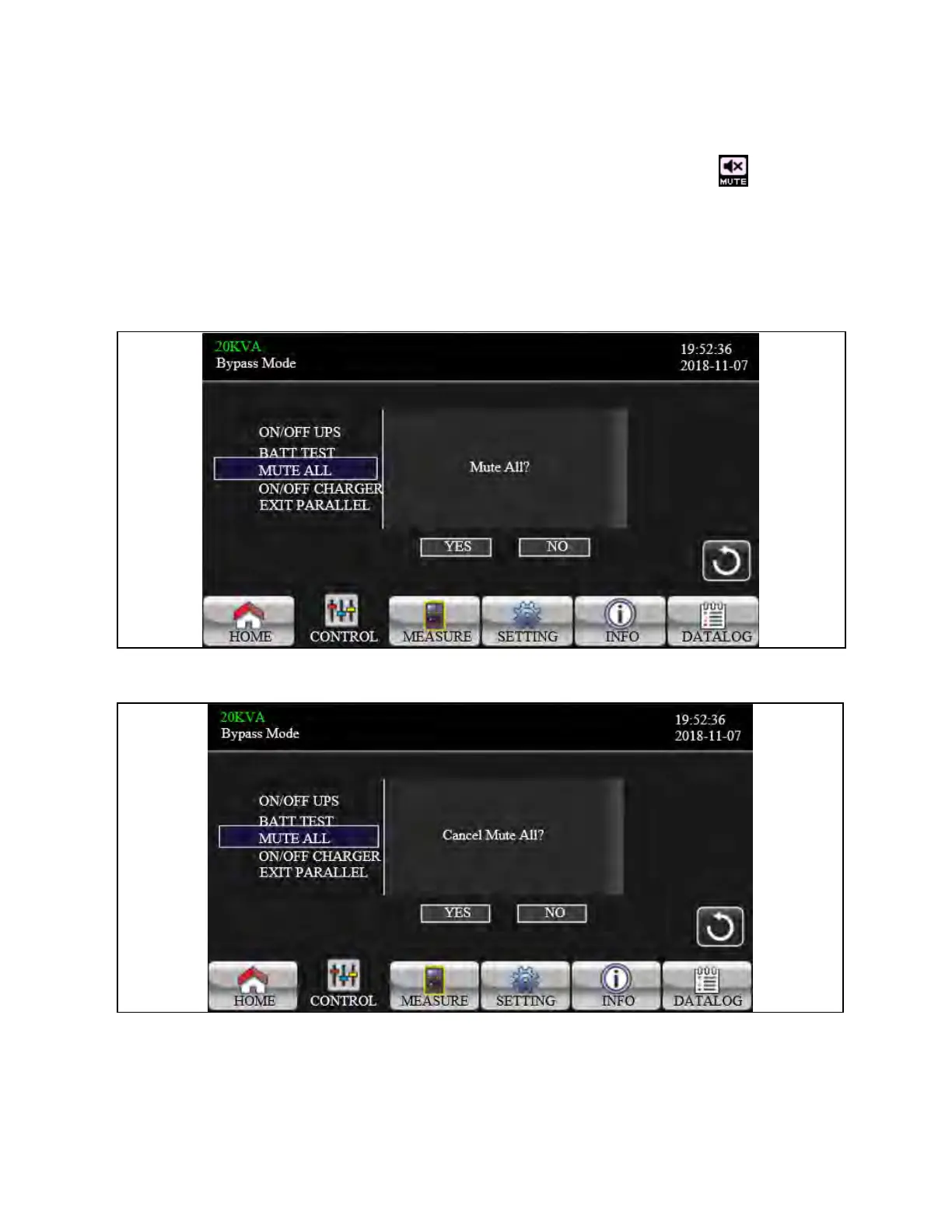
It will show “Mute all” if the audio is active. Touch “Yes” to activate mute. If “Mute all” is active, it will show icon on the top
left corner of the main screen. Touch “Back” to return to CONTROL screen immediately or “No” to cancel this operation and
back to CONTROL screen (screen 0.0).
It will show “Cancel mute” if the UPS is mute already. Touch “Yes” to activate audio function or “No” keep mute. Touch “Back”
to return to CONTROL screen. (screen 0.0)
Figure 3.17 Mute All Screen
Figure 3.18 Cancel Mute All Screen
3 Operations Proprietary and Confidential ©2024 Vertiv Group Corp. 39
Vertiv™ Liebert® MTP Online UPS User Manual 20-40-80kVA






 To Next Page