8 MICROPROCESSOR CONTROL
The Microprocessor Control for the Liebert Mini-Mate2 unit features an easy to use menu-driven LCD
display. The menus, control features and circuit board details are described in this section. Detailed
information concerning controls (System Performance Microprocessor Controls on page69) and alarms
(Alarms on page71) are provided.
8.1 Feature Overview
To turn the unit ON, press the ON/OFF (I/O) key after power is applied. To turn the unit OFF, press the
ON/OFF (I/O) key before power is disconnected.
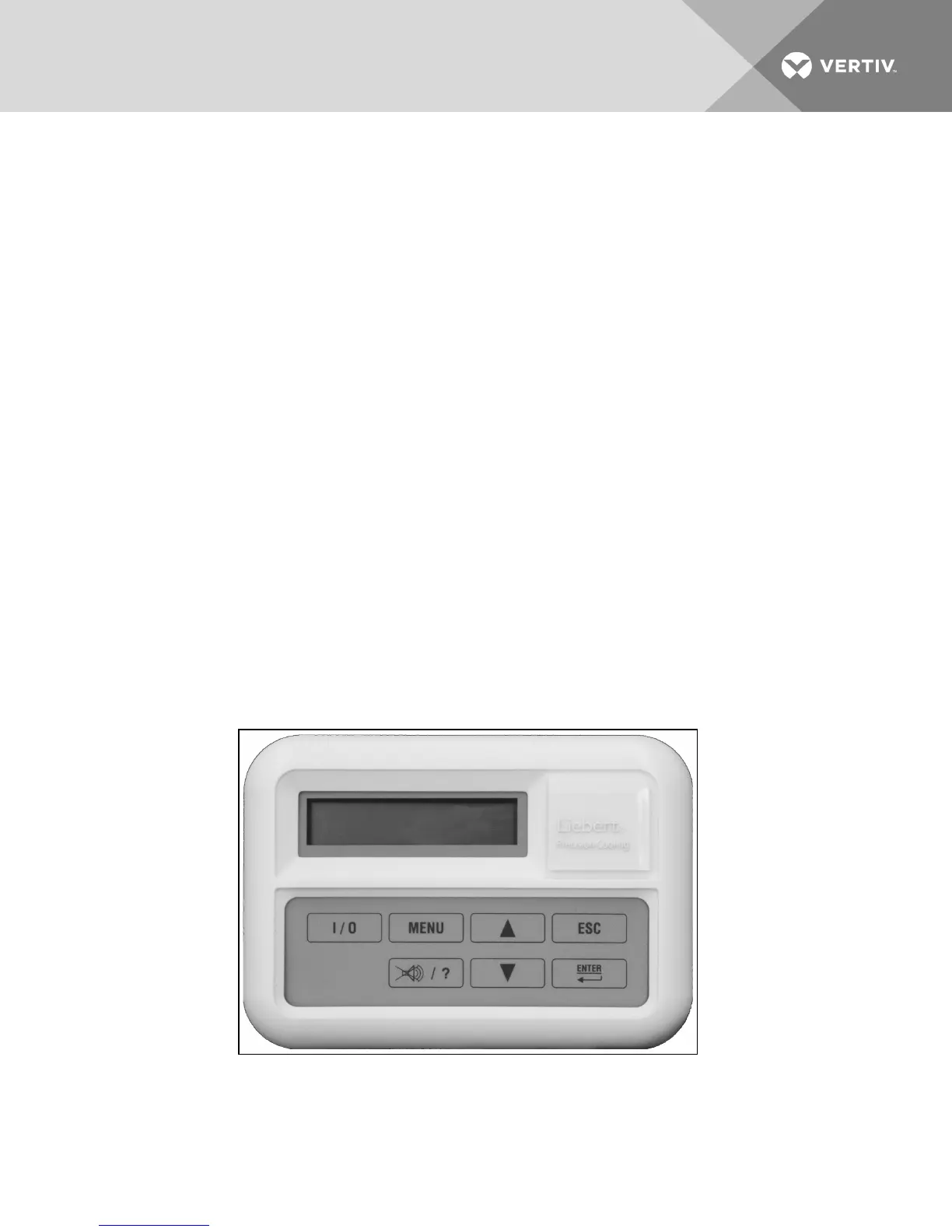
The following control keys may be used to move through the menus, as prompted on the LCD display:
• I/O—turns unit On or Off (top far left).
• MENU—Enables user to access the program menu to change control parameters, alarms,
setback schedule, etc. (top near left).
• UP ARROW—Increases the value of displayed parameter while in a set mode (setpoints, time,
etc.) (top near right).
• ESC—Escape; allows user to move back to a previous menu (top far right).
• Alarm Silence/? (Help)—If an alarm is present, pressing this key will silence the alarm. If this key
is pressed when no alarms are present, help text will appear (bottom near left).
• DOWN ARROW—Decreases the value of displayed parameter while in a set mode (bottom near
right).
• ENTER—After setting a control point, press ENTER to store the information in the
microprocessor (bottom far right).
Figure 8.1 Wall box
Vertiv | Liebert Mini-Mate2—5 ton User Manual| 55









 To Next Page