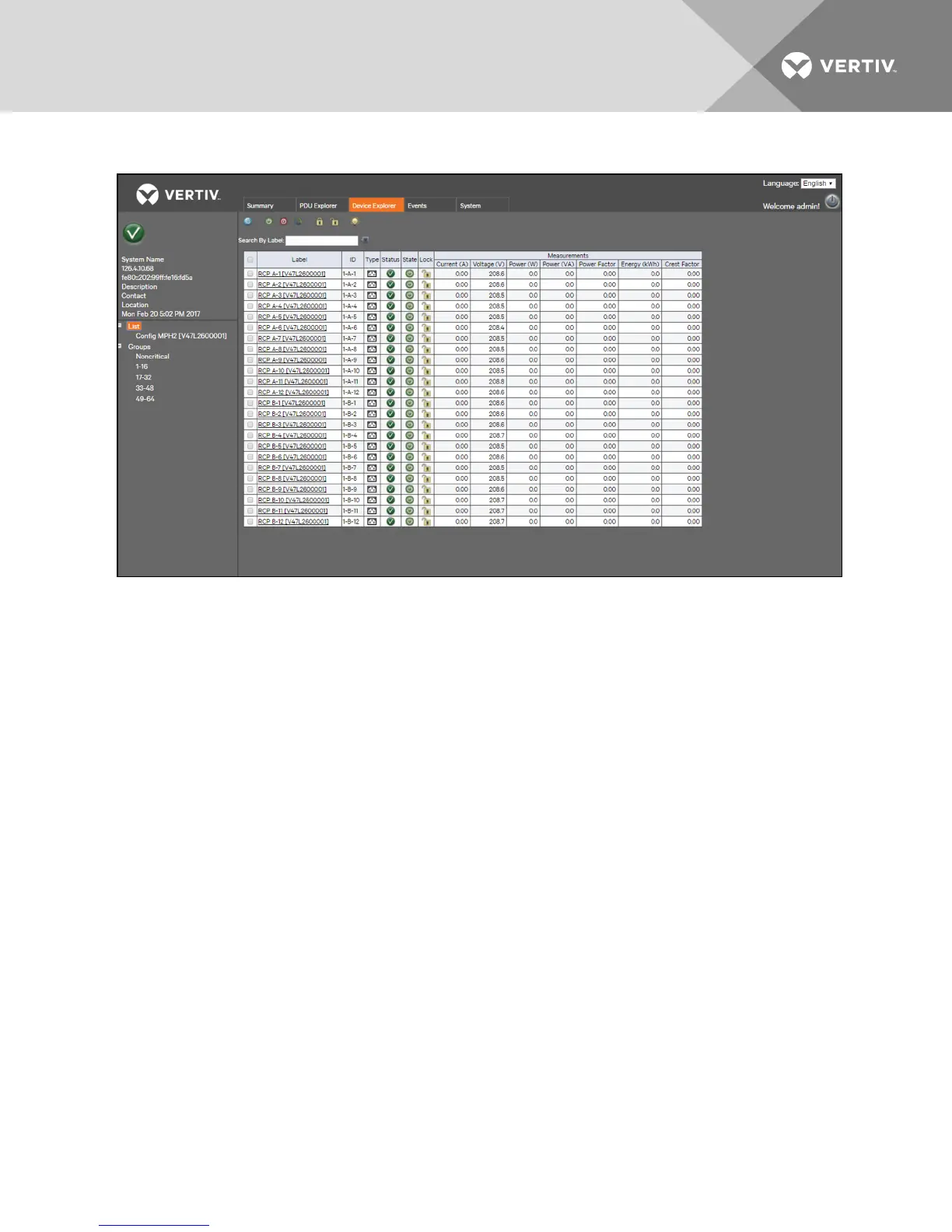
Figure 3.6 Device Explorer Tab Example
To reset energy for a receptacle:
1. From the Device Explorer window, click the checkbox in the row of the appropriate receptacle.
-or-
Click the checkbox in the upper-left of the table to select all the receptacles.
2. Click the Reset Energy icon, then click OK on the pop-up window to confirm to reset the energy of the selected
receptacle.
-or-
Click Cancel to return to the Device Explorer window without resetting the energy.
3. From the pop-up window, click OK to acknowledge that the process completed successfully.
To enable power for a receptacle:
1. From the Device Explorer window, click the checkbox in the row of the appropriate receptacle.
-or-
Click the checkbox at the top of the table to select all the receptacles in the table.
2. Click the Enable Receptacle Power icon, then click OK on the pop-up window to confirm to enable power for
the selected receptacle.
-or-
Click Cancel to return to the Device Explorer window without enabling the power for a receptacle.
3. From the pop-up window, click OK to acknowledge that the process completed successfully.
To disable power for a receptacle:
1. From the Device Explorer window, click the checkbox in the row of the appropriate receptacle.
Vertiv | RPC2™ Communications Module Installer/User Guide | 18



 To Next Page