2. Use the arrow keys to highlight a receptacle and press the scroll button to select it.
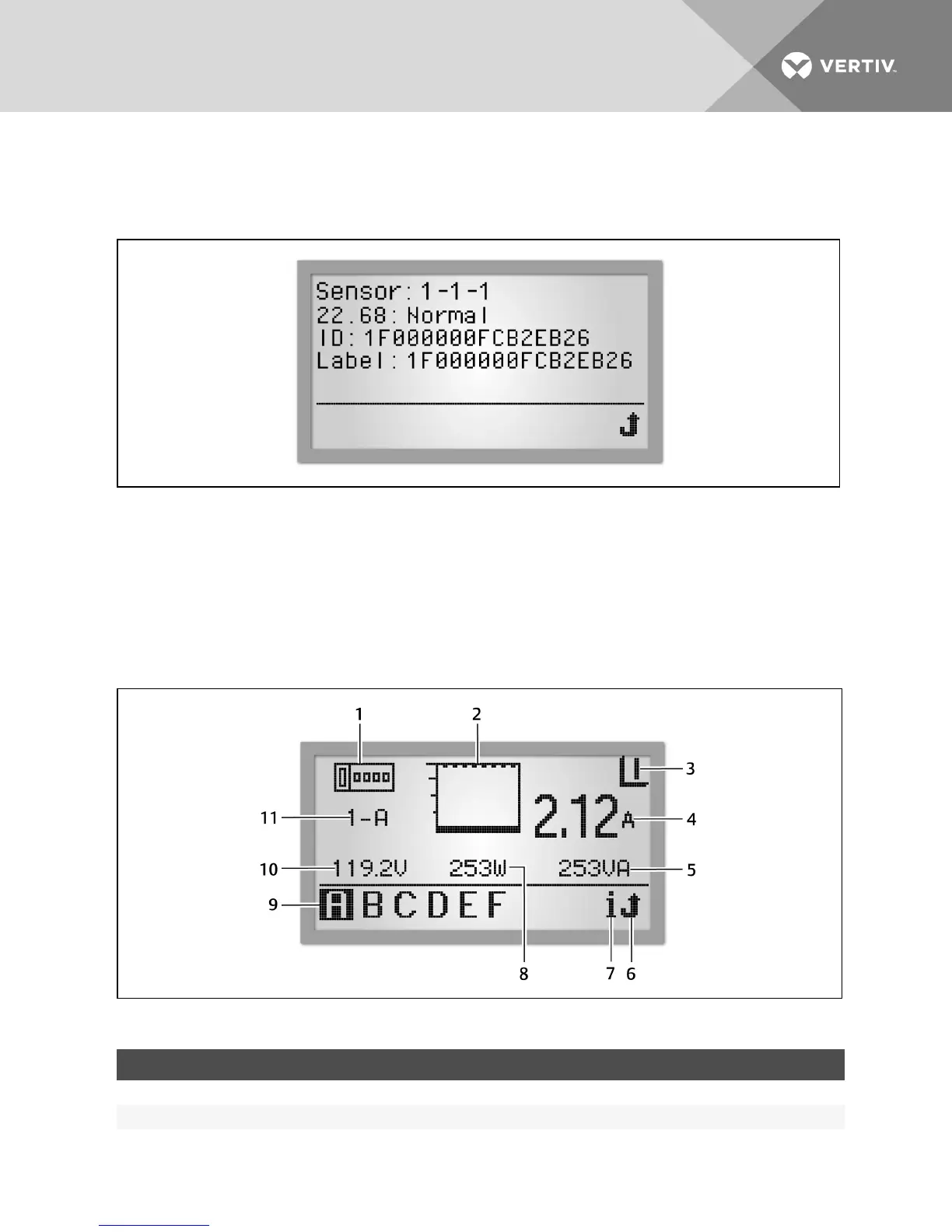
3. Highlight the Play button and press the scroll button to display the sensor information. The following example
shows temperature sensors and one humidity sensor.
Figure 4.10 Sensor Information Screen
Branch level
The availability of branch information depends on the capabilities of the PDU. Branch information and PDU information are
the same for rack PDUs without branch management; that information is seen at the PDU view level. The following figure is
an example having data for Branch A, with one of two branches on PDU #1 communicating with the RPC BDM unit. You can
view the information by selecting a branch. For MPH2 PDUs, the branch level is represented by alphabetical characters. For
MPH and MPXPDUs, the branch level is represented by numerical characters.
Figure 4.11 Branch PDULevel View
ITEM DESCRIPTION ITEM DESCRIPTION
1 Branch-level information icon 7 Information icon
2 Current bar graph 8 Real Power (Watts)
Table 4.5 Branch Level View Descriptions
Vertiv | RPC2™ Communications Module Installer/User Guide | 42



 To Next Page