9
LAST NUMBER REDIAL
IN CALL FUNCTIONS
While you are in a call, several functions are
available from the
Options submenu:
SPEAKER PHONE
The speaker phone uses the internal speaker in
your Vertu phone to allow you to have a hands-free
phone call or allow people around you to
participate in conversation.
To use the speaker phone while in a call:
CONFERENCE CALLS
The conference call function is a Network Service
that can connect up to six calls, allowing each
person to participate in a single conversation.
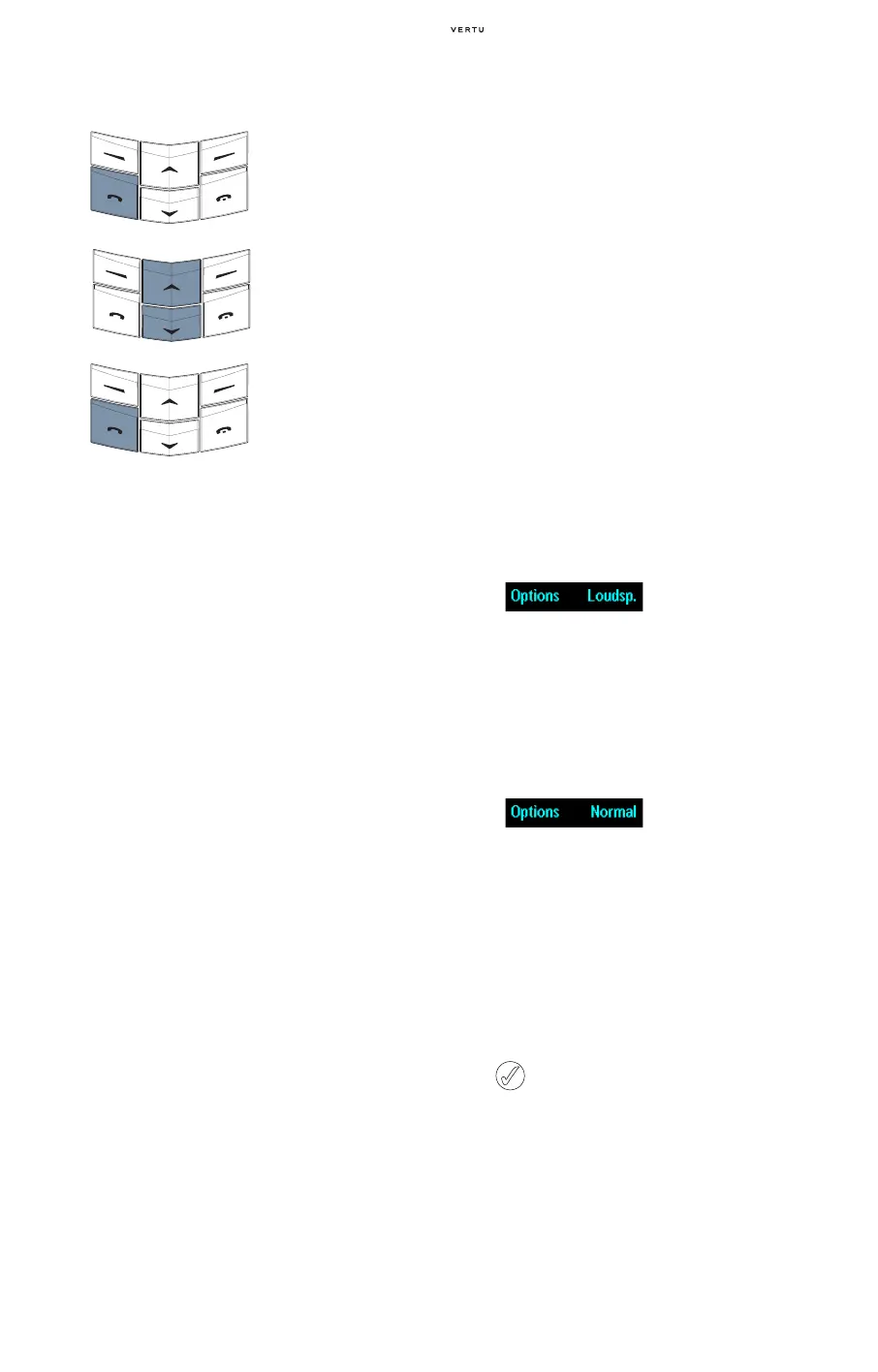
> From the stand-by
display, press the
SEND
key to access a list of
the most recently
dialled numbers.
> Use the SCROLL keys to
scroll to the desired
number.
> Press the SEND key to
call the selected
number.
Hold or Unhold Put a call on hold or unholds
a held call. When you hold a
call you cannot hear the
person you are in a call with
and the person cannot hear
you.
Mute or Unmute Mute or unmute your Vertu
phone’s microphone. When
you mute a call you can hear
the other person you are in a
call with, but the person
cannot hear you.
Handset Return to normal use.
Headset Transfers the audio to a
compatible hands-free or a
headset connected to the
phone.
Contacts Access the directory.
New call Make a new call while you
have a call in progress.
Menu Access your Vertu phone’s
menus. For more information
refer to “Menu navigation” on
page 5.
Lock keypad Lock the keypad to prevent
an accidental key press.
Record Record the call.
Swap Switch between the active
call and the held call.
Transfer Connect the active call
directly to the held call and
disconnect yourself from
both calls.
Conference Join several calls together
into one conversation.
Private call Have a private conversation
with one participant in a
conference call.
End call Disconnect the active call
and make any held
call active.
End all calls Disconnect all calls and
return to stand-by.
Loudspeaker Use the phone in
speakerphone mode. Do not
hold the phone to your ear
when the loudspeaker is
active.
> Press Loudsp. to
activate the speaker
phone. A confirmation
message appears.
You no longer need to hold
your Vertu phone in the
normal speaking position.
> Continue your
conversation.
To deactivate the speaker
phone:
> Press Normal. A
confirmation message
appears.
> Return your Vertu phone
to the normal speaking
position.
> Continue your
conversation.
The call options remain available when using
the speaker phone.















 To Next Page