10
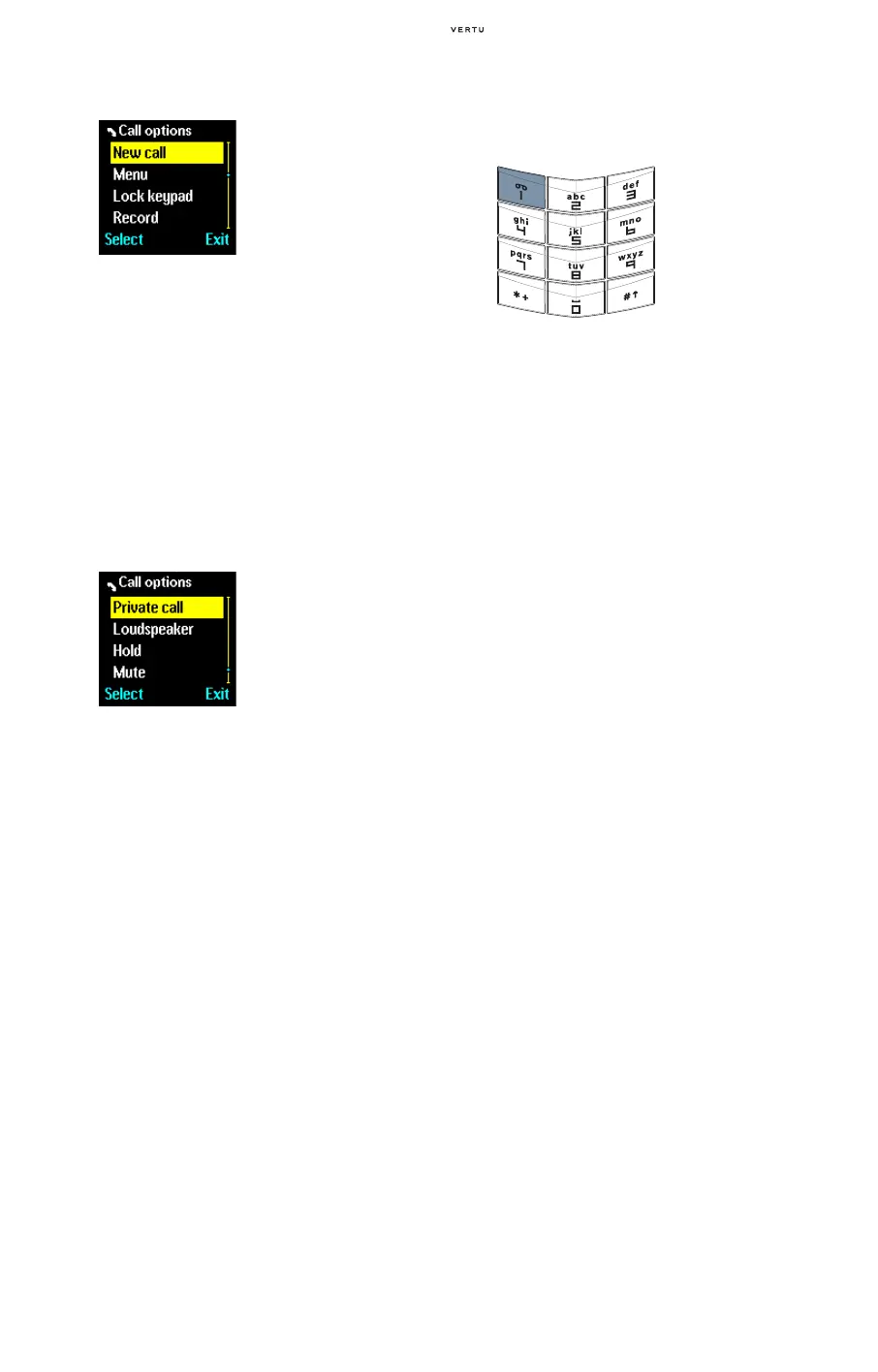
To set up a conference call:
To have a private conversation with one of the
participants:
To end the conference call and disconnect all
participants:
> Press the END key.
For more information on conference calling,
contact your service provider.
CALLING YOUR VOICE MAILBOX
Voicemail is a network service for receiving voice
messages that may be offered by your service
provider.
To use the VOICEMAIL key to listen to your voice
messages, the voice mailbox number must be
stored in your Vertu phone.
For more information on voicemail contact your
service provider.
EMERGENCY CALLS
IMPORTANT! Your Vertu phone, like any wireless
phone, operates using radio signals, wireless and
landline networks as well as user-programmed
functions. Because of this, connections in all
conditions cannot be guaranteed. Therefore, you
should never rely solely upon any wireless phone
for essential communications, for example medical
emergencies.
Emergency calls may not be possible on all
wireless phone networks or when certain network
services and/or phone features are in use. Check
with local service providers.
MAKING AN EMERGENCY CALL
> If the phone is not on, switch it on. Some networks
may require that a valid SIM card is properly
inserted in the phone.
> Press the END key as many times as needed to
return to the stand-by display.
> Key in the emergency number for your present
location, for example 112, 911 or other official
emergency number. Emergency numbers vary by
location.
> Press the SEND key.
If certain features are in use, you may first need to
turn those features off before you can make an
emergency call. For more information consult your
local service provider.
When making an emergency call, remember to
give all the necessary information as accurately as
possible.
Remember that your phone may be the only means
of communication at the scene of an accident – do
not cut off the call until given permission to do so.
> Call the first participant.
> Press Options.
> Scroll to New call and
press
Select.
> Call the next participant.
> Press Options.
> Scroll to Conference
and press
Select. A
confirmation message
appears and the
conference call is
activated.
> Repeat the the process to
add another new
participant to the
conference call.
> Press Options.
> Scroll to Private call
and press
Select.
> Scroll to the desired
participant and press
OK.
A confirmation message
is displayed. The other
participants cannot hear
your conversation with
the selected person.
To end the private
conversation and return to
the conference call:
> Press Options.
> Scroll to Conference
and press
Select. A
confirmation message is
displayed.
> Press and hold the 1
key. This is the
VOICEMAIL key.
> If you are prompted, key
in the voice mailbox
number and press
OK.















 To Next Page