15
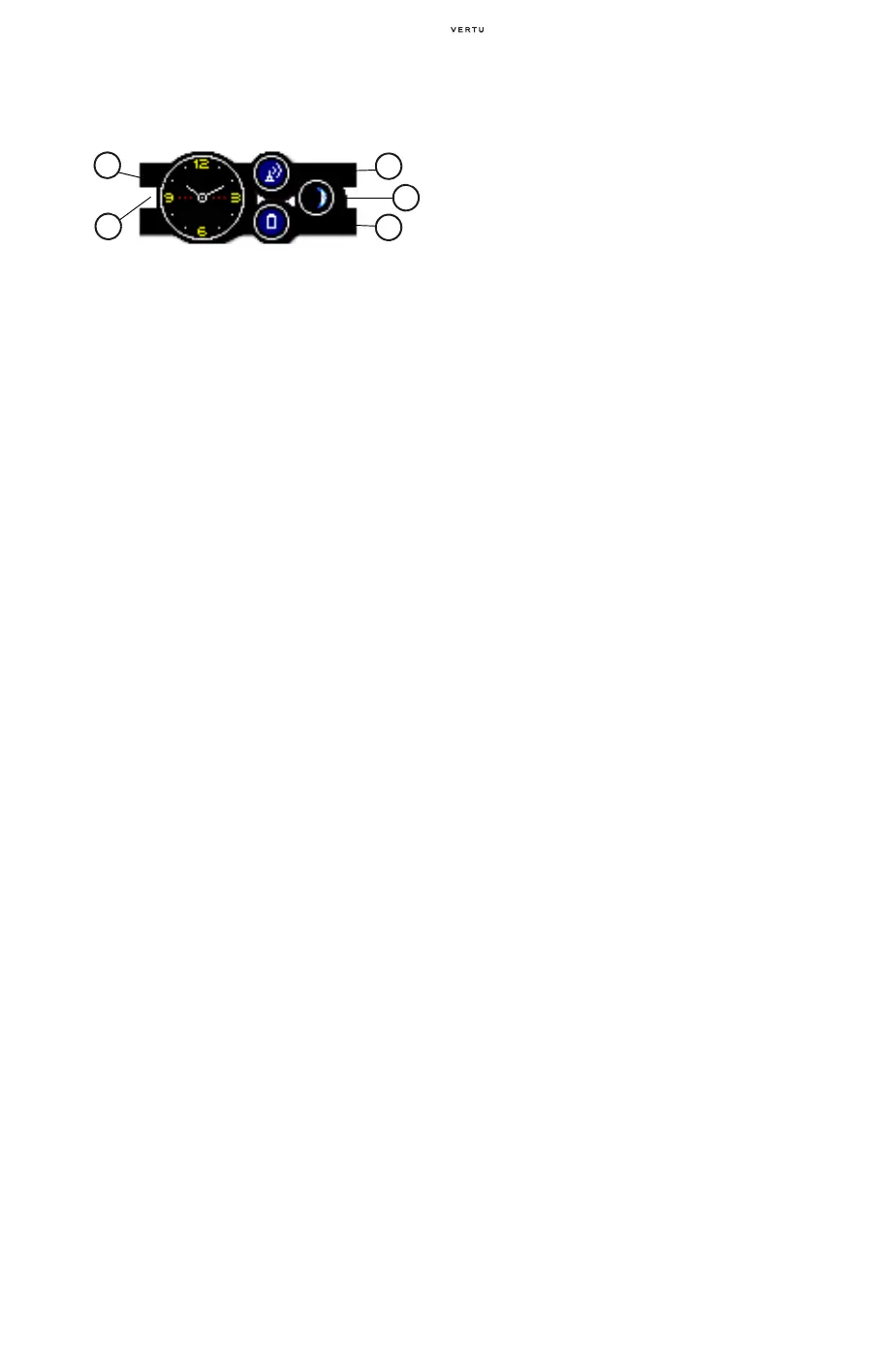
THE SCREEN SAVER DISPLAY
> 01 Clock – shows the current time.
For this component to display
properly, the correct local time
must be set.
> 02 Signal strength gauge – shows
the signal strength at your current
location. The coloured fill level
shows the percentage of
maximum signal. A solid blue fill
indicates a strong signal is being
received. A red icon with no fill
level indicates that no signal is
being received.
> 03 Moon phase cycle – shows an
approximation to the current
moon phase. A solid white
display represents a full moon
and an empty display indicates a
new moon (no moon). For this
component to display properly,
the correct date must be set.
> 04 Battery charge gauge – shows
the remaining charge in your
battery. The coloured fill level
shows the percentage of
maximum charge. A solid blue fill
indicates that the battery is fully
charged. A red icon and fill level
indicates that the battery charge
level is below 20% of maximum.
> 05 Alert bar – shows if a message
has been received or a call
missed. The alert bar changes
from inactive (grey/clear) to
active (red) if an event has
occurred since the last key press.
01
05
02
03
04















 To Next Page