When a mode is selected, it is shown as Active.
When Mass storage mode is selected, you are not able to see or run applications that
you have installed on the internal memory card.
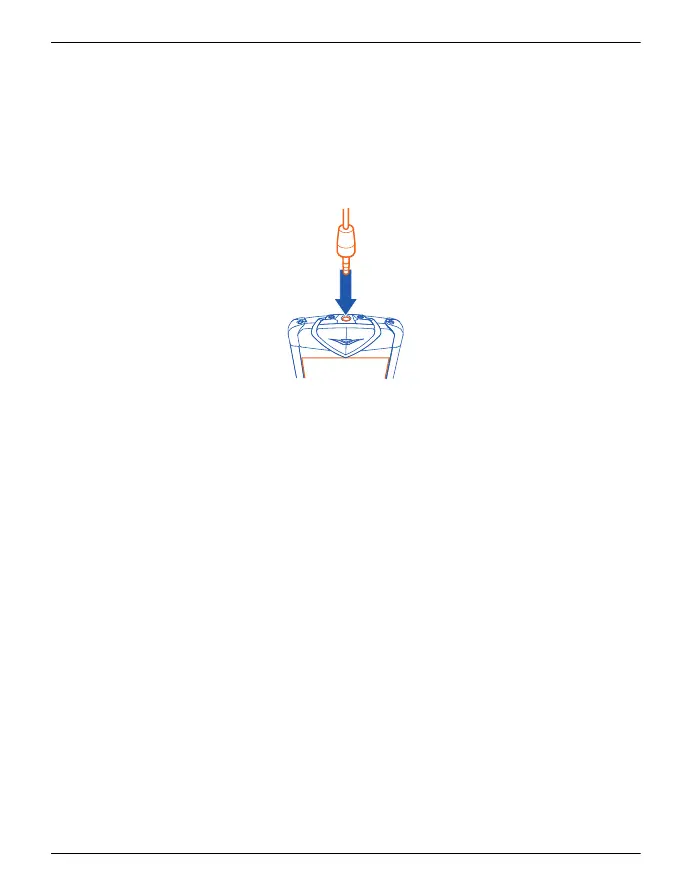
Wired stereo headset
Your Vertu Constellation is supplied with a wired stereo headset, which includes a
microphone. Connect this to the AV connector of your phone.
All the volume and music controls, and call handling functions, are contained within
your Vertu Constellation.
If you use the headset with a device other than your Vertu Constellation, the 3.5 mm
adaptor (supplied) may be required.
Common accessory settings
Select Menu > Settings and Phone > Accessories.
Accessory options include:
• Headset (which includes a microphone)
•Headphones
• Wireless car kit
•Music stand
•TV-Out
•Text phone
Set the profile that is used when connected to an accessory
Select the accessory and Default profile.
Set the phone to automatically answer a call after 5 seconds when connected
to an accessory
Select the accessory and Automatic answer. If the ringing type is set to Silent,
automatic answering is deactivated.
Accessories 125
© 2011 Vertu. All rights reserved.















 To Next Page