Camera
About the camera
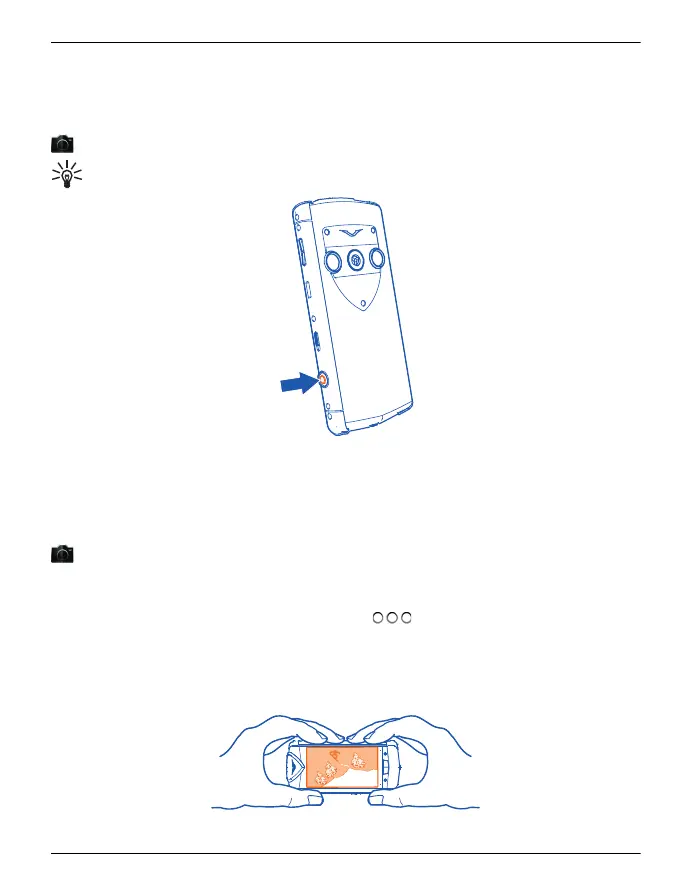
Select Menu > Media > Camera.
Tip: To activate the camera, you can also press the camera key.
You can use your Vertu Constellation to take pictures or record videos. You can then
view or edit the pictures and videos, share them on the internet, or send them to
compatible devices.
Take a picture
Select Menu > Media > Camera.
Your phone camera has the full focus feature. With this feature, you can take pictures
where objects both in the foreground and background are in focus.
1 To activate the face tracking feature, select
> Face detect.. The face tracker
detects and draws rectangles around faces, even when they are moving.
2 Press the camera key. Do not move the phone before the picture is saved and the
final picture displayed.
Pictures and videos are automatically saved to the internal, fixed memory.
Camera 85
© 2011 Vertu. All rights reserved.















 To Next Page