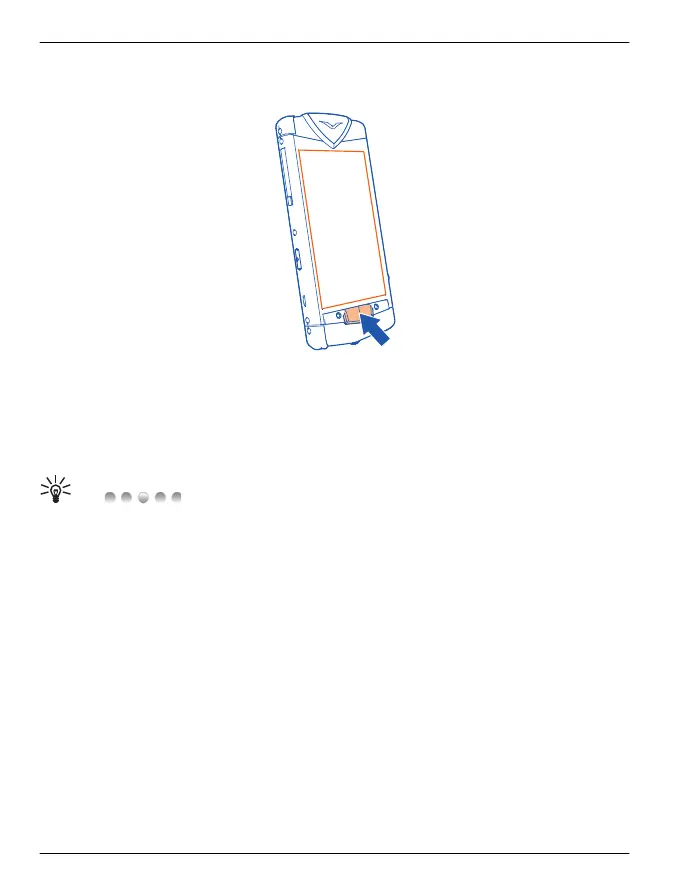
Menu key and soft keys
The menu key is the physical key situated centrally just below the display.
Press the menu key to access the main menu, or to return to the home screen from an
application.
Press and hold the menu key to view which applications are open.
There are two context-sensitive soft keys located above the menu key. They display
context options relating only to the current screen. Select the relevant soft key to open
a menu or perform an action.
Tip: above the Menu key indicates the number of home screens, up
to a maximum of six. The highlighted dot indicates the current home screen. Press the
dots to return to the default home screen.
Clock
Analogue and digital clock
The clock, displayed on the default home screen, does the following:
• Displays time and date in either analogue or digital format.
• Displays alarms set for the next 12 hours (analogue display only).
• Displays free and busy periods taken from the Calendar, around the clock bezel
(analogue display only).
• Maintains time using the automatic time feature.
• Displays the local time or, if you are roaming, displays both the local time and the
time in your home location.
Work with the clock as follows:
• To set an alarm, tap the centre of the clock.
30 Home screen
© 2011 Vertu. All rights reserved.















 To Next Page