Set the length of the snooze time
1 On the home screen, select the clock.
2 Select Options > Settings > Alarm snooze time, and set the length of time.
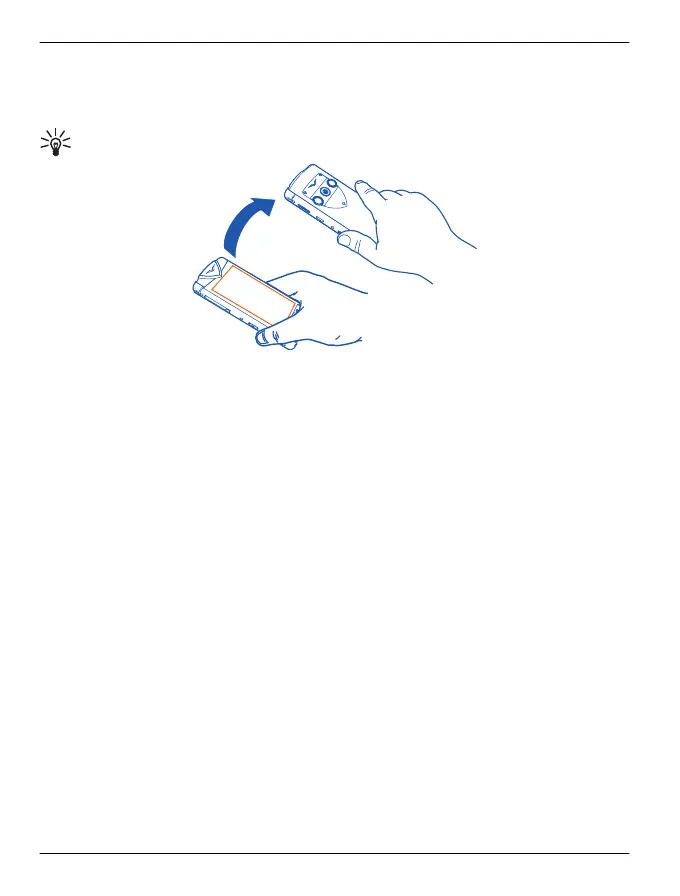
Tip: You can snooze alarms also by turning your phone face down.
Activate turning control for snoozing
Select Menu > Settings and Phone > Sensor settings > Silence alarms > On.
Select an alarm tone
You can select a tone that applies to all alarms.
On the default home screen, select the centre of the clock.
1 Select Options > Settings.
2 Select Clock alarm tone and a tone.
3 Select Back > Exit.
World clock
The world clock allows you to see the times at different locations around the world.
View the world clock
1 On the default home screen, select the clock and the Clock panel displays.
2 Open the World clock tab, and the times at any selected locations are displayed in
digital format.
Add a specific location to the world clock
1 With the World clock open, select Options > Add location.
2 Move through the list and select the location, which is displayed along with the
current time at that location.
32 Home screen
© 2011 Vertu. All rights reserved.















 To Next Page