16 030624.13
vetus® Electronic engine remote control
4.6 Trim/Flap option
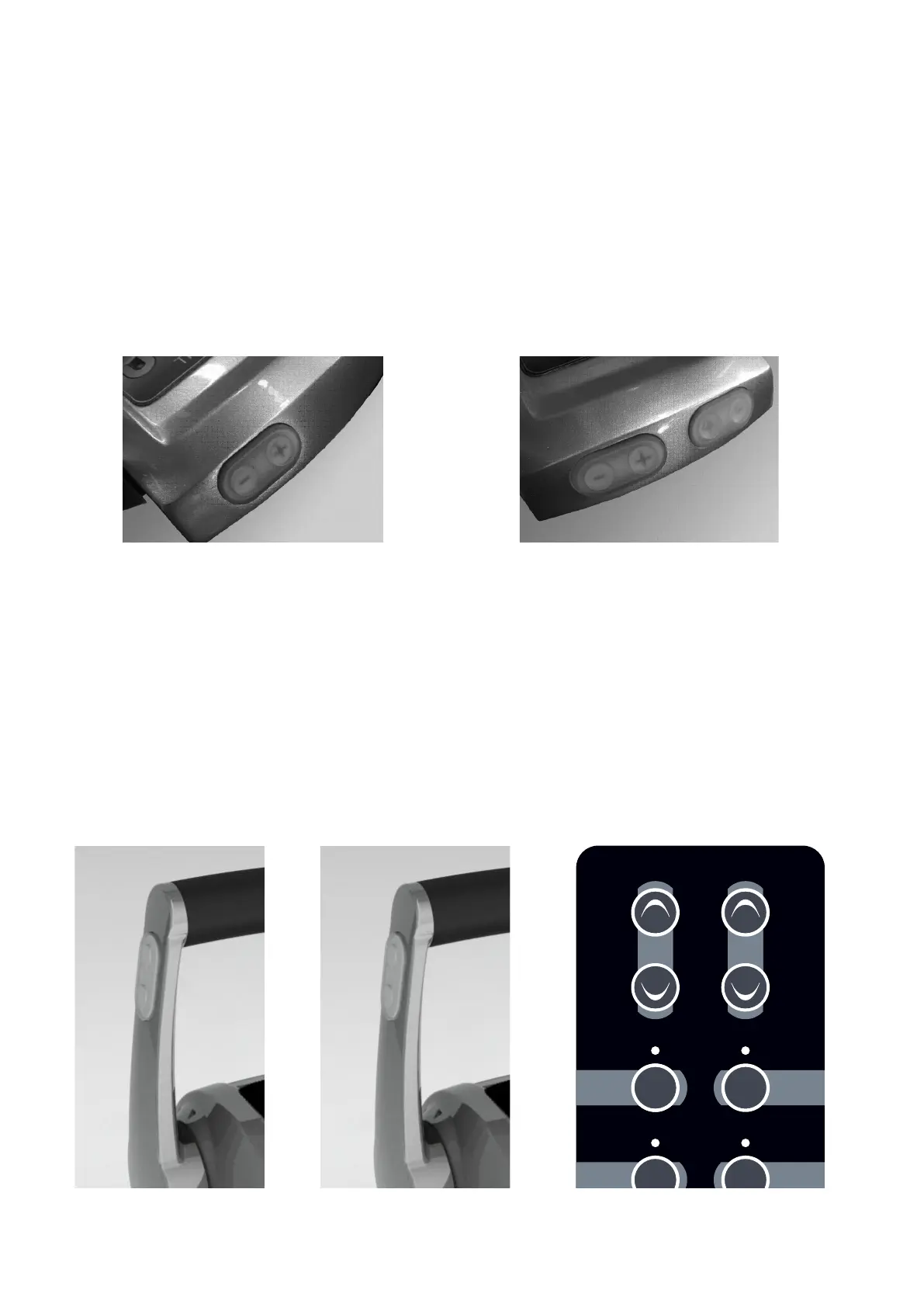
Trim/flap command can be activated directly from the command station with the buttons ‘+’ and ‘-’. The commands are
sent to the actuator from the command station. The relay card fitted on the actuator activates the hydraulic pump of the
trim/flap.
For installations with two engines, in case of “Synchro” mode operation, the buttons on the right-hand side operate the
both the trims (or the flaps) simultaneously.
Command station EC3
Version for one engine Version for two engines
Command station EC4
Version for one engine
Trim or flap can be activated
directly from the command
station with “+” and “-“ push-
buttons. These pushbuttons are
placed on the lateral side of the
left lever.
Version for two engines
Trims/flaps are tuned with “+” and “-“ pushbuttons placed on the keypad (a couple
for each engine).
It is also possible to command the trims/flaps in Synchro with the “+” and “-“ push
buttons placed on the left lever.
+
Engine
Command
Warm/Sync
Engine
Trim



 To Next Page