030624.13 49
vetus® Electronic engine remote control
9 Programming of the actuator, general guidelines
9.1 Programming keypad
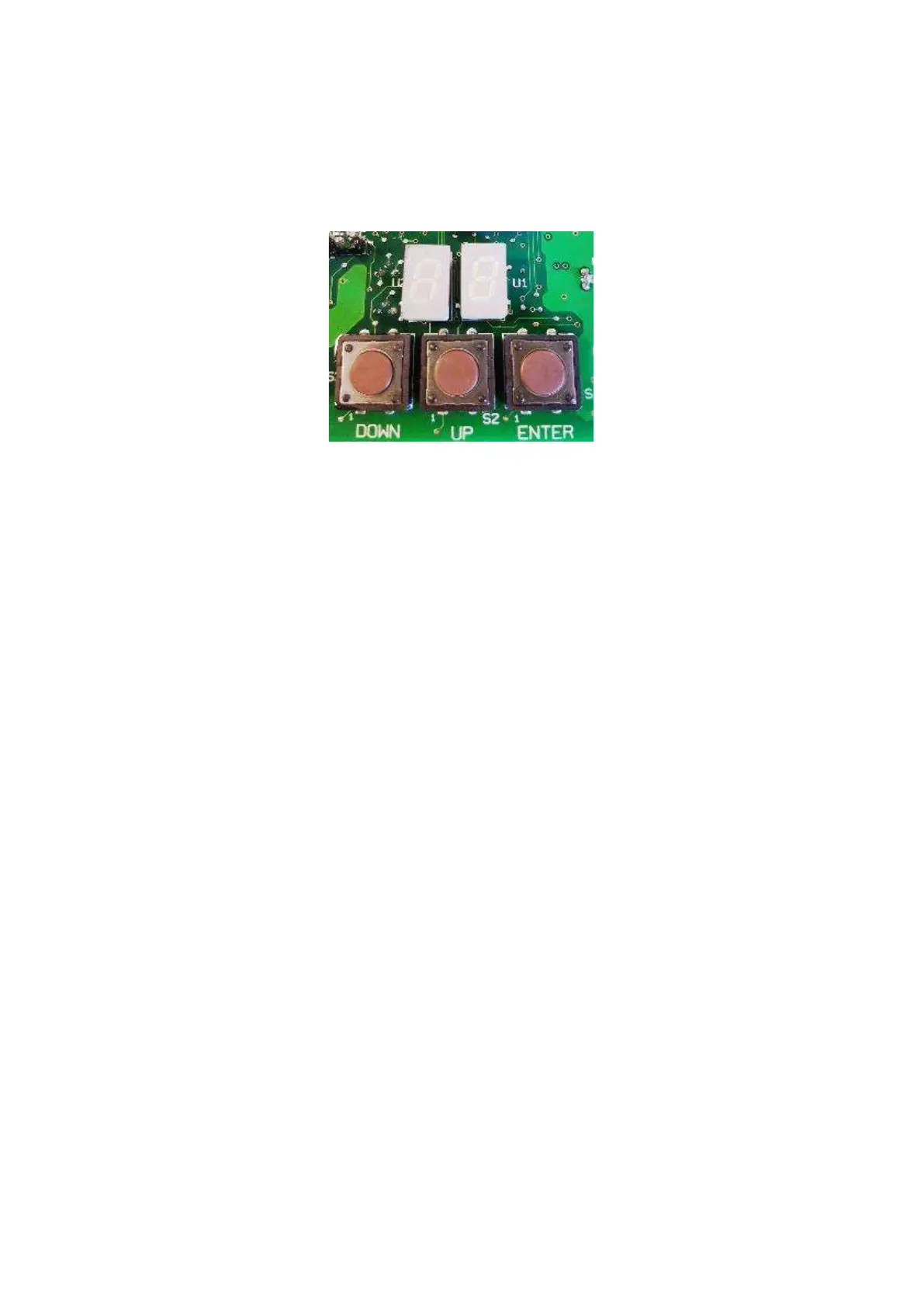
The keyboard has a display with two figures and three programming pushbuttons/keys.
Actuators are already programmed from the factory and it should not be necessary to make any change, but in case you
want to modify their programming, follow this procedure.
9.2 Display and Parameters
After power up, the display shows a sequence of 2 codes: ‘FI’ and ‘XX’:
• ‘FI’ means Firmware;
• ‘XX’ is the firmware version.
… and after 2 seconds the display shows “_ _”.
To enter into the parameter menu, press at the same time keys “UP” and “DOWN”. It is now possible to move from one
parameter to the other using the keys “UP” and “DOWN”.
For the setting of the specific parameters follow this procedure:
1. with the actuator turned on (the display shows “ _ _”) press both keys “UP” and “DOWN” and the first parameter will
appear on the display the message “A0”
2. pressing either “UP” or “DOWN” it is now possible to scroll the parameter’s list
3. pressing the key “ENTER”, the parameter’s value will be shown on the display. The display is now blinking and it is
possible to modify the parameter’s value, using the keys “UP” and “DOWN”
4. press the key “ENTER” to store the parameter’s value and immediately the display stops blinking
5. to set the other parameters, scroll the menu with the keys “UP” and “DOWN” and when you have pointed the param-
eter that you want to change, repeat this procedure from point 3.



 To Next Page