030624.13 61
vetus® Electronic engine remote control
12
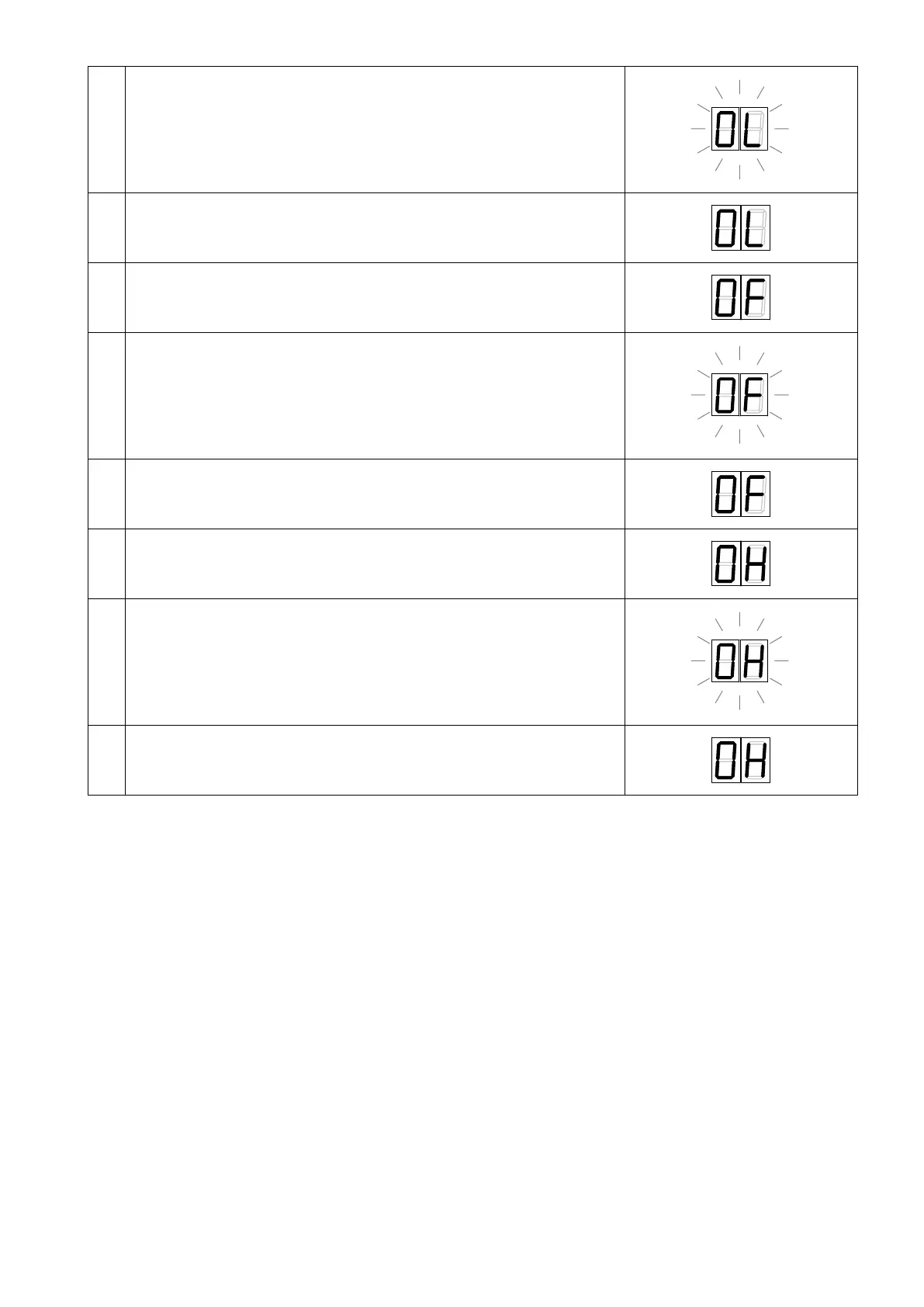
Press the “Enter” push button and the display will start to flash. Press “Up”
until the cable reaches the position of Gearbox Reverse
13
To store the position of Gearbox Reverse, press “Enter” again. When the
display stops flashing it means that you have stored the position
14
Press the “Down” push button and the display will move to “0F”
parameter of Gearbox Neutral)
15
Press the “Enter” push button and the display will start flashing. Press “Up”
until the cable reaches the position of Gearbox Neutral
16
To store the position of Gearbox Neutral, press “Enter” again. When the
display stops flashing it means that you have stored the position
17
Press the “Down” push button and the display will move to “0H”
parameter of Gearbox Forward)
18
Press the “Enter” push button and the display will start flashing. Press “Up”
until the cable reaches the position of Gearbox Forward
19
To store the position of Gearbox Forward, press “Enter” again. When the
display stops flashing it means that you have stored the position
Important:
• a not precise setting of the strokes may generate malfunctioning of the gearbox (delays in clutch-in and clutch-out) or
an excessive current absorption on the actuator.
• in case of stern drive and outboard engines, if the engine isn’t running, it isn’t possible to set the strokes, because the
clutch-in operation becomes very hard. In this is the case, actuate the rotation of the propeller manually, this will make
easier the clutch-in of the gearbox.



 To Next Page