EasyManua.ls Logo

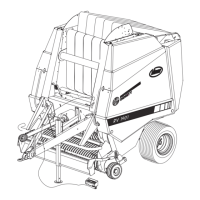
Vicon RF121 R - User Manual

Vicon RF121 R
61 pages
Print Icon
To Next Page IconTo Next Page
Loading...
RF121 R / RF125 R / RF125-OC14
1665 7716.
Operation manual EN
EN_05_2006

Table of Contents

Questions and Answers

  • N
    Nathan SilvaAug 3, 2025
    What to do if the net does not run on my Vicon RF121 R?
    • J
      jacksonjulieAug 3, 2025
      If the net does not run, several issues could be the cause. First, ensure that the net roll is not empty and is installed correctly as indicated on the sticker. Check if the side net roll guide is too tight, and observe the maximum net roll width. Also, check for contamination between the rubber and aluminum rollers and eliminate any soiling. Inspect the surfaces of the rollers for damage and adjust the stripper if needed. Ensure the net knife is tensioned. If the V-belt is slipping, it may have become lengthened; perform a 'Reset' to store elongation in the electronics. If the linear motor does not move from its home position, switch on the electronics and perform a 'Reset'. Finally, if the net becomes coiled around the rollers, check for damage and adjust the stripper.
  • P
    Patty CalderonAug 8, 2025
    Why is my Vicon RF121 R showing a permanent tail gate open signal?
    • S
      Sandra GoodmanAug 8, 2025
      A permanent tail gate open signal can occur for several reasons. Make sure the tail gate is completely closed and that there is no dirt build-up between the tail gate and the machine frame. If these are not the cause, the tail gate sensor may be faulty, or the magnet in the area of the tail gate sensor may be missing or incorrectly installed.
  • J
    Joshua WrightAug 13, 2025
    What to do if the net is not cut off and continues to run on Vicon RF121 R Farm Equipment?
    • C
      Colin CookAug 13, 2025
      If the net is not cut off and continues to run, the linear motor may not be unlocking the pawl of the net knife, or the net knife might be blocked by dirt. Clean the area around the net knife to remove any dirt.
  • M
    Mark BridgesAug 18, 2025
    Why is the net knife not tensioned on my Vicon RF121 R Farm Equipment?
    • R
      Robert OrtegaAug 18, 2025
      The net knife might not be tensioned for a few reasons. If a 'Reset' was carried out, the knife needs to be retensioned either manually or by opening the tail gate. Also, the tension rod, which tensions the net knife via the tail gate, might be incorrectly adjusted. Adjust the tension rod length so that opening the tail gate tensions and locks the net knife. A second net wrapping is possible only when the knife is manually tensioned beforehand with the machine shut down. The linear motor may be in the wrong position, preventing the knife from locking. Finally, the locking nib may be worn and need replacement.
  • J
    johngarciaAug 23, 2025
    How to fix twine wrapping that doesn't work on Vicon Farm Equipment?
    • M
      mcgeekarenAug 23, 2025
      If the twine wrapping isn't working, check for outside blockages and correct the positioning of the twine-end sensor. Ensure the twine is threaded as specified on the sticker. If the twine brakes are over-tightened, slacken them off. If the star wheel wobbles and doesn't catch all indents, tighten it and adjust the sensor. Also, remedy any mechanical blockage or dirt build-up. If there was a brief current interruption, install the current supply per the instructions via the provided cable. If the twine motor polarity reversed after a motor exchange, interchange the pole connections or check if the twine carriage moves to its home position after performing a 'Reset'.
  • S
    Stacey WalshAug 28, 2025
    What to do if net feed begins before compacting pressure is achieved on Vicon RF121 R?
    • K
      kimmichaelAug 28, 2025
      If the net feed starts before the compacting pressure is achieved, it could be due to the net fringes being caught by the rotating bale. Check the sharpness of the net knife and the ease of running of the net knife holder. Ensure the net is cut off at a cardan shaft speed of 540 rpm and that you are using the recommended net quality. In some cases, the issue may resolve itself with the second bale.

Summary

Foreword

Safety

Your Personal Safety

Emphasizes the importance of operator safety and understanding the manual.

Safety Instructions in this Manual

Explains the meaning of different safety warning symbols used throughout the manual.

Machine Type Plate

Details the location and importance of the machine's identification type plate.

Intended Use

Defines the specific agricultural applications for which the round baler is designed.

Liability and Responsibility

Outlines the responsibilities of the manufacturer and the user regarding machine operation.

Safety Stickers and Warning Signs

Highlights the significance of safety stickers and warning signs for accident prevention.

Authorised Users

Specifies age and competence requirements for operating the round baler.

General Safety and Accident Prevention Regulations

Covers broad safety rules for operation, maintenance, and accident prevention.

General Safety Practices

Basic safety principles for machine operation, including clothing and environment.

Safety with Attached Devices

Safety precautions when connecting and using additional equipment with the baler.

Power Take-Off (PTO) Operation Safety

Provides safety guidelines for the proper use of the PTO shaft.

Hydraulic System Safety

Details safety warnings and procedures related to the machine's hydraulic system.

Tyre and Brake Safety

Safety checks and maintenance procedures for the baler's tyres and brakes.

Safety During Storage

Safety measures to be followed when the machine is not in use or is being stored.

Maintenance Safety Precautions

General safety guidelines to be observed during maintenance activities.

Specific Round Baler Safety Instructions

Provides safety rules tailored specifically for the operation of round balers.

Technical Data

General Technical Specifications

Covers general dimensions, weight, and operating/lighting features of the baler.

Noise Measurement Data

Presents data on the sound pressure levels measured for the tractor and baler.

General Description

How the Round Baler Functions

Explains the step-by-step operational process of the round baler.

Important Components

Identifies and describes the key parts and systems of the round baler.

Installation and Adjustments

Required Tractor Equipment

Lists the necessary tractor specifications and connections for operating the baler.

Mounting the Control Box

Instructions for installing the control box within the tractor cab.

Drawbar Adjustment

Procedures for adjusting the drawbar to ensure a horizontal baler position.

Universal Drive Shaft and Coupling

Guidelines for mounting, checking, and ensuring the correct length of the drive shaft.

Adjusting Bale Density

Methods for setting bale density via sensors and hydraulic pressure control.

Setting the Pick-up

Adjustments for pick-up height and unload settings for efficient crop gathering.

Adjusting the Pick-up Baffle Plate

Instructions for adjusting the pick-up baffle plate to ensure optimal crop flow.

Pick-up Overload Clutch

Details the pick-up overload clutch function for machine protection.

Setting Scrapers (Twine Binding)

Guidance on adjusting plastic scrapers for twine binding operations.

Sensor Adjustment

Ensuring correct adjustment of sensors for binding functions.

Operation

Tying Control

Instructions for managing the twine and net tying process using the control systems.

Control Box Functions

Details the functions, indicators, and operation of the control box.

Machine Box Functions

Explains the functions of the machine box for twine and net tying operations.

Setting the Tying System

How to set the number of twine or netting wraps for bale binding.

Automatic;Manual Tying Start

Selecting between automatic and manual modes for initiating the tying process.

Resetting the Tying System

Procedure for resetting the tying system in case of operational malfunctions.

Tying Emergency Mode

Guidance on using the emergency mode for manual tying activation.

Autoplus Controller

Information on the Autoplus controller for automated baling and tying functions.

Autoplus Controller Description

Details the buttons, display, and functions of the Autoplus controller unit.

Operating Cycle Displays

Overview of the information shown on the Autoplus display during baling operations.

Setting the Binding System (Autoplus)

How to set the number of twine or netting wraps using the Autoplus controller.

Autoplus Automatic;Manual Binding Start

Selecting automatic or manual binding initiation via the Autoplus controller.

Bale Counter

Using the 'Info' key to switch between daily and total bale counts.

Autoplus System Reset

Procedure for resetting the Autoplus system in case of malfunctions or component changes.

Fault Indications and Errors

Interpreting error messages on the display and implementing remedial actions.

Pick-up Operation

Operational guidelines and settings for the baler's pick-up unit.

Opticut Cutting System

Details on the 'Opticut' cutting system, including its features and adjustments.

Binding Methods

Information on net and twine binding systems, including material quality and capacity.

Tailgate Operation

Safety precautions and operational procedures for opening and closing the baler's tailgate.

Rotor Coupling and Blockages

Procedures for clearing blockages and reversing the rotor.

Hitching and Road Travel

Guidelines for safely hitching the baler to the tractor and for road transport.

Field Operation

General operating guidelines and checks for using the baler in the field.

Storing the Round Baler

Step-by-step instructions for safely storing the round baler after use.

Winter Storage

Specific procedures and maintenance for winter storage of the baler.

Service and Maintenance

Re-tightening Screws

Instructions for re-tightening all screws and nuts after initial operating hours.

Checking Wheels

Procedures for checking wheel security and maintaining correct tyre pressure.

Chain Tightener Adjustment

Guidance on checking and adjusting the chain tightener spring lengths.

Lubrication Schedule

Details lubrication points, types, and frequency for the machine's components.

Accessories

Central Chain Lubrication Device

Information on the optional automatic chain lubrication system.

Filler Plates (125 OC14)

Use of filler plates for the 'Opticut' cutting unit when fewer blades are used.

Bale Ramp

Functionality and safety considerations for using the optional bale ramp.

Additional Twine;Net Boxes

Options for increasing twine or net capacity with extra boxes.

Trouble shooting

Appendix

Torque Values for Metric Thread Joints

Provides a table of torque values for metric thread bolted connections.

Vicon RF121 R Specifications

General IconGeneral
BrandVicon
ModelRF121 R
CategoryFarm Equipment
LanguageEnglish

Related product manuals