32
EN
16657715_en 05/2006
Note:
In the automatic tying mode and with the
control box switched on, the tying process
starts running as soon as the rear door is
opened. In the net wrapping mode, there
is an alarm message. Than switch off/on
the control box.
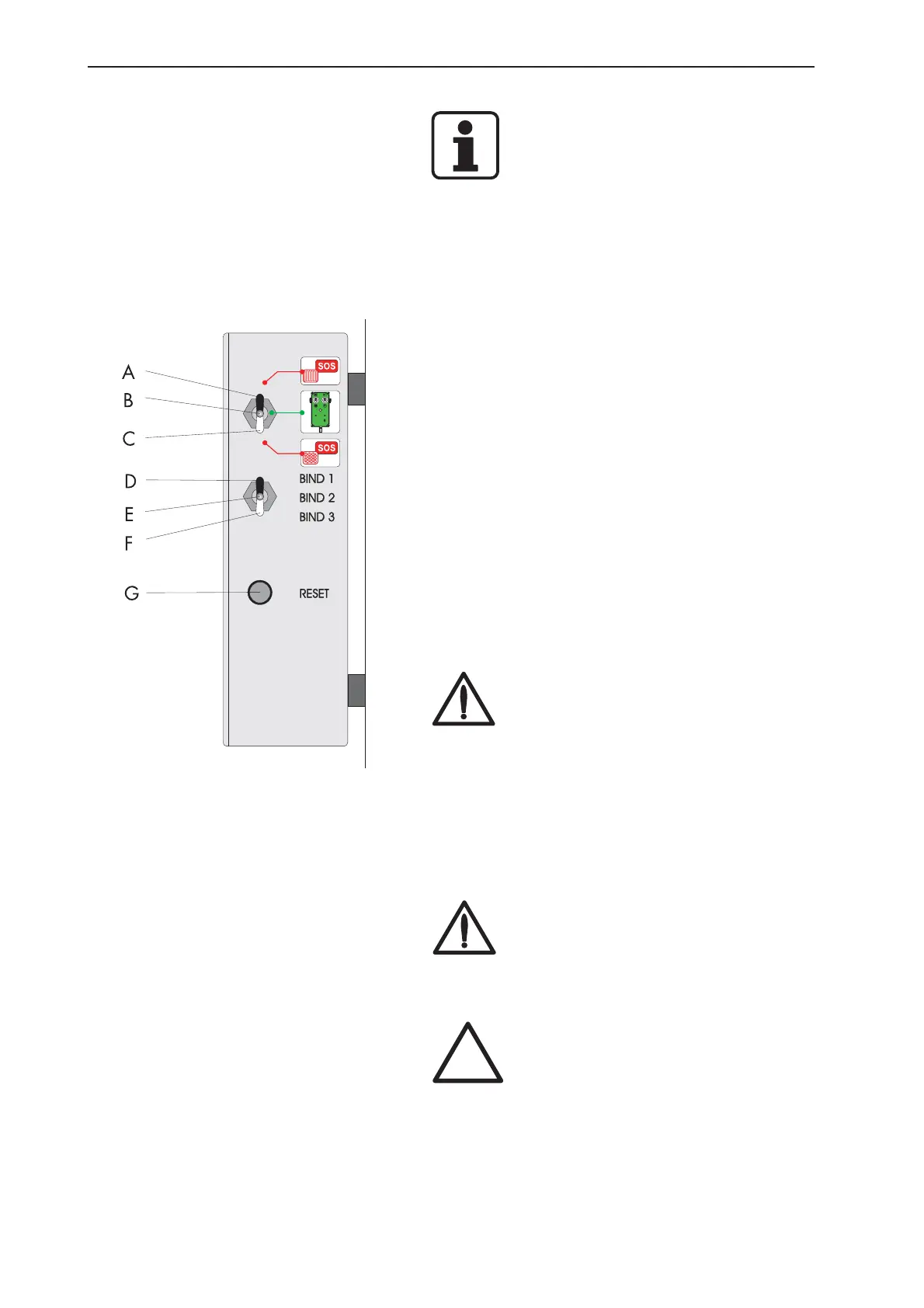
5.1.5 Reset
In the event of a tying malfunction, the reset function
enables the verification of all zero settings and
calibrations. For this purpose just briefly press down
the key (position F) on the machine box.
Depending on whether the twine tying option or the
net tying option (pos.2 or pos. 3) has been preselected
on the operating unit, the corresponding new position
is set.
Malfunctions can occur during elongation or
replacement of the drive belt on the net binding, or if
the binding slide has to be repositioned. The new
measurements are then registered and the motor setting
is changed. The machine must be stopped, otherwise
the net will be fed in!
DANGER!
The net cutting knife is tensioned during
the reset cycle. Do not reach into the net
tying area! Danger of injury!
5.1.6 Tying - Emergency mode
In the event of tying malfunctions it is possible to by-
pass the electronic control and to activate tying (net or
twine) manually.
Danger!
Danger of injury! All safety guards must
be kept closed also during emergency
operation.
Attention!
Tying continues as long as the toggle
switch (10) on the control box is kept
depressed!
This function is not designed for continuous
operation. It should only be maintained for
tying the bale that is currently in the
machine! Afterwards remedy the fault
immediately!


 To Next Page