33
EN
16657715_en 05/2006
Net tying:
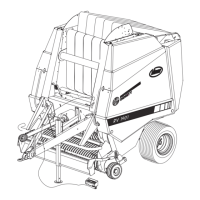
Adjust the switch on the machine box from the zero
position to the net setting (position C).
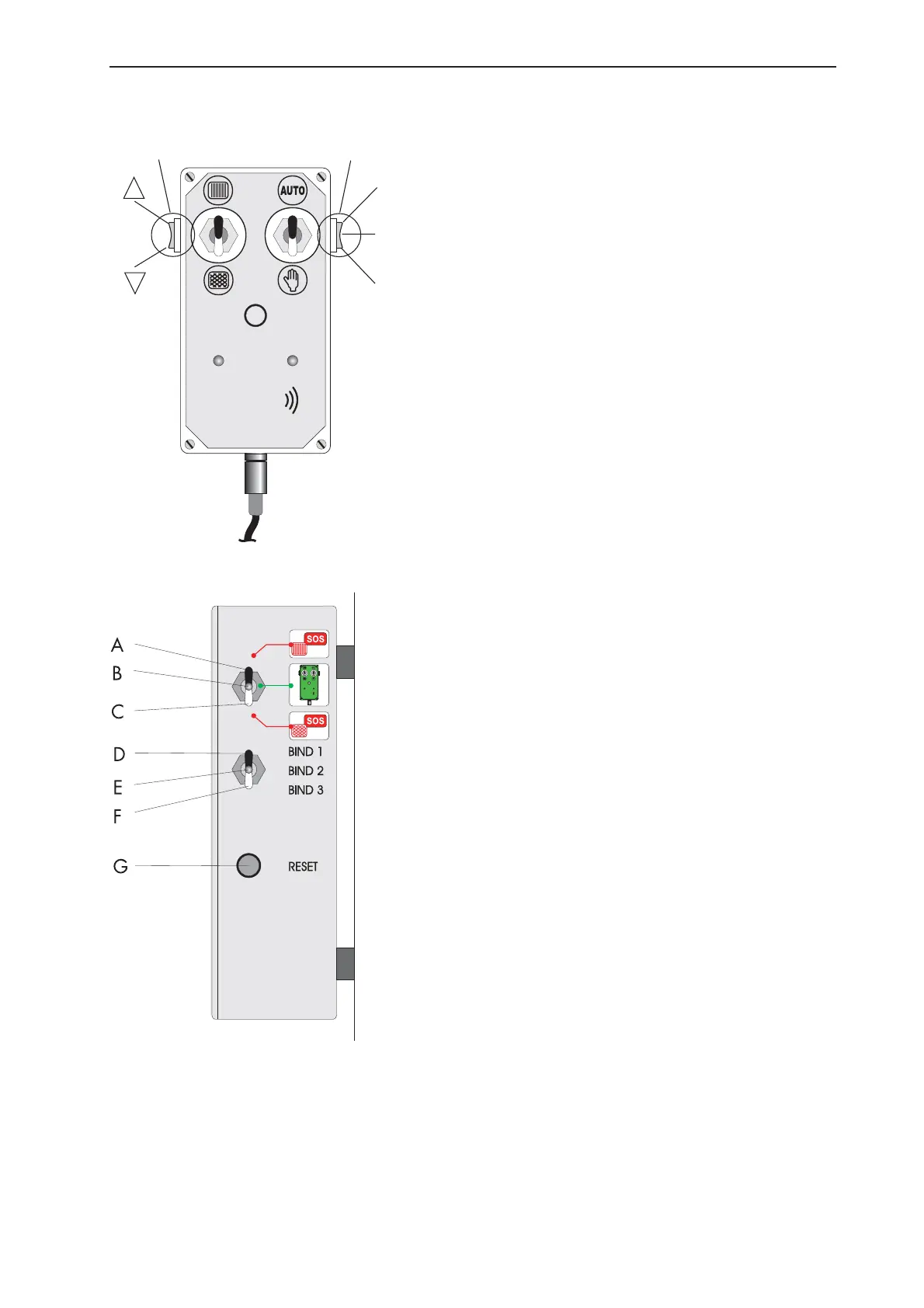
Adjust the switch (1) on the control box to the
emergency mode (II) setting.
Flick the toggle switch (10) on the control box to
∇to activate net feed-in.
Release the toggle switch when net feed-in starts
(the operation can be monitored through the sight
slits in the front hood).
After a running period of approx. 4 s, flick the
toggle switch to ∆ until the net is separated
(net reel stands still!).
Finally, flick the toggle switch for approx. 1 s to
∇(zero setting); return the switch on the machine
box to zero position when tying has been
completed (pos. 3 to pos. 2).
Twine tying:
Adjust the switch on the machine box from zero
position to the twine setting (position A).
Adjust the switch (1) on the control box to the
emergency mode (II) setting. Flick the toggle switch
(10) on the control box for approx. 15 s to activate
the twine slide.
Flick the toggle switch to ∆ until the twine has
been cut off, and then keep in this position for
another 3 s. The process can be monitored through
the twine observation window on the left at the
top of the machine.
Return the switch on the machine box to the zero
position when tying has been completed.
0
II
I
10 1


 To Next Page