29
Wireless signal range of WiFi connection
The range of wireless signals may be reduced by
walls, ceilings and interior fixtures. These weaken the
wireless signal, causing poor reception due to the fol-
lowing circumstances.
■
On their way between transmitter and receiver, wire-
less signals are damped, e.g. by air or when pene-
trating walls.
■
Wireless signals are reflected by metallic objects
e.g. reinforcements embedded in walls, metal foil of
thermal insulation and thermal glazing with metal-
lised thermal vapour deposit.
■
Wireless signals are isolated by service ducts and
lift shafts.
■
Wireless signals are disrupted by devices that also
operate with high frequency signals. Maintain a dis-
tance of at least 2 m from these devices:
–
Computers
–
Audio and video systems
–
Devices with active WiFi connection
–
Electronic transformers
–
Pre-ballasts
Install the heat generator as close as possible to the
WiFi router to ensure a good WiFi connection. The sig-
nal strength can be displayed on the heat generator
(see the operating instructions).
Note
The WiFi signal strength can be increased with com-
mercially available WiFi repeaters.
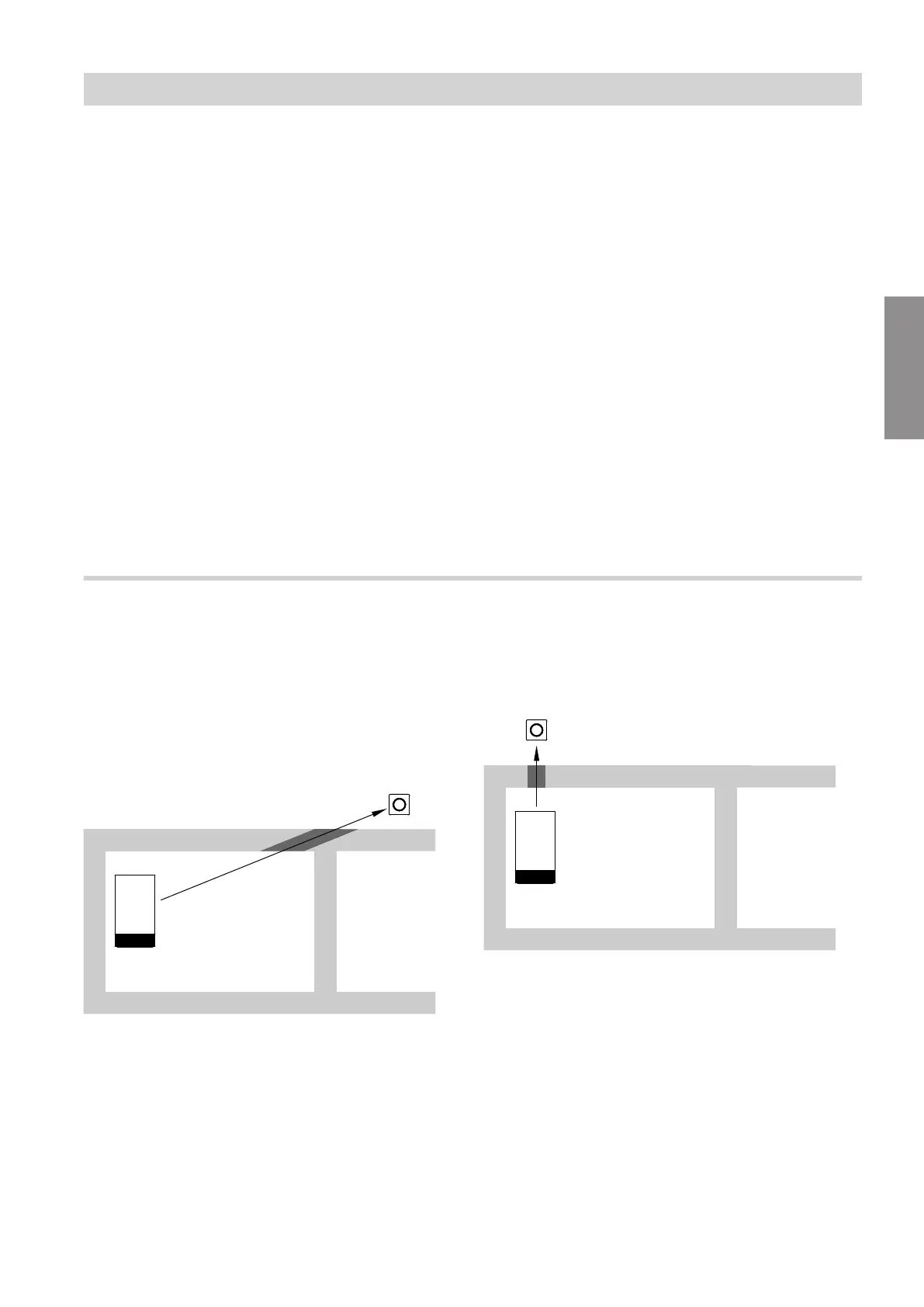
Angle of penetration
The reception quality remains best if radio signals hit
the walls vertically.
Depending on the angle of penetration, the effective
wall thickness changes and so does the extent to
which the electromagnetic waves are damped.
Flat (unfavourable) angle of penetration
Fig. 19
A
WiFi router
B
Heat generator
C
Wall
Ideal angle of penetration
Fig. 20
A
WiFi router
B
Heat generator
C
Wall
Installation sequence
WiFi operational reliability and system… (cont.)
6167586
Installation



 To Next Page