6
1. Information Disposal of packaging ............................................................................ 8
Gas Council No. ..................................................................................... 8
Symbols ................................................................................................. 8
Intended use .......................................................................................... 9
Product information ................................................................................ 9
■
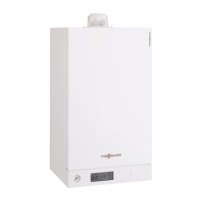
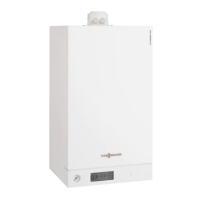
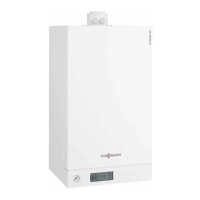
Vitodens 100-W, type B1HF, B1KF ..................................................... 9
System examples .................................................................................. 10
Spare parts lists ..................................................................................... 10
2. Preparing for installation ................................................................................................................ 11
3. Installation sequence Removing the boiler from the packaging ............................................... 14
Mounting the boiler and making connections ........................................ 15
■
Removing the front panel ................................................................... 15
■
Mounting the boiler on the pre-plumbing jig or mounting frame ......... 15
■
Fitting the boiler to the wall mounting bracket .................................... 17
■
Connections on the heating water and DHW sides ............................ 19
Condensate connection ......................................................................... 20
■
Filling the trap with water .................................................................... 20
Flue gas connection ............................................................................... 21
Gas connection ...................................................................................... 22
■
Gas installation to BS 6891:2005 ....................................................... 22
Electrical connections ............................................................................ 23
■
Opening the wiring chamber ............................................................... 23
■
Layout of the electrical connections ................................................... 24
■
On-site connections on the HMBU heat management unit ................ 25
■
Outside temperature sensor ............................................................... 25
■
Connecting the low loss header sensor
)
........................................ 25
■
Connecting the cylinder temperature sensor ...................................... 25
■
Connecting the DHW circulation pump (only type B1HF) ................... 25
■
Floating switching contact connection ................................................ 26
■
Power supply
fÖ
................................................................................. 27
■
Routing connecting cables/leads ........................................................ 28
WiFi operational reliability and system requirements ............................ 28
■
Wireless signal range of WiFi connection ........................................... 29
■
Angle of penetration ........................................................................... 29
Closing the wiring chamber ................................................................... 30
Fitting the front panel ............................................................................. 30
4. Commissioning, inspec-
tion, maintenance
Steps - commissioning, inspection and maintenance ............................ 31
5. System configuration
(parameters)
Calling up parameters ............................................................................ 57
Parameter .............................................................................................. 57
■
Additional settings can be made only via software tool ...................... 60
Subscriber numbers of connected extensions ....................................... 61
6. Diagnosis and service
checks
Service menu ......................................................................................... 63
■
Calling up the service menu ............................................................... 63
■
Exiting the service menu .................................................................... 63
Diagnosis ............................................................................................... 64
■
Checking operating data ..................................................................... 64
7. Troubleshooting Fault display on the programming unit ................................................... 65
Overview of electronics modules ........................................................... 66
Fault messages ..................................................................................... 66
Repairs .................................................................................................. 82
■
Shutting down the boiler ..................................................................... 82
■
Removing the boiler from the pre-plumbing jig or mounting frame ..... 83
■
Status/checking/diagnosing the internal circulation pump .................. 83
Index
Index
6167586




 To Next Page