Document: LT0732 QE20 Fibre Networking User Manual
Issue 1.0 24 May 2023 Page 3-23
Fibre Switch Configuration
The QE20 Fibre IP Network Kit consists of a Moxa fibre switch and at least one PIB,
ATA and VIF module. On the Moxa Switch the fibre network Ports 4 and 5 are
usually used for the network ring, however Ethernet ports could be used for a mixed
fibre - ethernet ring (e.g., Ethernet could be used for connecting the ring between
two adjacent QE20 panels).
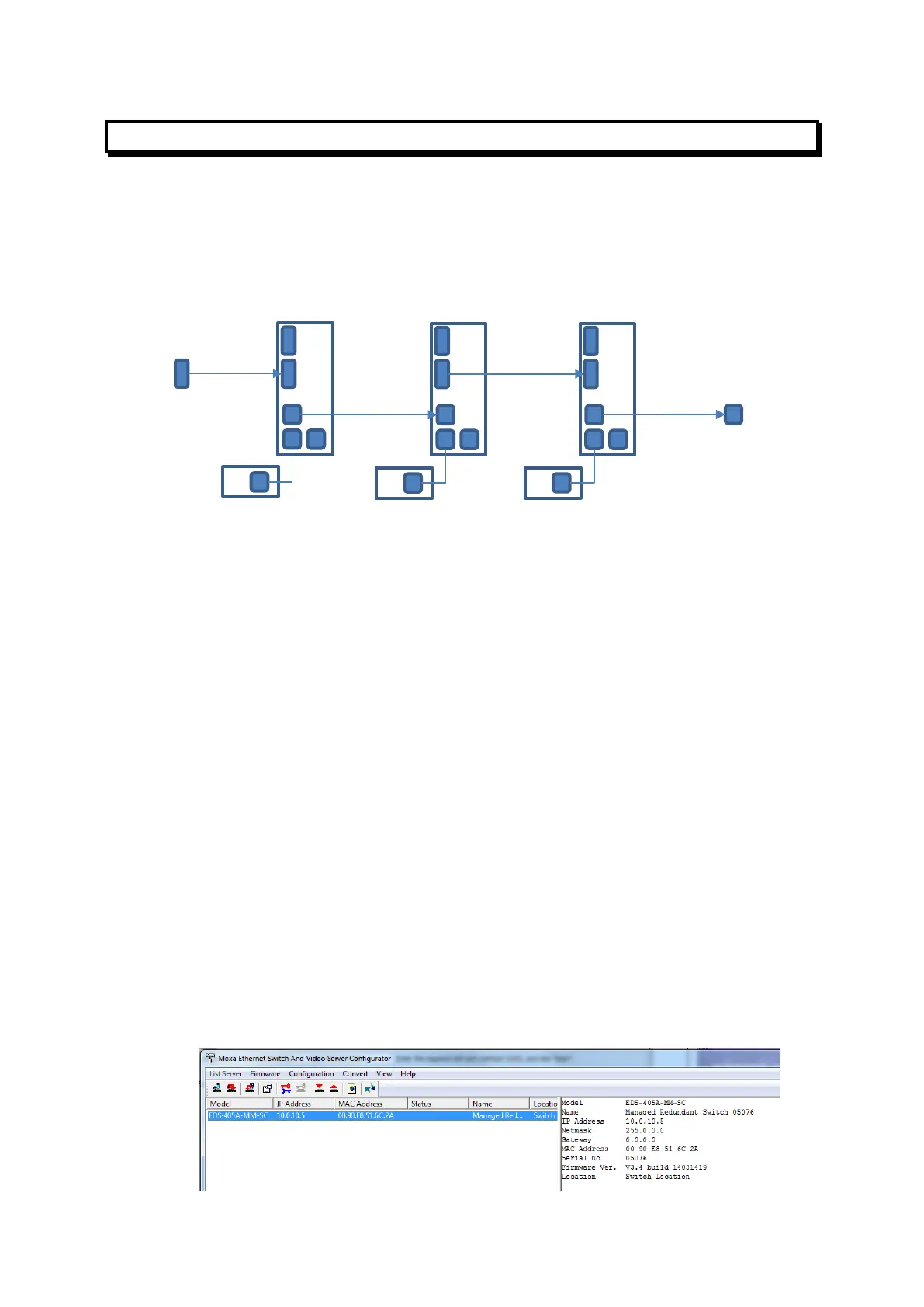
Figure 8 – Example Connection of MOXA Fibre/Ethernet Ports in Ring Network
Figure 8 shows the left-hand MOXA port arrangement with fibre port 4 and ethernet
port 3 as the “ring ports”. Port 2 is available for the host PC configuration. Port 1 is
initially used for PIB configuration, and when it’s done, for connection to the ATA’s
WAN port and the ATA’s ETHERNET port will then be used for connection to the
PIB.
3.1.20 Reset Moxa to Factory Defaults & Assign IP Address
To reset the MOXA to factory default settings:
• The Moxa can be set to factory defaults using a special serial cable and a PC.
This is described in the Moxa Managed Ethernet Switch/Extender
User’s Manual. This method may be needed if the IP Address of the switch
cannot be determined.
Or
• Connect the PC’s Ethernet port to one of the MOXA’s Ethernet ports (1/2/3)
with an RJ45 patch cable.
• Assign an IP address of 192.168.127.1 and a net mask of 255.255.255.0 to
the Ethernet port on the PC. It may also be necessary to disable the Firewall
in the PC.
• Run the MOXA PC application ‘edscfgui.exe’ on the PC and click the
Broadcast Search icon (left most icon of the icon list bar) to scan/find the
MOXA switch.



 To Next Page