EasyManua.ls Logo

Vigilant MX1 - User Manual

Vigilant MX1
134 pages
Print Icon
To Next Page IconTo Next Page
Loading...
Vigilant MX1
Fire Alarm System
Operator Manual
LT0344
Issue 2.4
Vigilant MX1
Sample MX1 Fire Alarm System
MX1 V1.60 NZS 4512:2010 05:04:07
Normal 12/02/15

Table of Contents

Other manuals for Vigilant MX1

Questions and Answers

  • M
    Michelle EnglishSep 23, 2025
    What does 'Software fault point status display' mean on my Vigilant MX1 Security System?
    • C
      chloeshafferSep 23, 2025
      The 'Software fault point status display' message on your Vigilant Security System indicates that the panel tried to write data to the dataflash and failed, or that the history stored in the dataflash was found to be invalid at start-up. Contact the service company. Replace the main board.
  • G
    Gregory HarrisonAug 23, 2025
    What to do if my Vigilant Security System shows 'Remote panel did not respond'?
    • M
      Martin BrooksAug 25, 2025
      If your Vigilant Security System displays 'Remote panel did not respond', it means communication with the remote panel may have been lost, or it has been taken offline. Check for any communication faults and ensure that the remote panel is still online.
  • D
    dwestAug 25, 2025
    What does 'SID xx not responding, retry yy' mean on my Vigilant MX1?
    • V
      Vanessa CarrollAug 25, 2025
      The message 'SID xx not responding, retry yy' on your Vigilant Security System indicates that the remote panel SID xx is not responding. The yy value shows how many attempts have been made. This can be due to a network fault or the panel being offline. Ensure the remote panel is online and that there are no network faults.
  • P
    Paul CastroAug 26, 2025
    What to do if Vigilant MX1 Security System shows 'Error processing command'?
    • J
      James NelsonAug 27, 2025
      If your Vigilant Security System displays 'Error processing command', the configuration data file may be corrupt, or the memory may be corrupt. Use Smart Config to extract the active database and verify it matches the master file. Confirm that point 241.1 is present in the database and has a “check” in the “can be disabled” column. Restart the panel. Contact service company.
  • P
    Patricia BlairAug 27, 2025
    What does it mean when my Vigilant MX1 Security System displays 'ERROR: CANNOT COMMUNICATE WITH MAIN BOARD'?
    • H
      halejohnAug 28, 2025
      When your Vigilant Security System displays 'ERROR: CANNOT COMMUNICATE WITH MAIN BOARD', it means the LCD/Keyboard cannot communicate with the Controller. This could be because the Controller is having its firmware programmed, there's no valid configuration data file in the panel, there is a faulty loom, or there is a faulty Controller/LCD/ Keyboard. Check that the FRC is correctly inserted into J8 of Keyboard and J30 of Controller. Check that Controller indicators B and C are flashing to show normal processing. Press SILENCE buzzer and recheck when programming is completed. Reload configuration data file. Download the configuration data file. Replace.
  • L
    Linda McmahonSep 17, 2025
    Why does my Vigilant MX1 Security System say 'Point not configured in database'?
    • J
      Joseph BartonSep 18, 2025
      If your Vigilant Security System displays 'Point not configured in database', it means the SID specified by the point number that has been entered does not appear in the list of SIDs in this panel’s configuration database. If you need to recall a point from the specified SID from this panel, you need to add the SID to the configuration data file.
  • M
    matthewsmithSep 14, 2025
    Why is 'Alarm test not allowed' on my Vigilant MX1 Security System?
    • J
      jonathan21Sep 14, 2025
      The message 'Alarm test not allowed' on your Vigilant Security System indicates that the point is configured to be “not testable”. If the point needs to be tested, change the configuration data file and use a different profile for the point.
  • C
    chad90Sep 15, 2025
    Why does my Vigilant MX1 Security System say 'All points in zone are disabled. Enable at least one point first.'?
    • R
      Richard CarterSep 16, 2025
      Your Vigilant Security System displays 'All points in zone are disabled. Enable at least one point first' because fire alarm standards require that a zone cannot be enabled if all points on that zone are disabled. Enable at least one point.
  • R
    rburtonSep 6, 2025
    Why does my Vigilant MX1 say 'Unable to Test: Battery low'?
    • M
      Megan SimonSep 6, 2025
      Your Vigilant Security System displays 'Unable to Test: Battery low' because the battery voltage is low, and a battery test is not permitted under these conditions. Wait for the battery to re-charge.
  • C
    Carol JohnsonSep 3, 2025
    What does 'ERROR: UNABLE TO RECEIVE CONFIG DATA' mean on my Vigilant MX1 Security System?
    • J
      Joseph TrujilloSep 3, 2025
      The error 'ERROR: UNABLE TO RECEIVE CONFIG DATA' on your Vigilant Security System means that while the LCD/Keyboard communications are okay, the Controller won’t send a valid config message to the Keyboard. A likely cause is that the LCD/Keyboard and Controller board firmware versions are incompatible. Install compatible firmware versions in LCD/Keyboard and Controller. Contact service company.

Summary

Introduction to the Vigilant MX1 Operator Manual

Operator Interface Components

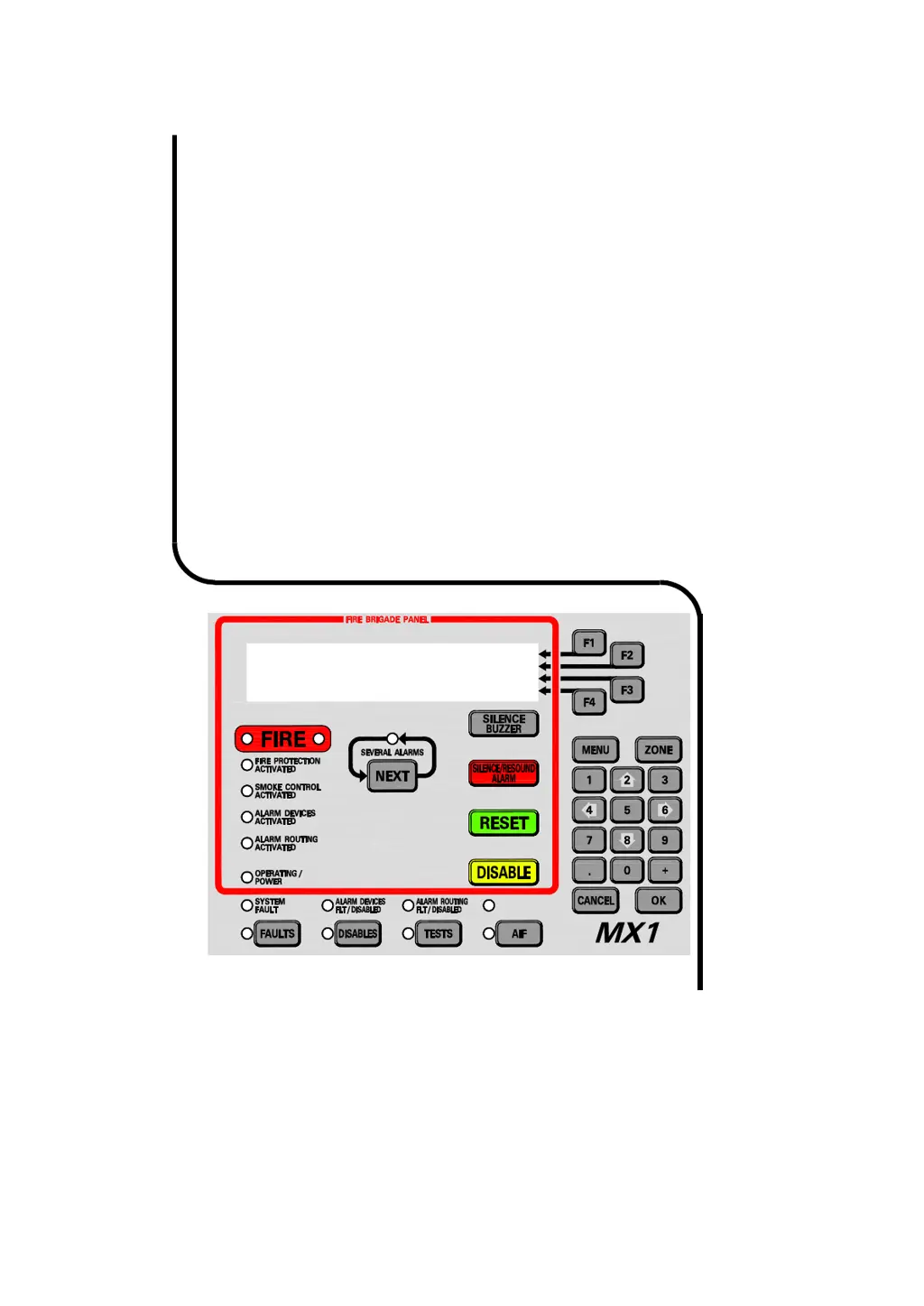
Details the LCD, Fire Brigade Panel, soft keys, indicators, and keypad.

Operator Access Levels

Explains the four access levels (0-3) and their functionalities.

Managing Alarm Conditions

Viewing Alarms

Describes how the MX1 indicates alarms and details alarm display.

Managing Faults and Disables

Viewing Faults

Covers how the MX1 indicates faults and how to respond to them.

Recalling Zone and Point Status

Recalling Off-Normal Points and Zones

Instructions for recalling points and zones in off-normal states.

Zone and Point Functions

Resetting Zones or Points

Procedures for resetting individual zones, points, or ranges.

Disabling and Enabling Points or Zones

Steps to disable or enable specific points or zones.

Testing Zones

Guides for performing alarm, operate, auto-reset, and fault tests.

Logging On to Access Level 3

Logging On to Access Level 3

Procedure for accessing critical service functions via Level 3.

Other Service Functions

MX Loop Status

Provides information on loop voltage, current, and fault conditions.

Replacing an MX Device

Methods for installing and re-addressing replacement MX devices.

Buzzer Cadences, LCD Error Messages and Fault Finding

Troubleshooting LCD Messages

Lists LCD messages, their causes, and recommended actions.

System Information

Vigilant MX1 Specifications

General IconGeneral
BrandVigilant
ModelMX1
CategorySecurity System
LanguageEnglish

Related product manuals