Document: LT0344 Vigilant MX1 Operator Manual
Issue 2.4 8 August 2017 Page 8-3
To change the system date, press CHANGEF2. All the digits are set to
zeroes.
Enter the day, month and year without separators.
For example, a date of 21 December 2004 would be entered as
2 1 1 2 0 4.
Press OK to store the new date.
The Daylight Saving status is determined automatically by the current
date and the site’s configuration.
This function requires Access Level 2.
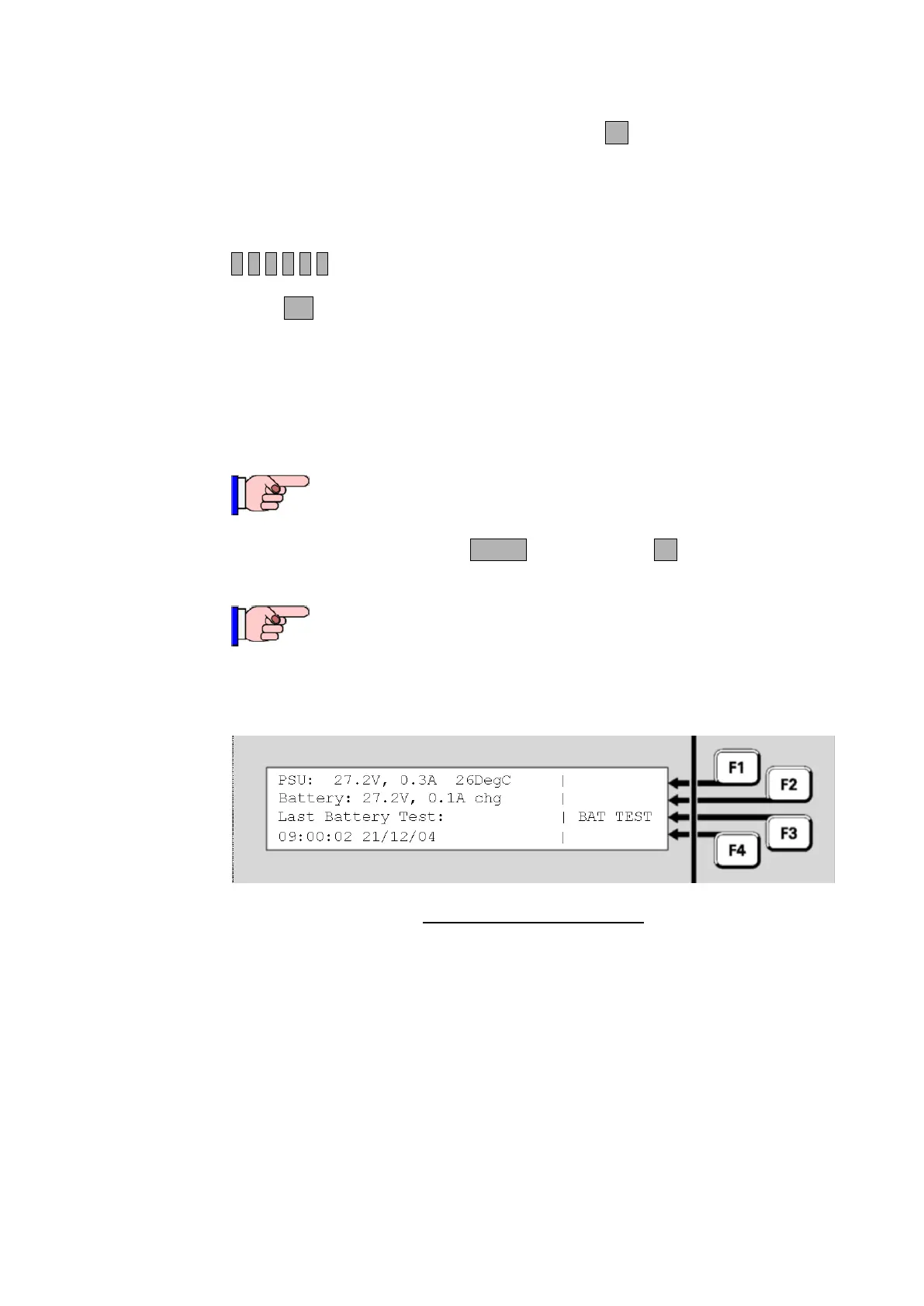
From the base display press MENU, then POWERF4 to view the Power
Supply Status.
The PSU and battery voltage and current readings are not
calibrated. There may be offsets that become apparent,
especially at low current levels to/from the battery. If accurate
readings are required then suitable voltmeters and ammeters
must be used to obtain the necessary measurements.
Fig 8-3 – Power Supply Status
The following information is displayed:
PSU: is the power supply output voltage and current. The voltage
reading may periodically fluctuate slightly when a Battery Connection
check is made. Note that the current includes both battery-backed
and non-battery-backed loads.
Temperature: is the approximate temperature in the MX1 cabinet
in C.
Battery: is the voltage and current flowing at the battery terminals
of the controller. The current is shown as chg for charge current
flowing into the battery, and dis for discharge current flowing out of
the battery.
Power Supply Status and Battery Testing



 To Next Page