Vigilant MX1 Operator Manual Document: LT0344
Page 2-2 8 August 2017 Issue 2.4
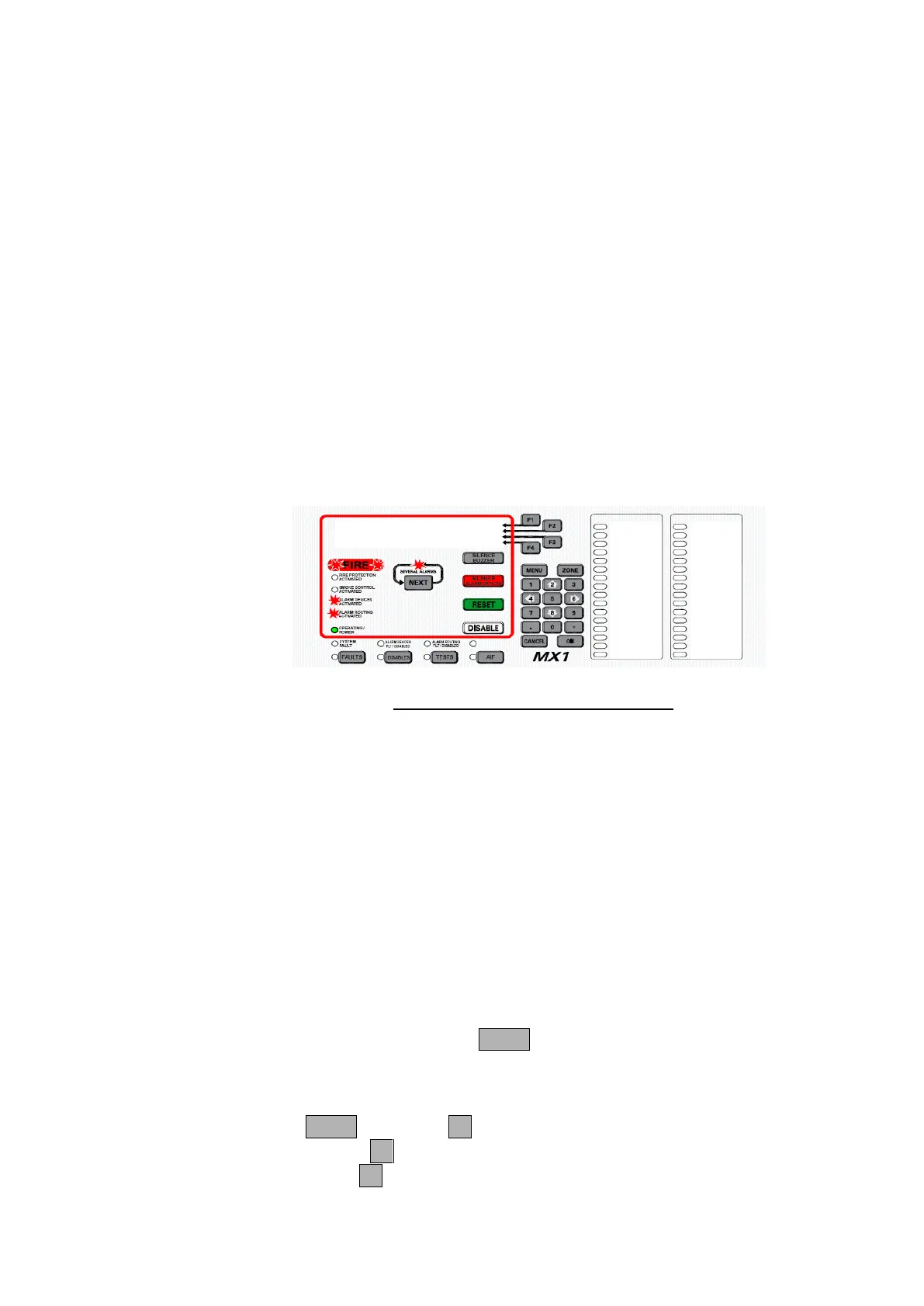
When the first alarm condition is detected by the MX1, it does the
following to indicate the presence of the alarm:
The red general Fire indicators light red and individual Zone Alarm
indicators (if fitted) flash red.
The Fire Brigade alarm routing output is activated, shown by the red
ALARM ROUTING ACTIVATED indicator.
The Alarm devices are activated, shown by the red ALARM DEVICES
ACTIVATED indicator.
The Common Fire LED will be on.
Other outputs, e.g. smoke control, air-conditioning shutdown, door
holder releases, etc., may be activated to control the fire situation.
The LCD will show the detail of the first alarm.
Smoke ALARM Z001 |MORE INFO
Reception | PREV
Atrium Entrance | NEXT
01 Zone Alarms Event 01 of 01 | ACK ALM
Fig 2-1 – Example of an Alarm Display
The first line of each alarm will show:
o the alarm type (e.g., smoke, heat).
o the zone number alternating with the point number.
The second line of each alarm will show the zone name.
The third line of each alarm will show the point name.
The fourth line of each alarm will show:
o the number of zones in alarm.
o Which alarm event is displayed out of the total alarm events
present, as there may be multiple alarms per zone.
The SEVERAL ALARMS indicator will be lit if there are two or more
alarms present. Pressing the NEXT key will scroll the display through
any subsequent alarms (the alarm list).
In the Alarm Detail display, you can:
Press NEXT or NEXTF3 to step to the next (later) alarm,
Press PREVF2 to step to the previous (earlier) alarm,
Press ACKF4 (if enabled) to mark the alarm as acknowledged. The
acknowledgement time and date is recorded in the history log.
What the MX1
Does When
an Alarm
Occurs



 To Next Page