Document: LT0732 QE20 Fibre Networking User Manual
Issue 1.0 24 May 2023 Page 7-3
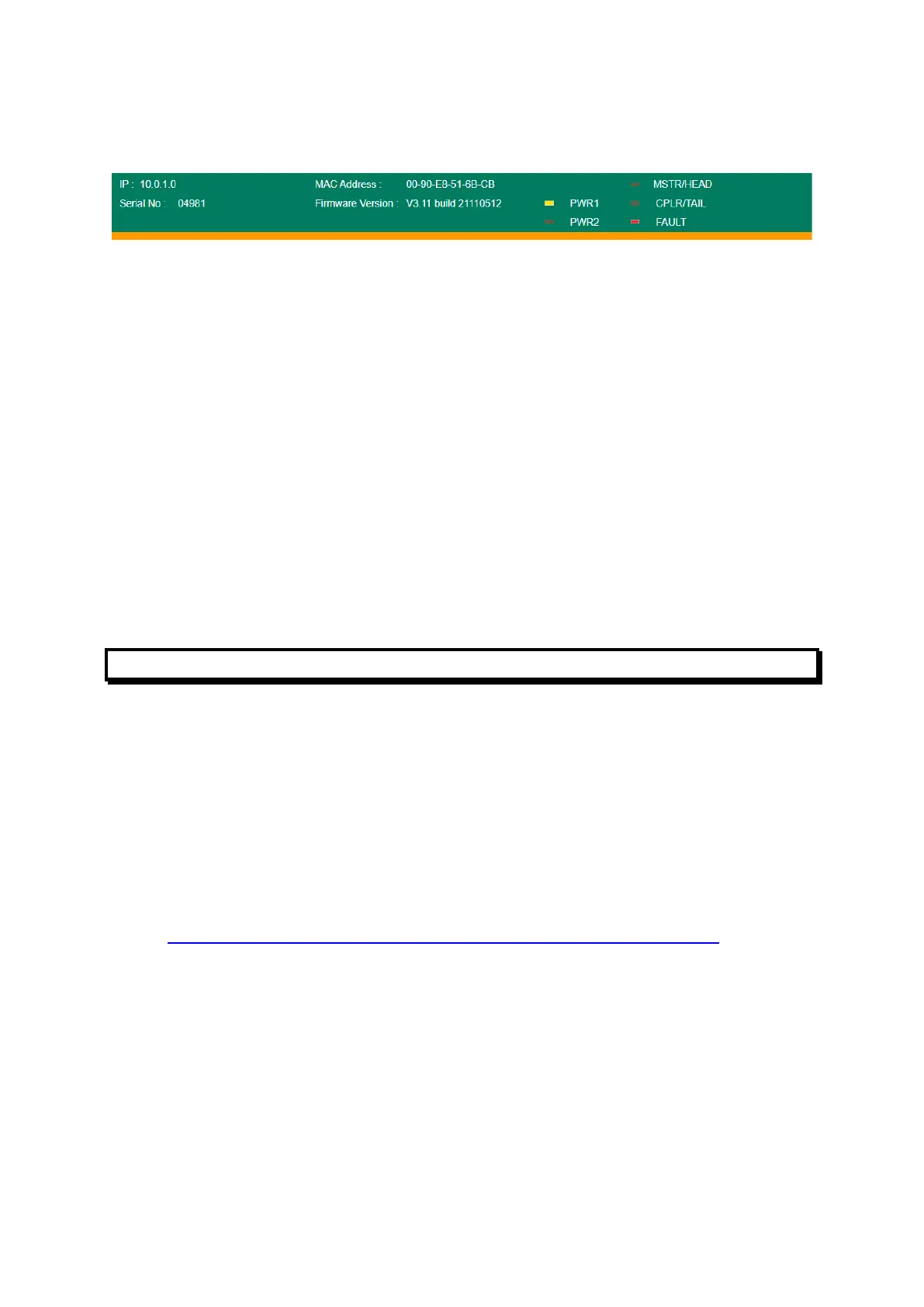
On the screen that comes up check the details along the heading. MSTR/HEAD will
be on/flashing for the Master switch. FAULT will be on if there is a fault at that node.
The Communications Redundancy page gives further details.
Healthy indicates the ring is complete. Break indicates the ring is broken
somewhere.
Master indicates this switch is the ring master, and Slave indicates this switch is not
the master. This information is not relevant in determining the location of a break.
Check the assigned ring ports on the Moxa switch.
Link Down indicates the ring segment connected to this port is physically broken.
Check the status of the switches on either side to find the other end of the broken
segment.
Forwarding indicates the segment connected to the port is good and data is being
forwarded over it.
Blocked indicates the segment connected to the port is good but data is not being
forwarded over it, to deliberately break the ring under normal conditions so packets
don’t circulate forever. This won’t be shown if the ring is physically broken
somewhere.
Advanced Fault Finding in a Large Network
Some other techniques that could be used for locating ring breaks in a large network
are listed below. Some of these will require a degree of IP experience to set up.
• Ping each device from a PC on the network. If devices are not accessible it
could be due to ring breaks, devices powered off or disconnected from the
network.
• Create a second break on the ring and determine which panels then go off-
line. Use the wiring diagram to determine where the two breaks are.
• Set up a syslog server on a PC attached to the network, and set up the Moxa
switches to send a fault log to this server.
• Use some network management software from the switch supplier -
http://www.moxa.com/product/network_management_software.htm.
• Use an SNMP (Simple Network Management Protocol) product.



 To Next Page