Document: LT0732 QE20 Fibre Networking User Manual
Issue 1.0 24 May 2023 Page 3-25
• Using an RJ45 cable connect the PC’s Ethernet port to a spare port on the
Moxa Switch, or another Moxa Switch if the Moxa Switches are connected to
a working network ring along with the PIB.
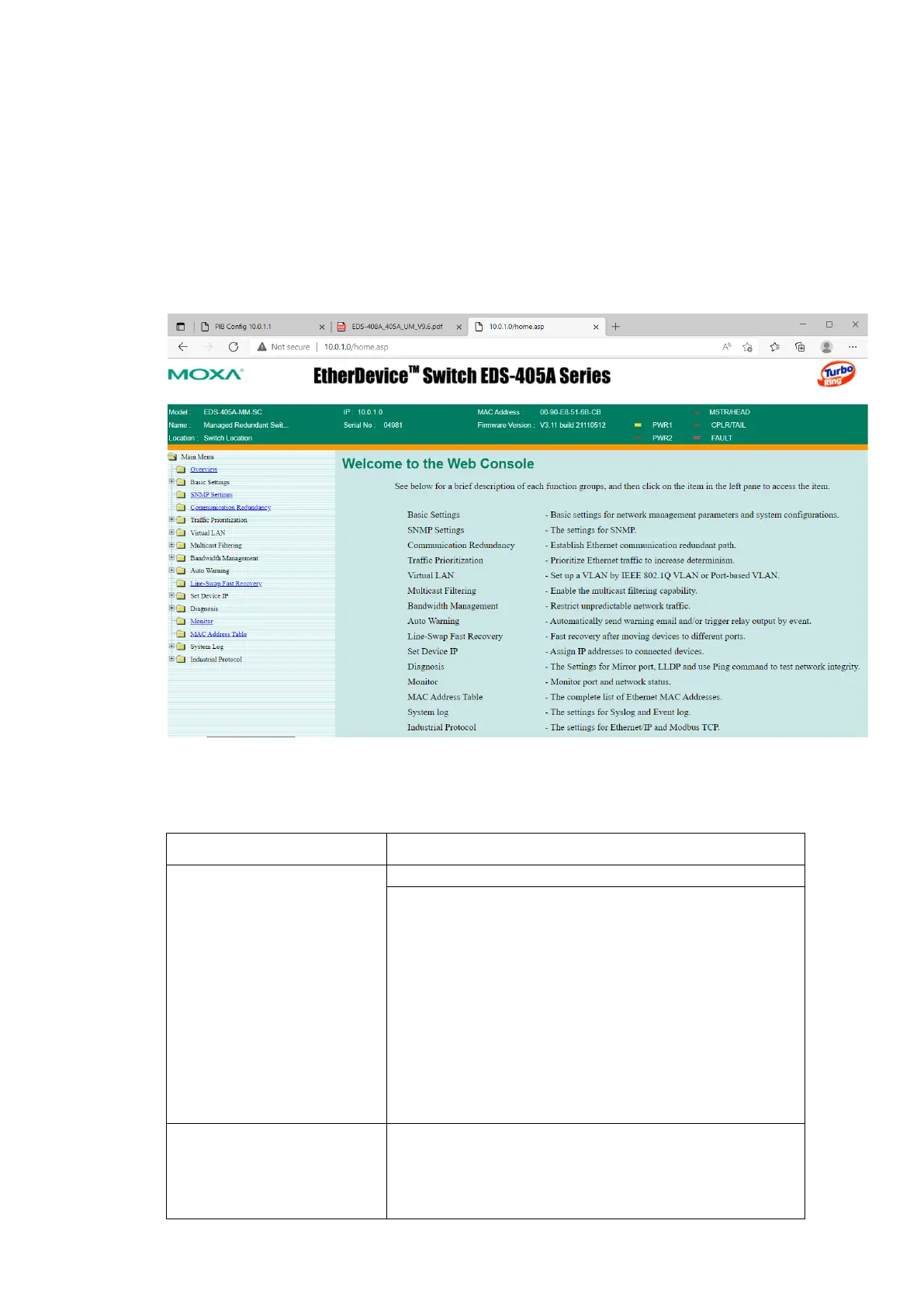
• On the host PC, open a web browser and browse to the Moxa web server.
E.g., type ‘http://10.0.1.0’ (using the assigned IP address for the Moxa switch)
into the address field and press Enter.
• Enter the assigned username and password.
• This should display the Moxa web server home page.
• Enter the settings shown in the table below. Click on the + symbol of the Page
name on the left hand side to open some menus.
Communication
Redundancy
Redundancy Protocol : Turbo Ring V2
Set as Master: Tick for one QE20, untick for all
others.
Redundant Ports 1
st
Port: Select the ring port
(usually 4).
Redundant Ports 2nd Port: Select the ring port
(usually 5).
Click Activate.
Auto Warning=>Relay
Warning=>Event Setup
Power Input 1 failure: Enable
Power Input 2 failure: Disable
Turbo Ring Break: Enable



 To Next Page