FILE MANAGER 9:5
ORGANIZE
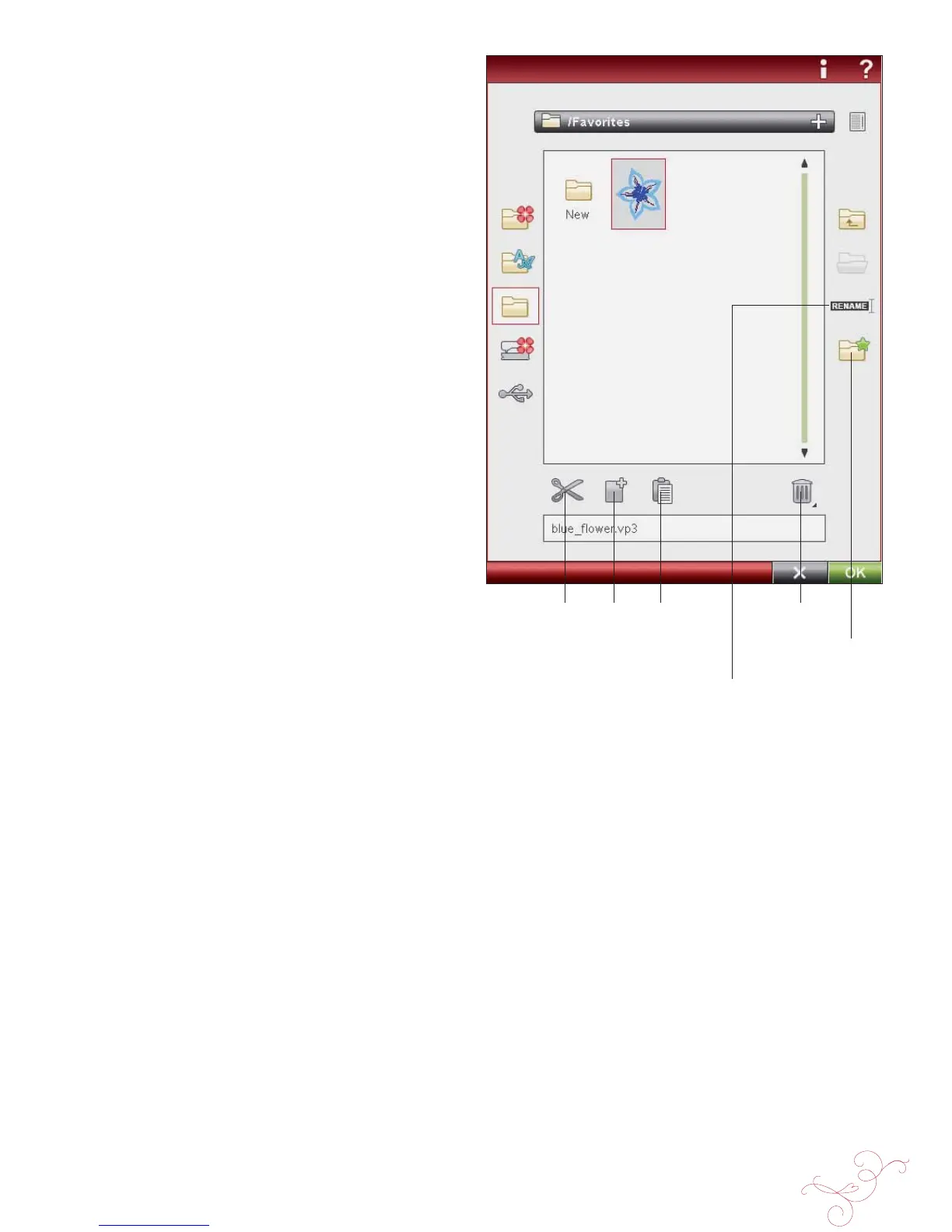
CREATE A NEW FOLDER
Touch the create new folder icon to create a new folder.
A pop-up message opens where you can enter a name for
your folder.
RENAME A FILE OR FOLDER
To change the name of a folder, touch the folder then
touch the Rename À le or folder icon. A pop-up message
opens where you can enter the new name for a À le or
folder.
MOVE A FILE OR FOLDER
Use cut and paste to move a À le or folder to another
storage location.
Select the À le or folder, then touch Cut. Open the folder
where you want to place the À le or folder. Touch Paste. The
À le or folder is now stored in a new location and is removed
from the previous location.
COPY A FILE OR FOLDER
Use Copy and Paste to copy a À le or folder to another
place.
Select the À le or folder, then touch Copy. Open the folder
where you want to place the À le or folder. Touch Paste.
The À le or folder is now stored here and the original À le or
folder also remains in the original folder.
DELETE A FILE OR FOLDER
To delete a À le or folder, mark it and touch Delete. A pop-
up message asks you to conÀ rm the deletion. If a folder
is deleted, all À les within the folder are deleted as well. To
delete all À les or folders, touch and hold the Delete icon for
a few seconds.
Rename À le or
folder
Create new
folder
Cut Copy Paste Delete








 To Next Page