8:2
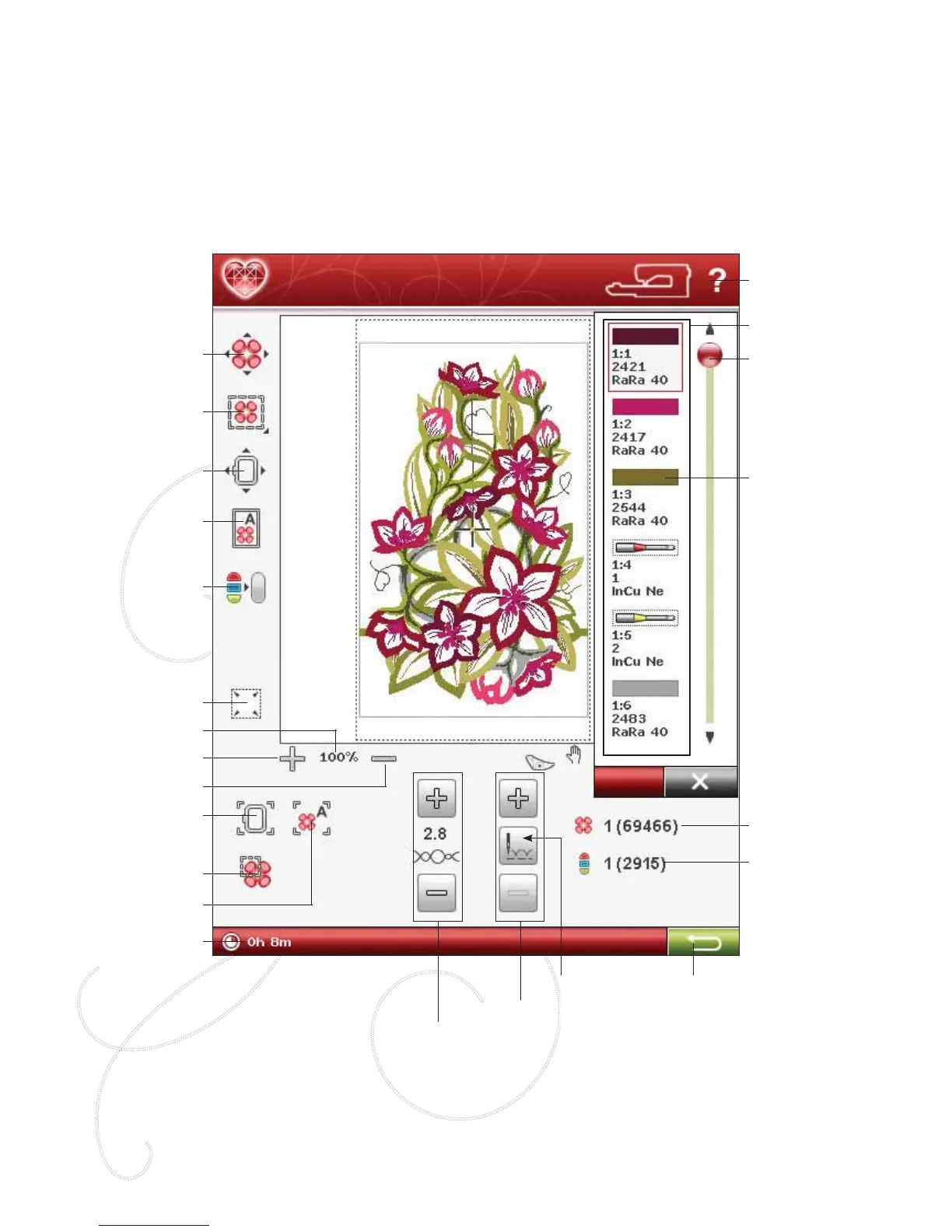
EMBROIDERY STITCH-OUT - OVERVIEW OF ICONS
TO ENTER EMBROIDERY STITCH-OUT
To embroider your design(s), enter Embroidery Stitch-Out by touching the GO icon in the lower right corner of the
Embroidery Edit window. The embroidery unit must be connected and the correct hoop attached when the machine
enters Embroidery Stitch-Out.
Design Positioning
Monochrome
Move Hoop
Full screen
Corner Check
Baste in Hoop
Quick Help
Scroll bar
Number of stitches
in current Color
Block
Number of stitches
in embroidery
combination
Color Block
Zoom Out
Zoom In
Zoom to Hoop
Zoom to All
Zoom to Box
Return to
Embroidery Edit
Thread Tension
Step Stitch-by-Stitch
Time left in Color
Block
Color Block List
Current Zoom
Go to Stitch








 To Next Page