3:4
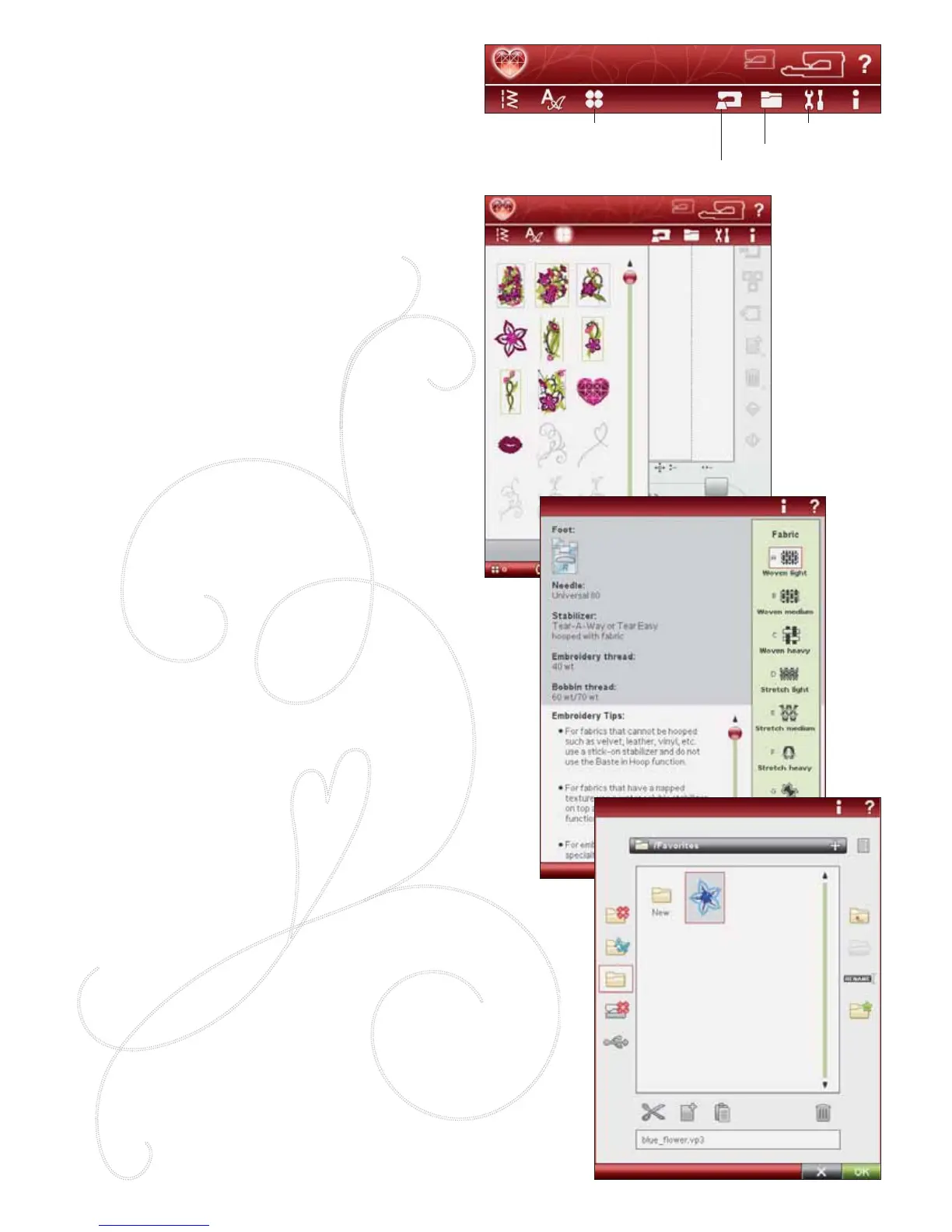
SET Menu
File Manager
Design Menu
EMBROIDERY ADVISOR™
DESIGN MENU
(Only active in Embroidery Mode)
SELECTING A DESIGN
Open embroideries by selecting the Á ower icon on the
Extended toolbar. Select an embroidery design by touching
it. Use the scroll bar to browse through additional designs.
EMBROIDERY ADVISOR™
(Only active in Embroidery Mode)
The EMBROIDERY ADVISOR™ feature recommends
the right needle, stabilizer and thread for your fabric.
Touch the fabric type and weight you want to embroider
on and follow the recommendations. The EMBROIDERY
ADVISOR™ feature also gives you tips when embroidering
on special fabrics or using special threads. Touch OK to
close the EMBROIDERY ADVISOR™ feature.
FILE MANAGER
The File Manager is used to open, organize, add, move,
remove and copy your designs, fonts and stitch À les. Use
either built-in memory or an external device connected to
your machine for storing designs and À les.
You can select several designs at a time. Touch the designs
you want to open, then Touch & Hold (see page 3:2) on the
last selected design. All designs that you have selected will
open in Embroidery Edit.
Learn more about the File Manager in chapter 9.








 To Next Page