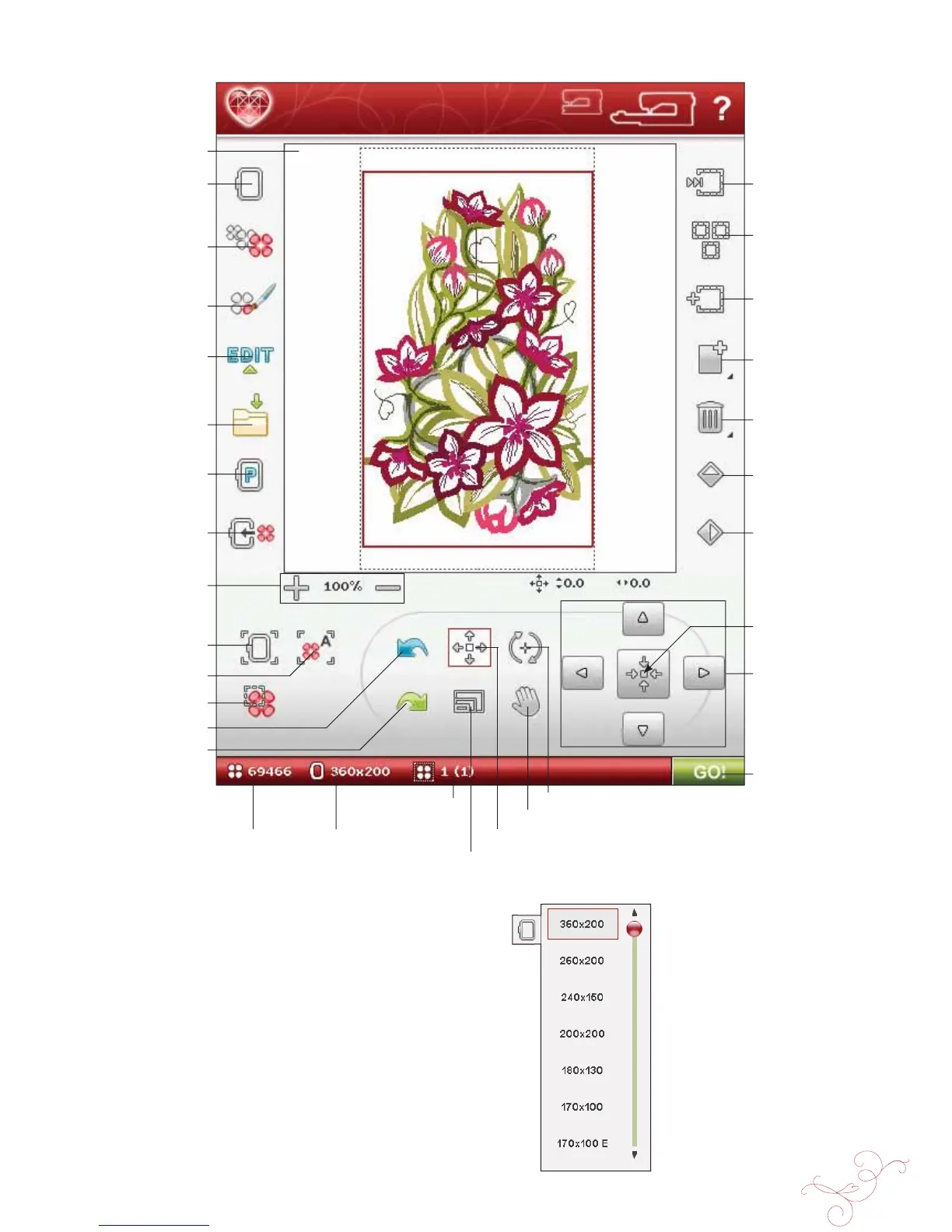
EMBROIDERY EDIT 7:3
Undo
Redo
EMBROIDERY EDIT - OVERVIEW OF ICONS
MY HOOPS
To select the correct hoop size, touch the My Hoops icon.
A pop-up will appear with the hoop choices, including
hoops that are available to purchase from your authorized
HUSQVARNA VIKING® dealer.
After selecting your hoop size, the pop-up message will
close automatically.
Pan
Total number of stitches
in design combination
Selected hoop
Stitch-out order of
selected design
Embroidery À eld
My Hoops
Resize
Color Edit
Edit Stitch Program
Save to My Designs
Zoom In/
Zoom Out
Zoom to Hoop
Zoom to Box
Zoom to All
Step Through
Designs
Select All
Add/Remove
Selection
Duplicate
Delete
Mirror End-to-End
Mirror Side-to-Side
Park Position
Move to Hoop
Control
Control center
Position
Scale
Rotate
Embroidery
Stitch-Out








 To Next Page