4:2
Free-Motion
Technique
Start Menu
Quick Help
Sewing/Embroidery
Mode
Sewing Technique
Save to My
Stitches
Program
Fabric
Stitch Menu Name
Stabilizer
Recommendation
Needle Recommendation
Presser foot
recommendation
Mirror End-to-End
Thread Tension
Mirror Side-to-Side
Stitch Width
Stitch Length
Extended
SEWING ADVISOR™
Stitch Selection Area
Scroll Through Menus
ALT icon
Stitch Start
Stitch Selected
Exclusive
SEWING ADVISOR™
Stitch
Re-Start
SEWING MODE
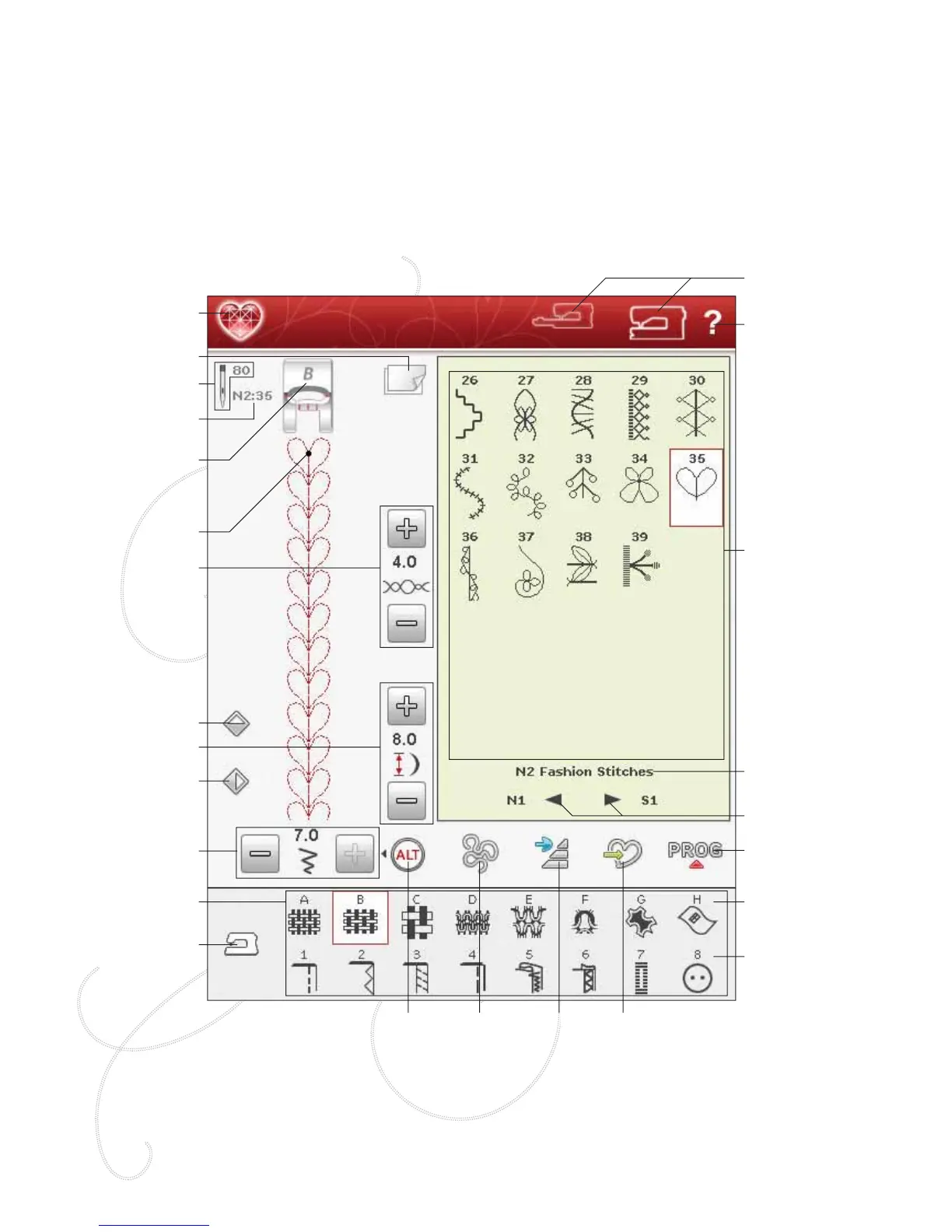
In Sewing Mode you can select stitches, adjust and sew
them. Your selected stitch will be shown in actual size in
the stitch À eld. The recommendations and machine settings
will be shown at the top. You can also go to Program mode
to create your own stitch programs. Read more about how
to program stitches in the Program chapter.
SEWING MODE - OVERVIEW OF ICONS








 To Next Page