59
Quantum Plus installation and user manual
3. Calendar Search
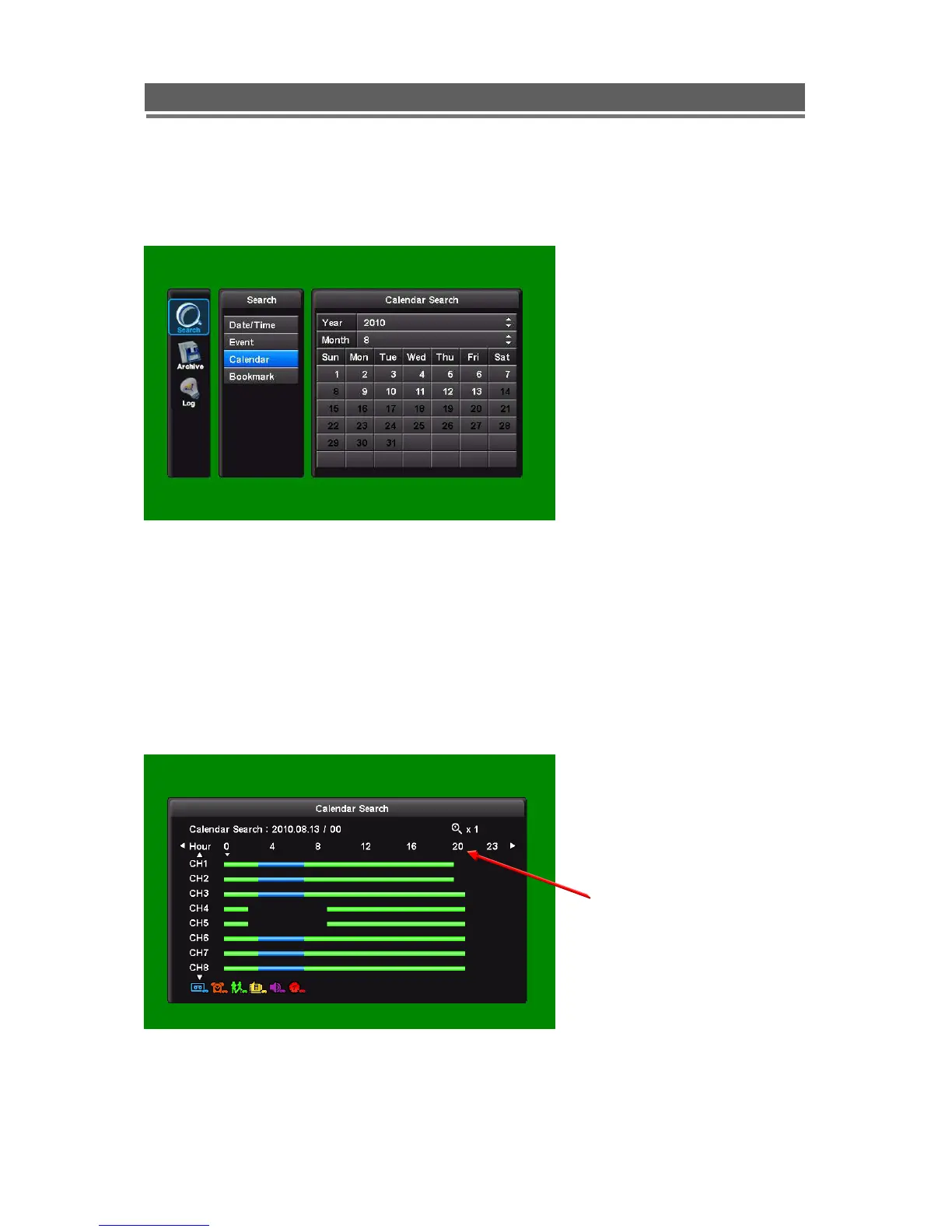
Following screen is displayed when “Calendar” search is selected
.
The Calendar search gives a graphical representation of when video is recorded on the hard
drive.
The year and month can be selected. This month is shown as a calendar on the screen, any
day which contains recorded video will be indicated by a highlighted number in white.
Move to the desired day by using the up / down / left / right buttons, Select the day by
pressing SEL.
The following screen will be displayed.
Hours of the day



 To Next Page