77
Quantum Plus installation and user manual
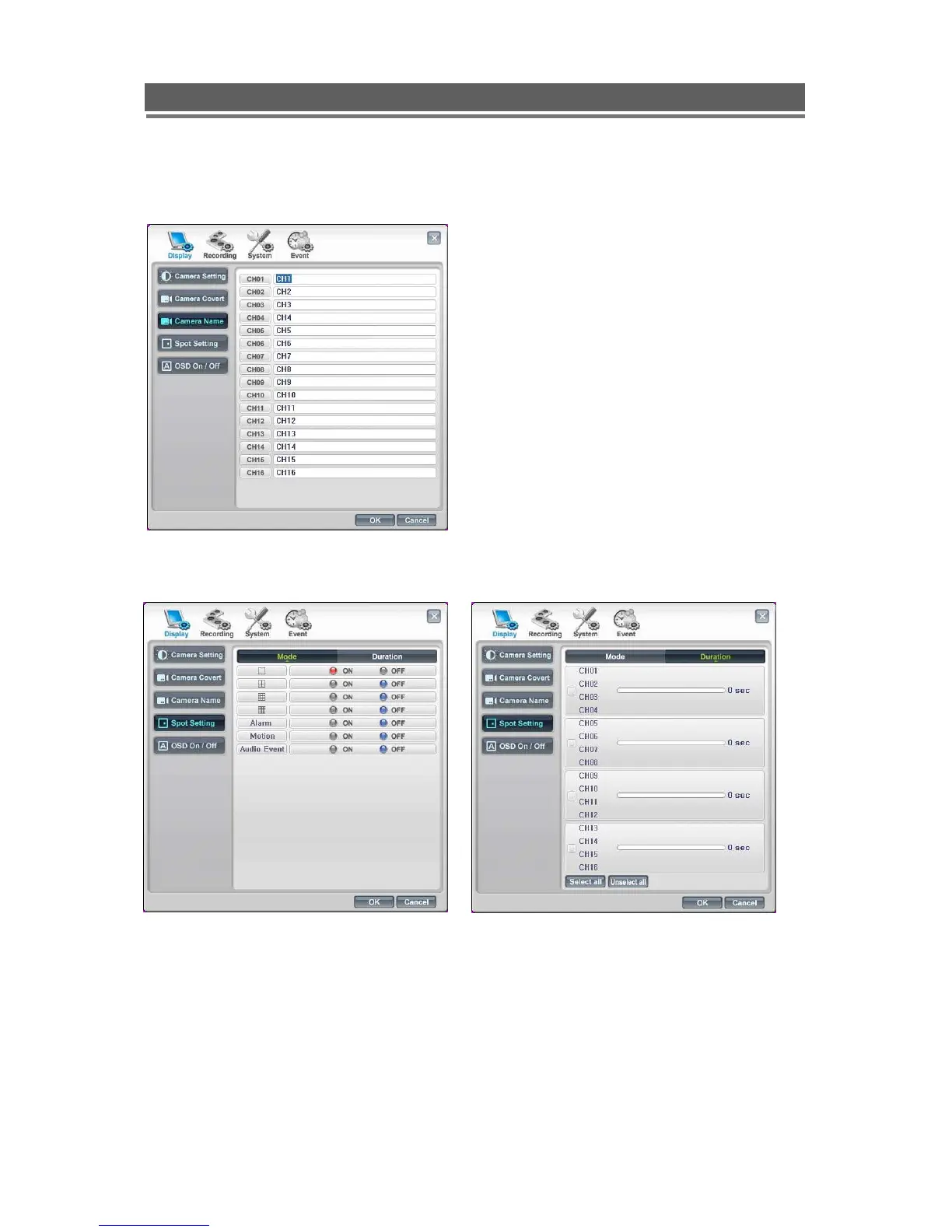
- Camera Name
Up to 32 Characters are available for each
camera name.
- Spot Monitor settings
1) Set “Mode” (Split screen/ Alarm Motion or Event), by click the ON button for the
required state – It will turn red.
2) Next select Duration for a sequence using the white time bar, next click OK.



 To Next Page