93
Quantum Plus installation and user manual
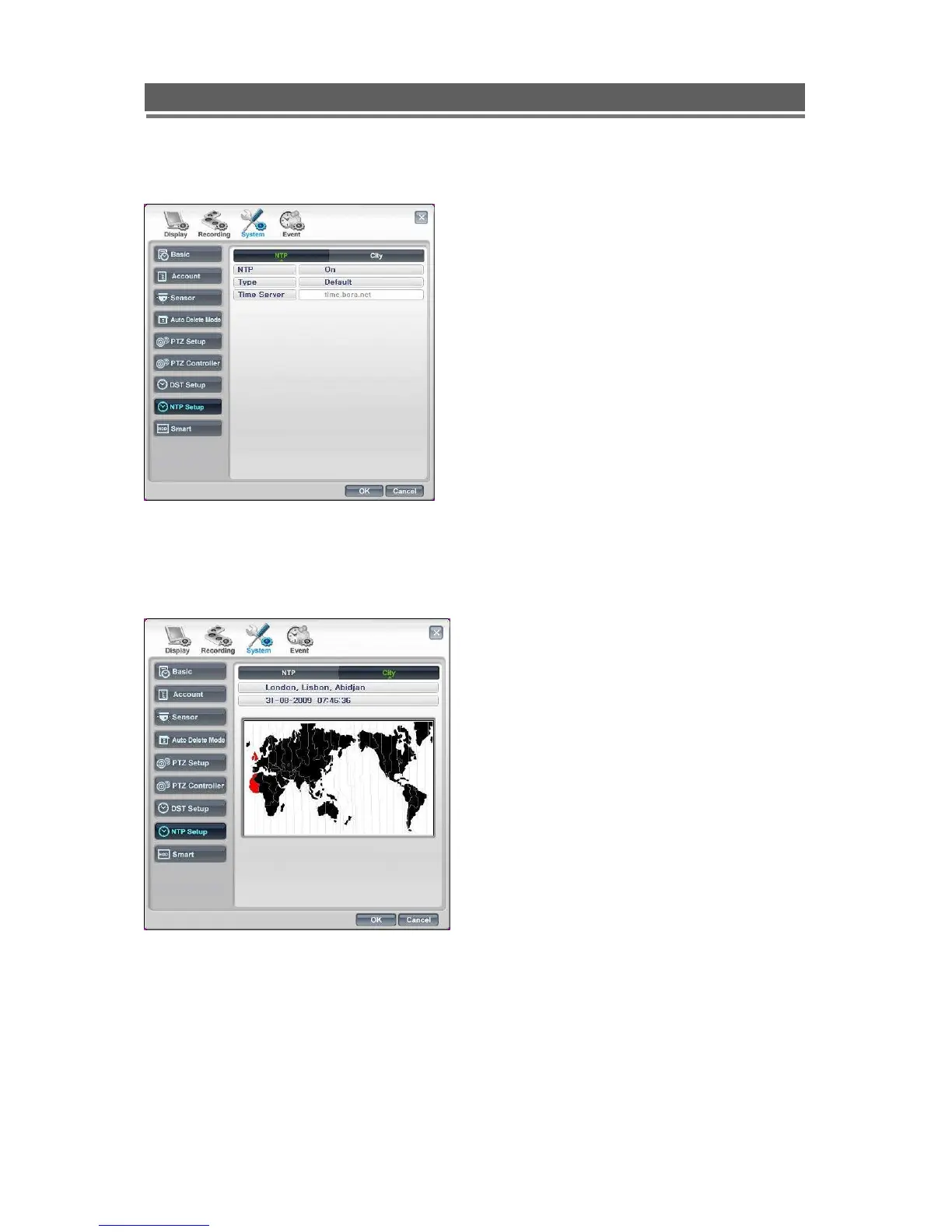
NTP Setup
Select City
NTP setup allows the DVR to have its internal
clock synchronised with an External clock.
The default setting is “Off”
To set up hover on the “Off” a drop down arrow
will appear giving the option to turn “On”.
Once “On”, two other options will appear:
Type allows selection between:
Default – Time server is “time.bora.net”.
Domain – Where another time server
name can be added.
IP – Where an IP address for a time server can
be input.
Once the NTP settings have been set, you must
then tell the DVR which time zone you are in. This
will allow it to offset any time differences if the
time server you contact is in a different zone.
Select City, the map screen will appear. Hover
over the city selection box, a drop down arrow will
appear, click on the arrow. A list of time zones will
be displayed. Select the time zone where the
Quantum is located.
Then click OK.



 To Next Page